Owner’s manual
 Error Codes


How to put GE refrigerator in diagnostic mode?
On the GE PSS28KSHECSS side-by-side refrigerator, diagnostic mode (service test mode) is accessed through the control panel and is used to read fault information and run component checks. We use the steps in the PSS28KSHECSS owner's manual to identify your exact control style and then interpret any error codes using the unit’s tech information.
Before you start
- Write down the model and serial number from the label inside the fresh food compartment (top right area).
- Keep doors closed as much as possible during testing to avoid temperature swings.
- If the display is blank or keys do not respond, restore power by unplugging for 1 minute and plugging back in.
- If the refrigerator is in showroom mode, exit that mode first because it can prevent normal operation.
- If an error code appears, record it exactly before clearing or exiting.
Typical control-panel approach (what to do)
Because GE uses a few different control layouts across Profile side-by-side models, the exact key sequence can vary. Use this process to get to the right procedure quickly:
- Check the control panel for a Set Features or similar feature-selection pad.
- Look in the manual section that describes control pads and special features.
- Follow the model-specific key sequence to enter service/diagnostic mode.
- Scroll through tests or codes; record results.
- Exit diagnostic mode and return the controls to normal temperature settings.
What error codes mean (example)
Diagnostic mode commonly shows numeric codes that point to a system or sensor issue. For example, a code may indicate a temperature sensor reading out of range, which can relate to a failed sensor or wiring issue.
| What you see | What it usually points to | Common next check |
|---|---|---|
| Temperature-related code | Thermistor/sensor input problem | Inspect sensor connection; test sensor resistance |
| Cooling performance issue | Airflow/defrost problem | Check for frost buildup; verify fans run |
| Dispenser/ice issue | Ice door/solenoid/valve problem | Check chute door movement; verify water supply |
Parts that commonly relate to diagnostic findings
If diagnostics point to one of these areas, these are common model-matched parts we see used in repairs:
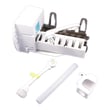
- GE profile refrigerator temperature sensor WR55X10025 (thermistor input issues)
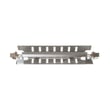
- Refrigerator defrost heater WR51X10055 (heavy frost, warm freezer)
- Refrigerator water valve WR57X33326 (no water to dispenser or ice maker)
Why it matters
Diagnostic mode helps us avoid guesswork. When we match the code to the right system (cooling, defrost, dispenser, or sensors), we can target the correct repair and prevent repeat failures.
Last updated: February 2026
How to reset GE refrigerator control board?
To reset the control board on your GE PSS28KSHECSS refrigerator, we power-cycle the unit: unplug it (or switch the breaker off) for about 2 minutes, then restore power and allow the controls to reboot. This clears many temporary glitches without changing temperature settings.
Quick reset steps (power-cycle)
- Unplug the refrigerator from the wall outlet.
- Wait 2 minutes (this lets the control fully discharge).
- Plug the refrigerator back in.
- Wait 5 to 10 minutes for the display and fans to stabilize.
- Confirm the temperature controls are set to your normal settings.
- If the unit was recently moved, make sure it is not pinching the power cord or water line.
For model-specific control and display details, follow the steps in the PSS28KSHECSS owner's manual.
What to check if it still will not run
The manual troubleshooting chart for this model points to a few common causes when the refrigerator does not operate.
- Make sure both controls are not set to OFF.
- Check the house breaker or fuse and reset if needed.
- Verify the plug is fully seated in the outlet.
- If it is in a defrost cycle, wait about 30 minutes and recheck operation.
- If it is in showroom mode, unplug and plug back in (power-cycle) to exit.
Reset vs. repair: what is the difference?
| Situation | What a reset does | What you may need next |
|---|---|---|
| Display frozen, buttons unresponsive | Reboots the board and keypad | Check for recurring error codes |
| Not cooling after power outage | Restarts normal operation | Inspect airflow, fans, and settings |
| Repeated warm temps or no start | May temporarily restart | Diagnose components and wiring |
If you see an error code after the reset, use GE refrigerator error codes to narrow the next step.
Why it matters
A control-board reset is the fastest safe first step because it restores normal logic after a power glitch. If symptoms return quickly, the issue is usually a sensor, fan, defrost component, or the electronic control itself.
Last updated: February 2026
Is GE Café considered high end?
Yes. GE Café is GE’s premium line; it’s positioned above standard GE models and is known for upgraded styling, finishes, and feature packages. Your model PSS28KSHECSS is a GE Profile side-by-side refrigerator, so Café branding does not apply to this specific unit; confirm your model’s features in the PSS28KSHECSS owner's manual.
Where Café fits in GE’s lineup
GE generally organizes its major appliance offerings into tiers; Café sits in the premium tier, while Profile is also an upgraded tier above standard GE
Typical differences you’ll notice with Café models:
- More design-forward finishes and hardware options
- More “professional-style” feature sets on many models
- More configuration choices (feature packages vary by model)
- Higher-end control interfaces and lighting on many models
- Premium replacement assemblies can cost more (doors, dispenser parts, controls)
What this means for your GE PSS28KSHECSS (Profile)
Because PSS28KSHECSS is a GE Profile model, parts, filters, and troubleshooting should be based on Profile specifications for this refrigerator.
If your question is really about “premium features” on your refrigerator, focus on items like:
- Water filtration type and replacement interval
- Ice maker and dispenser performance
- Temperature control behavior and sensors
- Door sealing and airflow consistency
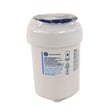
For water and ice filtration on this model, the manual calls out filter types such as MWF or MSWF; a common replacement option is the refrigerator water filter MWFP.
Quick tier comparison (typical)
| GE tier | What it usually emphasizes | What it affects for owners |
|---|---|---|
| Standard GE | Core features, value | Lower upfront cost, simpler feature sets |
| GE Profile | Upgraded features and performance | More electronics and feature-driven parts |
| GE Café | Premium design plus feature packages | More premium assemblies and styling parts |
Why it matters
Knowing the product line helps you set expectations for features and helps you buy the correct accessories (especially water filters) so the dispenser and ice maker operate properly.
Last updated: February 2026
What is the average lifespan of a GE refrigerator?
Most GE refrigerators average 12 to 15 years of service life. For your GE PSS28KSHECSS side-by-side refrigerator, consistent maintenance (clean airflow, good door sealing, and stable temperatures) is what most often determines whether you land closer to 10 years or push past 15.
Typical lifespan ranges (what to expect)
- Average: 12 to 15 years
- Common real-world range: 10 to 19 years
- Shorter lifespan drivers: dirty condenser area, poor door sealing, frequent warm-air intrusion, heavy ice maker and dispenser use
- Longer lifespan drivers: clean condenser coil, correct temperatures, timely filter changes, doors closing tightly
| Condition | What you’ll notice | Likely impact on lifespan |
|---|---|---|
| Coils and airflow kept clean | steadier temps, fewer long run times | Longer |
| Door gaskets sealing well | less frost, less compressor run time | Longer |
| Warm temps or frequent door openings | food softening, ice clumping | Shorter |
| Water system neglected | slow dispenser, weak ice production | Indirect (more strain, more service events) |
Maintenance that most improves longevity
We recommend focusing on these high-impact items:
- Keep the condenser area clean and unobstructed (dust buildup makes the compressor work harder).
- Confirm doors close fully and seal all the way around.
- Keep temperatures stable (avoid frequent setting changes).
- Replace the water filter on schedule; if a replacement is not available, use the bypass plug so the dispenser and ice maker can still operate (details in the PSS28KSHECSS owner's manual).
- Address dispenser or ice maker issues early to prevent leaks and icing.
Why it matters
A refrigerator’s sealed system (compressor, condenser, evaporator, and tubing) lasts longest when it runs efficiently. Simple upkeep reduces run time, prevents frost and airflow restrictions, and helps your GE PSS28KSHECSS maintain safe food temperatures with less wear.
Helpful related DIY reading
Last updated: February 2026
What is the most common problem with a GE refrigerator?
The most common problem we see with a GE refrigerator like model PSS28KSHECSS is inconsistent cooling (fresh food too warm, freezer too warm, or temperatures that swing). In many cases, the root cause is restricted airflow, dirty condenser area, or a failing fan or defrost-related component.
Quick checks that fix many “not cooling” complaints
- Confirm the temperature settings are at the normal presets: 0°F freezer and 37°F refrigerator.
- Give the unit time after changes; it can take up to 24 hours to stabilize.
- Avoid blocking airflow paths; keep items from packing tightly against vents and towers.
- Clean dust from the condenser area and make sure the unit has breathing room.
- Listen for fan noise changes (evaporator fan in the freezer area, condenser fan near the compressor).
For model-specific feature and temperature-setting steps, use the PSS28KSHECSS owner’s manual.
Other very common GE refrigerator issues
Cooling is the top complaint, but these are also frequent:
- Ice maker not making ice or slow production
- Water dispenser slow or not dispensing (often filter or valve related)
- Frost buildup or warm freezer from a defrost system problem
- Moisture inside during humid weather or frequent door openings
- Door not closing because a bin hits a shelf or the gasket folds on the hinge side
Common symptoms and likely areas to inspect
| Symptom | Most likely area | Example part for PSS28KSHECSS |
|---|---|---|
| Fresh food warm, freezer OK | Airflow or evaporator fan | Evaporator fan blade area (inspect for ice/obstruction) |
| Both sections warm | Condenser airflow, control, sealed system | Condenser fan area, controls |
| Frost/ice on back wall, warming | Defrost system | Refrigerator defrost heater WR51X10055, defrost thermostat |
| No water/ice, or weak flow | Filter, valve, frozen line | GE refrigerator water filter MWFP, water valve |
Why it matters
When airflow is restricted or a fan/defrost part is failing, temperatures drift and food safety suffers. Starting with settings, stabilization time, and airflow checks prevents unnecessary part replacement and helps you pinpoint whether you need a filter, valve, fan, or defrost repair.
Last updated: February 2026