Owner’s manual
 Error Codes



What is the advantage of a bottom mount fridge?
A bottom-mount refrigerator like the Samsung RB2155SH puts the fresh-food section at eye and waist level, so you reach everyday items without bending. The drawer-style freezer stays below, which helps keep frozen foods organized and reduces temperature swings when opened.
- Easier access to fresh foods (less bending for produce, milk, leftovers)
- Better organization for refrigerated items because shelves are at eye level
- Drawer-type freezer keeps frozen foods contained and easy to sort
- Separate temperature controls for refrigerator and freezer on many models
- Convenience features such as door alarms and fast cool or fast freeze modes (when equipped)
| Feature | Bottom-mount (RB2155SH style) | Top-freezer style |
|---|---|---|
| Fresh-food access | Higher, more ergonomic | Lower, more bending |
| Freezer access | Pull-out drawer | Swing door, shelves |
| Organization | Strong for fresh foods | Strong for frozen foods |
| Temperature stability | Often improved with drawer freezer | Varies by model |
Most households use the refrigerator section far more often than the freezer. Keeping fresh food at a comfortable height reduces strain and makes it easier to see what you have, which can cut down on wasted food.
- Keep frequently used items on the middle shelves for quickest access
- Avoid overpacking; leave space for air circulation inside the cabinet
- Use the humidity-controlled drawers for fruits and vegetables
- Close doors promptly; the door alarm helps prevent warm-ups
For feature details and control settings specific to your unit, use the RB2155SH owner's manual.
Last updated: January 2026
What is the most common problem with Samsung refrigerators?
The most common Samsung refrigerator problems are cooling-related issues (warm fresh-food section, freezer frost buildup) and ice maker problems (not making ice, freezing up, leaking). On the Samsung RB2155SH, these symptoms often trace back to airflow restrictions, defrost-system faults, or fan and sensor issues; the fastest path is to confirm temperatures and check for frost or blocked vents using the RB2155SH owner's manual.
- Fridge section not cold enough while the freezer seems OK
- Freezer frosting over, ice buildup on the back wall, or drawers sticking
- Clicking or repeated start attempts (cooling cycles that do not stabilize)
- Water under crisper drawers or puddles near the front
- Ice maker slow, jammed, or not producing ice (if equipped)
- Verify temperatures: aim for about 37°F in the refrigerator and 0°F in the freezer.
- Look for frost patterns: heavy frost on the evaporator cover usually points to a defrost or airflow problem.
- Confirm door sealing: gaps or a door not closing fully drives moisture in and creates frost.
- Check airflow: do not block interior vents with food packages.
- Reduce door-open time: shorter openings reduce ice formation in the freezer (a power-saving tip noted in the manual).
If your RB2155SH is warm, frosting up, or cycling oddly, these parts are frequent suspects:
| Symptom | Common area | Example part to check |
|---|---|---|
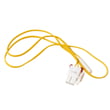
| Frost buildup, warm fridge | Defrost system | Refrigerator defrost thermal fuse DA47-00095E |
| Temperature swings | Temperature sensing | Refrigerator temperature sensor assembly DA32-10105S |
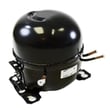
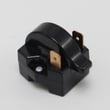
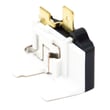
| Clicking, no steady cooling | Start components | Refrigerator compressor start relay DA35-10013N |
| Water pooling inside | Defrost drain path | Refrigerator drain tube grommet DA63-00951B |
Cooling and defrost problems can lead to food spoilage, excess frost that blocks airflow, and longer run times that increase energy use. Catching the issue early (before heavy ice buildup or repeated clicking) usually keeps the repair simpler.
Last updated: January 2026
How do I find the model number on my RB2155SH?
The model number for your Samsung bottom-mount refrigerator is printed on the appliance’s rating label. On RB2155SH units, you can typically find that label inside the fresh food compartment along a side wall or near the ceiling; match the full model and suffix exactly when ordering parts.
Check these common rating-label locations first:
- Inside the refrigerator section on the left or right interior wall
- Near the top interior (ceiling area) of the fresh food compartment
- Along the door frame area when the refrigerator door is open
- Behind the crisper drawers (less common, but possible)
- On the back exterior panel (if you do not see it inside)
For diagrams and model identification details, use the RB2155SH owner's manual.
Samsung model tags often include a base model plus a suffix (for example, “/XAA”). Record everything exactly as shown.
| What to capture | Example format | Why it matters |
|---|---|---|
| Model number | RB2155SH | Identifies the core design |
| Model suffix | /XAA | Matches the correct version |
| Serial number | (letters and numbers) | Helps date and production run |
- Wipe the label gently with a damp cloth and dry it; dust can hide characters
- Use your phone camera and zoom in to confirm letters versus numbers
- Copy the model exactly, including slashes and dashes
- If you are comparing to parts diagrams, use the model from the label, not the one on a receipt
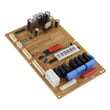
Samsung refrigerators can have multiple versions under the same base model. Using the full model and suffix helps ensure parts like a control board, temperature sensor, or door gasket match your RB2155SH correctly.
Last updated: March 2026