Owner’s manual
 Error Codes




How to adjust Whirlpool fridge legs?
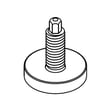
On Whirlpool model WRF954CIHZ00, you level the refrigerator by removing the base grille, then turning the front brake feet with a 1/4-inch hex driver: clockwise lowers the feet to steady and level the unit; counterclockwise raises them so the refrigerator can roll. Follow the steps in the WRF954CIHZ00 use & care manual.
Step-by-step: leveling the WRF954CIHZ00
- Open the freezer drawer for access.
- Remove the base grille (two screws).
- Turn both brake feet the same amount.
- Use a level to confirm side-to-side and front-to-back leveling.
- Reinstall the base grille.
What you’ll need
- 1/4-inch hex nut driver (or 1/4-inch hex driver)
- Level (small torpedo level works well)
- A helper (recommended for stability)
Quick direction guide
- Clockwise: lowers brake feet, lifts rollers off the floor, steadies the refrigerator
- Counterclockwise: raises brake feet, lets the refrigerator roll more easily
| Symptom | What to adjust | What to do |
|---|---|---|
| Refrigerator rolls forward when doors open | Brake feet | Turn both feet clockwise in small, equal turns |
| Doors look uneven at the top | Door alignment screw (right door bottom hinge pin) | Use the provided 1/8-inch hex key to raise or lower the right door |
| Doors do not self-close smoothly | Leveling and slight tilt | Recheck level; adjust feet evenly and confirm door closing |
If the doors are still uneven after leveling
On WRF954CIHZ00, door alignment is adjusted at the bottom hinge pin of the right-hand refrigerator door using the provided 1/8-inch hex key (turn right to raise the door, left to lower it). Details are in the WRF954CIHZ00 use & care manual.
Why it matters
Proper leveling helps the doors seal correctly, reduces vibration/noise, and prevents the refrigerator from creeping forward when you open the French doors or freezer drawer.
Last updated: January 2026
How to reset Whirlpool bottom freezer?
To reset the cooling and controls on your Whirlpool WRF954CIHZ00 bottom-mount refrigerator, unplug the unit (or turn off power at the breaker) for about 5 minutes, then restore power and confirm the temperature controls are set correctly. For model-specific control steps, use the WRF954CIHZ00 use & care manual.
Quick reset steps (WRF954CIHZ00)
- Unplug the refrigerator (or switch the circuit breaker OFF).
- Wait about 5 minutes to let the control board fully power down.
- Restore power.
- Verify cooling is ON (not in Showroom mode).
- Confirm set points are reasonable (factory recommended is 37°F for refrigerator and 0°F for freezer).
If it still is not cooling after the reset
These checks are common on French door bottom-mount models like the WRF954CIHZ00:
- Make sure the display does not show Showroom (cooling is off in that mode).
- Check that doors and the freezer drawer are fully closed and sealing.
- Wait 24 hours after any temperature change before judging results.
- Make sure air vents inside the refrigerator are not blocked by food packages.
- If you recently changed the water filter and noticed dispenser issues, flush the water system and confirm the filter is seated correctly.
Control and mode reference
| What you’re trying to do | What to check on WRF954CIHZ00 | What it affects |
|---|---|---|
| Power-cycle reset | Unplug 5 minutes | Reboots the control board |
| Restore normal cooling | Exit Showroom mode if enabled | Cooling resumes |
| Improve ice production | Use Max Ice (temporary) | Boosts ice output for ~24 hours |
Why it matters
A power-cycle reset clears minor control glitches after a power outage, temperature adjustment, or heavy use. It will not fix a failed component, but it is the fastest first step before deeper troubleshooting.
Last updated: January 2026
Do you remove cardboard from the bottom of a Whirlpool refrigerator?
Yes. For Whirlpool model WRF954CIHZ00, you should remove and recycle all shipping materials, including any cardboard used under or around the refrigerator during delivery. Leave any factory-installed covers or shields in place. See the WRF954CIHZ00 use & care manual for the unpacking checklist.
What to remove vs. what to leave
Use these quick identifiers before pulling anything off the bottom or rear of the unit:
- Remove cardboard sheets, corner blocks, foam, tape, and protective film
- Remove any cardboard used to protect the floor while moving the refrigerator
- Remove packing from shelves, bins, and the freezer drawer
- Leave panels that are part of the refrigerator cabinet (especially if they’re screwed on)
- Leave anything connected to wiring, tubing, or the cooling system
Model-specific guidance for WRF954CIHZ00
The WRF954CIHZ00 manual’s “Unpack the Refrigerator” section directs you to dispose of or recycle all packaging materials and to remove tape and glue residue before turning the refrigerator on. That includes cardboard placed under the refrigerator for moving protection.
Quick reference table
| Item you see | What to do | Typical purpose |
|---|---|---|
| Loose cardboard under the unit from delivery | Remove | Floor and cabinet protection during moving |
| Foam blocks, tape, shelf packing | Remove | Shipping protection |
| Screwed-on cover/shield near the bottom/rear | Leave | Protects components and supports airflow |
Why it matters
Removing all packaging helps prevent rattles, restricted airflow, and overheating near the compressor and condenser area, while leaving factory-installed covers helps protect components and maintain proper cooling performance.
Last updated: January 2026