Installation guide
 Owner’s manual
 Error Codes



What is the width of a Kenmore range?
Most Kenmore electric ranges are 30 inches wide, and the installation instructions for Kenmore model 79092802014 reference a 30-inch range footprint for planning clearances and placement. For the exact cabinet cutout and spacing requirements, use the 79092802014 installation guide.
Typical Kenmore range widths
Most Kenmore freestanding and slide-in ranges fall into these common width categories:
- 30 inches: the most common size for standard kitchens
- 24 inches: compact apartment or small-kitchen models
- 36 inches: pro-style or oversized models (less common)
How to confirm the right width for your kitchen
We recommend confirming width two ways so you avoid fit issues with countertops, cabinets, and anti-tip bracket placement:
- Measure the range body side-to-side at the widest point (often the cooktop edge)
- Measure the opening between cabinets at the front and at the back
- Check the required clearances and installation dimensions in the 79092802014 installation guide
- Verify the range is installed level; leveling legs can affect how it sits in the opening
- Confirm the anti-tip bracket location before final positioning
Quick sizing reference
| Common range width | Best for | What to watch for |
|---|---|---|
| 24 in. | Small spaces | Limited oven capacity, fewer surface elements |
| 30 in. | Most kitchens | Standard clearances and common replacement parts |
| 36 in. | Large kitchens | Cabinet modifications, higher electrical demand |
Why it matters
Width drives more than appearance. It affects cabinet clearances above the cooktop, safe spacing to reduce heat risk, and whether the range can slide fully back to the wall for proper installation.
Last updated: January 2026
How to find Kenmore Range model number?
For a Kenmore electric range like model 79092802014, the model number is typically printed on a rating label on the oven frame behind the door (door jamb area) or on the back of the range near the vent area. Confirm the exact label location and format in the 79092802014 installation guide.
Where to look first (fastest checks)
- Open the oven door and check the frame around the opening (door jamb area).
- Pull out the bottom storage drawer and look on the frame behind it.
- Check the back panel of the range near the upper vent area.
- Look along the side panel edges if the range is installed tightly between cabinets.
What the label looks like
Most Kenmore range rating labels include:
- Model number (example: 79092802014)
- Serial number
- Electrical rating (volts/amps)
- Sometimes the manufacturing date or code
Tips to avoid common mix-ups
- Use the full model number, not just the “790” prefix.
- Write it exactly as shown, including any extra digits.
- If the label is greasy or faded, wipe gently with a damp cloth and a drop of dish soap; avoid abrasive cleaners.
| If you see this | Use this for parts lookup |
|---|---|
| “790.92802014” (with a dot) | 79092802014 |
| A shorter “790” or “9280” only | Keep looking for the full tag |
Why it matters
We use the model number to match the correct Kenmore parts and diagrams for your exact electric range configuration (surface elements, oven control, wiring, and door components). Using the full model number prevents ordering the wrong part.
Last updated: January 2026
What is the error code E0 F2 on a Kenmore range?
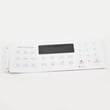
On the Kenmore electric range model 79092802014, error code E0 F2 typically points to a stuck or shorted keypad (touchpad) input on the electronic oven control. The most common fix is reseating the keypad ribbon connection or replacing the touchpad/control panel if the error returns.
What to try first (safe, quick checks)
- Turn off power at the breaker for 1 minute, then restore power and see if the code returns.
- If the code appears immediately on power-up, the keypad circuit is usually shorted.
- If the code appears only when you press keys, one key may be stuck or the keypad is failing.
- If the oven is hot or humid (after cooking or cleaning), let it cool and dry out, then retest.
- Check for a physically stuck key: grease buildup, a warped overlay, or a button that does not “click” normally.
Likely causes and what they mean
| Symptom | Most likely cause | Typical next step |
|---|---|---|
| Code returns right after reset | Keypad shorted or control input fault | Inspect keypad ribbon and connector; replace failed component |
| Some keys do not respond | Worn keypad membrane | Replace touchpad/control panel assembly |
| Random beeping, intermittent code | Moisture/contamination at keypad | Clean/dry area; reseat ribbon; replace if recurring |
| Oven heats incorrectly plus code | Control issue plus possible sensor problem | Check sensor circuit; consider frigidaire range oven temperature sensor 316490000 if temp symptoms exist |
How we recommend diagnosing it on 79092802014
- Shut off power at the breaker.
- Access the control area using the steps and safety notes in the 79092802014 installation guide.
- Reseat the keypad ribbon connector at the electronic oven control (EOC) and look for corrosion or heat damage.
- Restore power and test.
Why it matters
A stuck keypad can cause constant beeping, prevent baking or broiling, or trigger unintended commands. Fixing it quickly helps protect the electronic oven control and keeps the range safe and usable.
Last updated: January 2026
How to reset Kenmore oven model 79092802014?
To reset your Kenmore electric range model 79092802014, turn the range OFF at the household breaker (or unplug it if accessible) for 2 to 5 minutes, then restore power and reset the clock. This clears many control glitches and temporary error conditions.
Quick reset steps (safe and effective)
- Turn all surface element knobs to OFF.
- Switch the range circuit breaker OFF (preferred) or unplug the power cord.
- Wait 2 to 5 minutes.
- Restore power.
- Set the clock and test Bake and a surface element.
If the display comes back but the oven still will not heat
These checks help narrow the cause after a reset:
- Confirm the range has 240 VAC supply (a tripped half breaker can leave you with lights but no heat).
- If you see an error code again, use the code list in Kenmore 790 self-cleaning range error codes.
- If the oven temperature is inaccurate or you get sensor-related errors, the oven temperature sensor may be failing; see frigidaire range oven temperature sensor 316490000.
- If the control panel is unresponsive or resets repeatedly, the electronic control may be the issue (clock/control board symptoms).
When a “reset” is really a power problem
Many “needs reset” complaints are caused by a loose or overheated power connection at the rear terminal block or cord connection.
| Symptom | Most common cause | What to do next |
|---|---|---|
| Display works, oven will not heat | Lost one leg of 240V power | Check breaker (both poles), then power cord/terminal block |
| Random resets or flickering display | Loose connection or failing control | Inspect connections; consider control diagnosis |
| Error code returns immediately | Active fault (sensor, latch, control) | Use error code guide; test the related circuit |
Why it matters
A proper reset restores the control to a known good state, but it also helps you identify whether the problem is a temporary software glitch or an ongoing issue like a power-supply fault, wiring connection problem, or a failed sensor.
For wiring and connection safety notes (including terminal block cautions), follow the 79092802014 installation guide.
Last updated: January 2026