 Installation guide
 Owner’s manual
 Error Codes



How to hard reset a whirlpool oven?
To hard reset a Whirlpool oven like model GBD307PDS7, we recommend a full power reset: turn the oven off, switch the circuit breaker off for 1 minute, then restore power. If you see “PF” afterward, press UPPER OFF or LOWER OFF to clear it and return to normal operation (clock reset may be needed). Refer to the GBD307PDS7 owner's manual for the exact control pad names on your console.
Fast reset options (start here)
- Clear a wrong button entry (“Err”): press UPPER OFF or LOWER OFF, then re-enter the setting.
- Clear a power-failure message (“PF”): press UPPER OFF or LOWER OFF; then set the clock.
- Unlock the control panel (Control Lock): press and hold START/ENTER for about 5 seconds to toggle lock/unlock.
- Stop a running cycle (bake, timed cooking, self-clean): press UPPER OFF or LOWER OFF.
Hard reset (power cycle) steps
- Press UPPER OFF or LOWER OFF to stop cooking.
- Turn the oven circuit breaker OFF for 1 minute.
- Turn the breaker ON.
- If “PF” shows, press UPPER OFF or LOWER OFF, then reset the clock.
What you’ll see after a reset
| Display message | What it means | What to do |
|---|---|---|
| PF | Power was interrupted | Press UPPER OFF or LOWER OFF; set clock |
| Err | Invalid pad pressed | Press UPPER OFF or LOWER OFF; retry |
| Loc / lock icon | Control Lock is on | Hold START/ENTER about 5 seconds |
Why it matters
A hard reset clears many control glitches (stuck keys, lockouts, odd display behavior) without replacing parts. If the oven repeatedly shows PF or loses power, check the home breaker and wiring per the installation instructions in the GBD307PDS7 installation guide.
Last updated: February 2026
Does Whirlpool make wall ovens?
Yes. Whirlpool makes wall ovens, and your Whirlpool GBD307PDS7 is a Whirlpool electric built-in wall oven model. For model-specific use, care, and installation details (plus service and parts guidance), use the GBD307PDS7 owner's manual.
What this means for parts and service
Whirlpool supports wall ovens with model-specific parts and service procedures. For the best fit and performance, match parts to the full model number on the rating plate.
- Use the complete model number GBD307PDS7 when ordering parts.
- Follow Whirlpool’s recommended maintenance and operating instructions.
- Use OEM-style replacement parts when possible for proper fit.
- If you need help identifying a part, start with the symptom (no heat, overheating, door not closing, etc.).
- For temperature accuracy issues, the oven sensor is a common first check.
Common Whirlpool wall oven parts customers replace
These are examples of parts that commonly affect heating, safety, and usability on this model:
| Symptom | Common part to check | Example part for GBD307PDS7 |
|---|---|---|
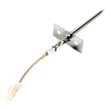
| Oven temperature is off | Temperature sensor | Wall oven temperature sensor WPW10131825 |
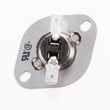
| Oven shuts down or overheats | High-limit thermostat | Oven high-limit thermostat WP9759242 |
| Door won’t close evenly | Door hinge | Door hinge WP9760571 |
Why it matters
Wall ovens are built around model-specific wiring, mounting, and temperature control. Using the correct Whirlpool model number (GBD307PDS7) helps ensure the right parts, correct installation fit, and reliable baking and broiling performance.
Last updated: February 2026
Are 30-inch ovens actually 30-inch?
No. A “30-inch” Whirlpool wall oven size refers to the cabinet opening it’s designed to fit, not the exact outside width of the oven. For the Whirlpool GBD307PDS7, the installation specs call for a 30-inch cabinet width with a 28-1/2 inch cutout width (typical for 30-inch class wall ovens). See the GBD307PDS7 installation guide for the exact cutout and clearance requirements.
What “30-inch” means for fit
A 30-inch class wall oven is built around standardized cabinetry, so the oven and trim are designed to cover the opening while leaving proper clearance.
Common dimension terms you’ll see:
- Cabinet width: the overall cabinet space (often 30 inches)
- Cutout width: the actual opening the oven slides into (GBD307PDS7 uses 28-1/2 inches)
- Recessed depth/height: the portion of the oven that sits inside the cabinet
- Overall height: the outside height including the front frame/trim
Quick sizing snapshot (GBD307PDS7)
| Measurement type | What it’s used for | Spec shown in install guide |
|---|---|---|
| Cabinet width | Cabinet standard the oven is designed around | 30 inches |
| Cutout width | The opening the oven body fits into | 28-1/2 inches |
Why the oven isn’t exactly 30 inches wide
Manufacturers leave room for safe installation and a clean finished look.
Key reasons:
- Clearance for sliding the oven into the cutout without binding
- Space for cabinet tolerances (wood cabinets are rarely perfectly square)
- Room for airflow and heat management around the oven
- Trim/frame designed to overlap and hide the cutout edges
Before you buy or install
We recommend confirming these items first:
- Measure the cutout width, height, and depth in three places (top, middle, bottom)
- Verify the junction box location and cable routing requirements
- Check for required clearances above/below doors and adjacent cabinets
- Compare your measurements to the GBD307PDS7 installation guide
Why it matters: A wall oven that is “30-inch class” can still require a specific cutout (like 28-1/2 inches). Matching the cutout dimensions prevents gaps, binding during installation, and heat-related cabinet damage.
Last updated: February 2026
How do I clear the error code on my Whirlpool oven?
On your Whirlpool GBD307PDS7 electric wall oven, most display errors clear by pressing the correct OFF key for the oven you are using, then re-entering the setting. If the display shows a power-failure message (PF), clear it and reset the clock using the OFF key listed in your GBD307PDS7 owner's manual.
Quick ways to clear common display errors
- If “Err” shows (invalid pad pressed): press UPPER OFF or LOWER OFF (double oven), then try the entry again.
- If “PF” shows (power failure): press UPPER OFF or LOWER OFF (double oven) to clear PF, then reset the clock.
- If “START?” shows: press START/ENTER within 5 seconds of choosing a function; otherwise the oven cancels the programming after several minutes.
- If the control is locked (“Loc”): press and hold START/ENTER about 5 seconds to unlock, then clear the message.
Which OFF key should I press?
Use the OFF key that matches your oven configuration.
| Oven type | Key to clear “Err” or “PF” | Notes |
|---|---|---|
| Double wall oven | UPPER OFF or LOWER OFF | Clears the message for that cavity |
| Single wall oven | OFF/CANCEL | Clears the message for the oven |
When an error keeps coming back
If the same code returns right away after clearing it, we treat that as a symptom, not a “glitch.” These are the most common next checks:
- Confirm the oven door is fully closed (especially after Self-Clean).
- Let the oven cool if it is coming out of a high-heat cycle.
- Check for loose wiring at the sensor or control (power off at the breaker first).
- If temperatures are inaccurate or the oven won’t regulate heat, test or replace the wall oven temperature sensor WPW10131825.
- If the oven overheats or shuts down on high heat, a limit device may be involved (for example, a high-limit thermostat).
Why it matters
Clearing the display gets you cooking again, but repeated errors usually point to a control input issue, a temperature-sensing problem, or an overheat protection event. Fixing the root cause prevents shutdowns and uneven baking.
Last updated: February 2026
Can you fit a 20 lb turkey in a double oven?
Yes. In a Whirlpool double wall oven like model GBD307PDS7, a 20 lb turkey typically fits best in the lower oven because it’s the larger cavity; you still need clearance so heat can circulate and the bird roasts evenly. Use the rack positions recommended in the GBD307PDS7 owner's manual.
How to confirm it will fit (before you buy the bird)
- Measure the turkey pan (length, width, and height with the turkey in it).
- Measure the lower oven opening and interior depth to the back wall.
- Plan for at least 1 inch of air space on the sides and above the turkey.
- Use a low-sided roasting pan if height is tight.
- Choose the lower oven when cooking large items; the upper oven is better for smaller bakeware.
Rack position and roasting setup
For large poultry, we use the lower oven and start with a low rack position so the turkey clears the top of the cavity and browns evenly.
| Turkey size | Best oven cavity | Typical rack position | Pan tip |
|---|---|---|---|
| Up to ~13 lb | Upper or lower | 2 to 3 | Standard roasting pan usually fits |
| 14 to 20 lb | Lower | 1 to 2 | Low-sided pan helps with height |
| Over 20 lb | Lower | 1 | Consider spatchcocking or a smaller bird |
Why it matters
If the turkey is too close to the oven walls or top, airflow is restricted and you can get uneven cooking, longer roast times, and poor browning. Proper rack placement also helps prevent the door from being held slightly open, which can stop heating on this model.
Last updated: February 2026
Why is my Whirlpool oven suddenly not working?
If your Whirlpool GBD307PDS7 electric wall oven suddenly won’t power up or heat, the most common causes are a tripped breaker/blown house fuse, a control that needs a reset, or an overheat safety device opening the circuit. Start with the power supply checks, then move to basic control and component tests.
Quick checks first (fastest fixes)
- Check the circuit breaker for a trip; reset it fully OFF then ON.
- Check house fuses (if your home uses fuses) and replace any blown fuse.
- If the display shows “Err”, press UPPER OFF or LOWER OFF (or OFF/CANCEL on single-oven setups) and re-enter the setting.
- If you see “START?”, press START/ENTER within a few seconds of selecting a function.
- Power reset: turn the breaker OFF for 3 to 5 minutes, then restore power.
What to check next (common failed parts)
If power is good but the oven still won’t run, these parts are frequent culprits in wall ovens:
- Oven temperature sensor: a failed sensor can prevent normal heating or cause shutdowns; see wall oven temperature sensor WPW10131825.
- High-limit thermostat: if the oven overheats, this safety can open and stop operation; see oven high-limit thermostat WP9759242.
- Terminal block and wiring: loose or burned connections can kill power to the oven; inspect for heat damage and test safely.
Symptoms and likely causes
| What you notice | Most likely cause | What to do |
|---|---|---|
| No display, no lights | Breaker tripped, fuse blown, power connection issue | Verify supply power and wiring connections |
| Display works, won’t start | Control entry issue, control lock, control glitch | Clear “Err”, press START/ENTER, do a power reset |
| Starts then shuts off | Overheat condition, high-limit opening, cooling airflow issue | Check cooling fan operation and high-limit thermostat |
| Heats poorly or erratic temps | Temperature sensor drifting | Test/replace sensor |
Why it matters
A built-in electric oven uses high voltage and safety cutoffs. Fixing the power supply issue or replacing a failed sensor/thermostat restores safe operation and prevents repeated shutdowns or overheating.
Reference for model-specific operation
Use the GBD307PDS7 owner’s manual for display messages (like “Err” and “START?”) and the recommended troubleshooting steps.
Last updated: February 2026
Why does my Whirlpool oven keep shutting off?
On the Whirlpool GBD307PDS7 electric wall oven, repeated shutoffs are usually caused by an overheating safety condition (high-limit thermostat opening), a temperature sensing problem, or a control setting that ends the cycle (Timed Cooking or a canceled entry). Start by checking settings in the GBD307PDS7 owner's manual, then troubleshoot the temperature sensor and high-limit protection.
Quick checks (most common)
- Make sure you are not using Cook Time or Delay Start; these features shut the oven off automatically when the stop time is reached.
- If you see "START?" on the display, press START/ENTER promptly; otherwise the oven cancels the programmed function after a few minutes.
- If "Err" appears, press UPPER OFF or LOWER OFF and re-enter the cooking mode.
- Confirm you are selecting the correct cavity (upper vs. lower) on this double oven.
- If the cooling fan keeps running after shutoff, that can be normal; it may run after a cycle is canceled depending on oven temperature.
Parts that commonly cause shutoffs
If the oven shuts off mid-bake and then comes back later, focus on heat sensing and overheat protection.
| Symptom | Most likely area | What to check next |
|---|---|---|
| Shuts off during heating, then resumes later | Overheat protection opening | Test/inspect the high-limit thermostat and airflow |
| Temperature swings, undercooks, or shuts off unpredictably | Temperature sensing | Test the oven temperature sensor circuit |
| Display stays on but heat stops | Control stopping heat | Verify settings; check sensor and safety devices |
Model-matched parts to consider:
- Wall oven temperature sensor WPW10131825 (sensor feedback to the control)
- Oven high-limit thermostat WP9759242 (opens if the oven area overheats)
- Range high-limit thermostat WP9759243 (similar safety function on some configurations)
Why it matters
When the oven overheats, safety devices can cut power to protect wiring and components. When the control receives incorrect temperature feedback, it can also stop heating early. Fixing the root cause restores stable baking temperatures and prevents repeat shutdowns.
Safety notes before testing
- Turn off power at the breaker before accessing wiring or testing continuity.
- If you see burning smell, melted wiring, or a tripped breaker, stop and have the unit serviced.
Last updated: February 2026







