Installation guide
 Owner’s manual
 Error Codes



How do I reset my Kenmore electric range?
To reset your Kenmore electric range model 79094153310, turn the range off and cycle power at the home circuit breaker for about 1 minute, then restore power and reset the clock and any oven settings. This clears many control glitches caused by a brief power interruption (or after service).
Quick reset steps (recommended)
- Turn all surface element knobs to OFF.
- At your electrical panel, switch the range breaker OFF (or remove the range fuse).
- Wait 60 seconds.
- Switch the breaker ON.
- Set the clock and reselect your cooking mode as needed (the control may require this after power is restored).
If the range still acts up after a reset
A reset fixes temporary electronic control issues; it will not correct a failed part or wiring problem. Check these common causes next:
- Display is blank or dead: verify the breaker is fully on (some breakers trip “halfway”).
- Oven heats incorrectly or throws a temp-related error: test the oven temperature sensor circuit; the sensor itself is a common failure point.
- Burner stays on high or won’t regulate: a surface element control switch can stick or fail.
- Intermittent power or burning smell at the back: inspect the terminal block and power cord connections.
| Symptom after reset | Most likely area to check | Example part for this model |
|---|---|---|
| Oven temperature seems wrong | Temperature sensor | Frigidaire range oven temperature sensor 316490000 |
| Surface element won’t cycle properly | Infinite switch | Frigidaire range surface element control switch 316436001 |
| No power or arcing at cord connection | Terminal block / cord wiring | (See installation wiring instructions) |
Why it matters
Power-cycling the breaker forces the electronic oven control to reboot. That often clears “stuck” keypad logic and odd behavior after a power failure. If symptoms return quickly, focusing on the sensor, switch, or power connection prevents repeat shutdowns and inconsistent cooking.
Reference for model-specific operation and wiring
- Use the 79094153310 owner’s manual for clock setting and control operation details.
- Use the 79094153310 installation guide for safe power cord and terminal block connection requirements.
Last updated: February 2026
Where to find model number on Kenmore electric stove?
On Kenmore electric range model 79094153310, the model and serial number plate is typically on the lower right front frame of the range (visible when you open the oven door). Some units also have an alternate plate location under the cooktop; confirm the exact spot in the 79094153310 installation guide.
Most common label locations to check
- Open the oven door and look along the front frame, especially the lower right side
- Check the frame area behind the storage drawer (if your range has one)
- Lift the cooktop (if accessible on your model) and look underneath for the alternate plate
- Look on the back panel near the lower area if the range has been serviced or modified
Quick steps to find it fast
- Turn the oven light on and use a flashlight to scan the front frame.
- If you have a storage drawer, pull it out fully and look at the frame rails.
- If the label is not on the frame, check under the cooktop for the alternate plate location.
- Write down the full model number and serial number exactly as shown.
What the label usually looks like
| Item | What you’ll see | Why you need it |
|---|---|---|
| Model number | A long number like 79094153310 | Ensures you get the correct parts and diagrams |
| Serial number | Letters and numbers | Helps match production version and service info |
| Electrical info | Voltage/amps | Useful for installation and troubleshooting |
Why it matters
We use the model number to match the correct Kenmore parts list for your electric range, including items like the range bake element 316413800, oven temperature sensor, and surface element control switch. One digit off can lead to the wrong part.
Last updated: February 2026
What is the average lifespan of 79094153310?
A Kenmore electric range like model 79094153310 typically lasts 13 years with normal household use and basic maintenance. Keeping the oven cavity clean, using the right cookware, and fixing heating or control issues early helps you reach that lifespan.
Typical lifespan and what affects it
Most electric ranges reach their full service life when heat stays even and electrical connections stay tight.
- Heavy daily cooking and frequent self-clean cycles shorten life
- Power surges and loose wiring can damage the control board
- Worn heating elements cause longer cook times and extra strain
- Poor airflow or blocked vents can overheat internal components
- Regular cleaning prevents corrosion and stuck controls
Quick maintenance checklist (high impact)
Use the care and cleaning guidance in the owner's manual for your 790.9415* series range.
- Wipe spills promptly to prevent baked-on residue
- Match pan size to the surface element to avoid overheating and discoloration
- Avoid abrasive cleaners on the control panel and trim
- Check that knobs turn smoothly and return to OFF
- Replace failed wear items (like the oven light) quickly
Parts that commonly wear first
These are typical wear items on electric ranges; replacing them restores performance and reduces stress on other components.
| Symptom | Common part involved | Example part for this model |
|---|---|---|
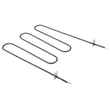
| Oven not heating evenly | Bake element | Range bake element 316413800 |
| Oven temperature off | Oven temperature sensor | Frigidaire range oven temperature sensor 316490000 |
| Oven light out | Light bulb | Appliance light bulb, 40-watt 316538904 |
Why it matters
Once an element, sensor, or switch starts failing, the range often runs longer to reach temperature. That extra runtime increases heat exposure to wiring, the terminal block, and the oven control board, which can shorten overall lifespan.
Last updated: March 2026