 Installation guide
 Owner’s manual
 Error Codes




How do you reset a wall oven?
To reset a Kenmore Pro wall oven model 79041143510, we recommend doing a power reset at the home breaker (or fuse) to reboot the electronic control; if you need to restore control settings, use the built-in rST (reset) option in the control’s user preferences. See the 79041143510 owner's manual for the exact key sequence.
Quick reset options (most common)
- Breaker reset: Turn the oven circuit breaker OFF, wait 60 seconds, then turn it ON.
- Fuse reset: Remove the oven fuse, wait 60 seconds, then reinstall it.
- Clock check: After power returns, reset the time of day if the display prompts.
- Try a basic function: Set Bake to a low temp briefly to confirm the control responds.
Restore factory default control settings (rST)
If the oven powers on but settings seem “off” (audible tones, energy saving mode, temperature offset), restore defaults using the control menu:
- Put the oven in idle mode (no cooking, no active timers).
- Press and hold the Oven light key for 3 seconds to enter user preferences.
- Scroll until rST appears.
- Use the right-side arrow until yES appears, then release to confirm.
| Reset type | What it fixes | When to use it |
|---|---|---|
| Breaker/fuse power reset | Frozen display, unresponsive keypad, control “glitches” | After a power surge or lockup |
| rST factory reset | User preference settings (Aud, ES, UPO offset) | After changing settings or odd behavior |
Why it matters
A power reset clears temporary electronic faults, while the rST option restores the oven control’s default preferences (including temperature offset settings). Using the right reset saves time and helps avoid unnecessary parts replacement.
Last updated: February 2026
What was the size of the Kenmore 79041143510 oven?
For the Kenmore 79041143510 Pro wall oven, the installation guide shows it was made in 27-inch and 30-inch cabinet widths. For double-oven overall product dimensions, the guide lists 50 7/16 inches tall and 24 3/4 inches deep, with the width matching the 27-inch or 30-inch model.
Model sizes and key dimensions (from the installation guide)
These are the most-used measurements when planning a replacement, cabinet cutout, or trim fit. See the 79041143510 installation guide for the full diagram and notes.
- Available widths: 27-inch or 30-inch wall oven
- Overall height (double oven): 50 7/16 inches
- Overall depth (double oven): 24 3/4 inches
- Cutout depth (dimension G): critical for proper installation and trim fit
- Allow extra space in front: for door depth when the door is open
Quick reference table
| Size class | Overall width (A) | Overall height (C) | Overall depth (I) |
|---|---|---|---|
| 27-inch double wall oven | 27 in | 50 7/16 in | 24 3/4 in |
| 30-inch double wall oven | 30 in | 50 7/16 in | 24 3/4 in |
Why the cutout depth matters
If the cabinet cutout depth is off, the oven trim may not sit flush against the cabinet. On convection models, an incorrect cutout depth can also contribute to vibration or noise. The installation guide calls out cutout depth (dimension G) as a critical measurement.
Tips before you measure
- Measure the cabinet cutout (width, height, depth) separately from the oven.
- Measure depth to the front of the cabinet, not to the door handle.
- Plan clearance for the door swing and for pulling racks out.
- If you are replacing an older unit, confirm whether you have a 27-inch or 30-inch opening.
- Use the model-specific diagrams in the 79041143510 installation guide to match the lettered dimensions.
Last updated: February 2026
Where can I find my Kenmore Elite oven model number?
On Kenmore model 79041143510 (Kenmore PRO double wall oven series), the model and serial number plate is located along the interior side trim of the oven and is visible when the door is opened. Use the exact model and serial numbers from that plate when ordering parts.
Where to look on the oven
Check these spots in this order:
- Open the oven door and look along the interior side trim for the serial plate
- Use a flashlight and look for a metal or foil label with model and serial information
- For double ovens, check the trim area that is easiest to see with the door fully open
- Write down the model number, serial number, and any lot number/letter shown
For diagrams and the exact label location illustrations, use the 79041143510 installation guide.
What the model number looks like (and why it matters)
Kenmore wall ovens often show the model in a few formats. Here is how to recognize it:
| What you might see | What it means | Example for this oven family |
|---|---|---|
| Full model number | The exact number used to match parts | 79041143510 |
| Series format | Manual family format with a wildcard | 790.4114* |
| Serial number | Identifies the production unit | Varies by unit |
Tips for using the model number to get the right parts
Using the correct model number prevents ordering a control board, bake element, or sensor that will not fit.
- Match the model number character-for-character
- Use the model number to confirm the correct wiring and trim configuration
- If you are troubleshooting temperature issues, confirm the model before replacing parts like the range oven temperature sensor 5304504897
Why it matters
Kenmore PRO wall ovens can share similar styling across multiple model families, but internal parts (like the oven control, relay board, or door components) can differ by revision. The serial plate information is the fastest way to ensure part compatibility.
Last updated: February 2026
How many watts does a Kenmore oven use?
A Kenmore oven’s wattage depends on the exact model and which heating elements are running. For Kenmore Pro wall oven model 79041143510, the most accurate wattage is listed on the serial plate; our 79041143510 installation guide explains how to use that rating to choose the correct circuit protection.
Typical wattage ranges (what most homeowners see)
Most electric wall ovens fall into these common ranges:
- Bake element: about 2,000 to 3,500 watts
- Broil element: about 3,000 to 4,500 watts
- Convection fan motor: typically under 200 watts (the heater still does most of the work)
- Total connected load (what matters for wiring): often 4,800 to 9,600 watts
If you are comparing appliances, use the nameplate/serial plate wattage because it reflects the full electrical load for that specific unit.
How to find the wattage on model 79041143510
We use the same approach electricians use for wall ovens:
- Locate the serial plate (often on the oven frame behind the door, or on the side trim area)
- Find the wattage consumption value
- Use that wattage to select the correct breaker/fuse size per the guidance in the installation instructions
Circuit protection guidance (from the install requirements)
The installation instructions group breaker size by appliance rating:
| Appliance rating (240V) | Recommended circuit protection |
|---|---|
| Less than 4,800W | 20A |
| 4,801W to 7,200W | 30A |
| 7,201W to 9,600W | 40A or 50A |
| 9,601W and up | 50A |
Why it matters
Correct wattage helps prevent nuisance breaker trips, overheating at the junction box, and damage to wiring connections. If you are seeing heat damage or intermittent power, inspect the power connection area and consider replacing a worn terminal block 5304409888.
Last updated: February 2026
What does F3 mean on a Kenmore stove?
On Kenmore ovens like model 79041143510, an F3 error points to an oven temperature sensing problem. In most cases, the oven control is seeing an out-of-range signal from the temperature sensor circuit, so it stops heating to prevent unsafe or inaccurate temperatures.
What usually causes an F3 error
F3 is almost always tied to the temperature sensor circuit, not cookware or settings.
- Failed or drifting oven temperature sensor
- Loose, corroded, or overheated wiring connections at the sensor plug
- Damaged wire harness between the sensor and control
- Control board input problem (less common than the sensor)
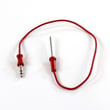
A common replacement part for this symptom is the range oven temperature sensor 5304504897.
Quick checks we recommend (power off)
Turn off power at the breaker before touching wiring; wall ovens use high voltage.
- Reset power: turn the breaker off for 1 minute, then back on (clears a temporary control glitch)
- Inspect the sensor connector: look for discoloration, melted plastic, or loose pins
- Check harness routing: make sure wires are not pinched against the oven liner or frame
- If you have a multimeter, test the sensor resistance at room temperature (a bad reading confirms a sensor issue)
For model-specific access steps and panel removal guidance, use the 79041143510 use & care guide.
What to do next (decision guide)
| What you see | Most likely issue | What we do next |
|---|---|---|
| F3 appears immediately at power-up | Sensor circuit open/short, or control input issue | Inspect connector and harness first; then test/replace sensor |
| F3 appears after preheat starts | Sensor drifting when hot, or connection heating up | Replace sensor; recheck wiring tightness |
| Oven heats but temps are way off | Sensor out of calibration range | Replace sensor and verify bake performance |
Why it matters
The temperature sensor tells the control board how hot the oven is. When that signal is wrong, the oven can overheat, underheat, or shut down mid-cook. Fixing the sensor circuit restores accurate baking, broiling, and convection performance.
Last updated: February 2026
Why is my wall oven not turning on?
If your Kenmore Pro wall oven model 79041143510 is completely dead (no display, no beeps, no heat), the most common causes are a tripped double-pole breaker, a loose or burned hardwire connection in the junction box, or a failed electronic control. Confirm power first, then move to parts.
Quick checks (fastest wins)
- Reset the double-pole breaker fully OFF, then ON.
- After a power outage, reset the clock and try Bake; see the 79041143510 owner's manual.
- If the oven was in cold storage, keep it above 32°F for at least 3 hours before powering up.
- If you see SF (Sabbath failure) after an interruption, turn selectors to OFF and exit Sabbath mode.
- If the display works but there is no heat, shift to heating circuit checks (sensor, control, wiring).
Electrical supply and hardwire connections
Built-in wall ovens are hardwired; a bad splice or overheated connection can leave the oven totally dead.
| Symptom | Most likely area | Next step |
|---|---|---|
| No display and no response | Breaker, junction box wiring | Verify supply and connections per the 79041143510 installation guide |
| Intermittent power or burning smell | Overheated connection | Shut off breaker; inspect wiring and terminal block |
| Display on but no heat | Control or sensor circuit | Test sensor and inspect harness plugs |
Parts that commonly fix “no power” or “won’t start”
Replace parts only after power is confirmed at the oven wiring.
- Terminal block 5304409888 if connections are loose, melted, or discolored
- Oven control 808957409 if power is present but the control will not wake up
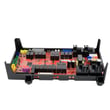
- Wall oven relay control board 316475806 if the oven powers up but won’t run bake/broil reliably
Why it matters
Most “won’t turn on” calls come down to power delivery (breaker, junction box, terminal block) or the electronic control. Verifying power and connection condition prevents repeat failures and unnecessary board replacement.
Last updated: February 2026





