 Installation guide
 Owner’s manual
 Error Codes


How do I clear the error code on my KitchenAid oven?
On your KitchenAid KEBC147VSS02 wall oven, the fastest way to clear many on-screen messages is to press CANCEL/OFF. If the code returns after clearing, reset power at the breaker for 1 minute, then restore power and recheck; recurring codes usually point to a part or wiring issue that needs troubleshooting using the owner's manual.
Quick steps to clear the code
- Press CANCEL/OFF once and wait 10 seconds.
- If the display still shows a message, press CANCEL/OFF again.
- Turn the oven breaker OFF for 1 minute, then turn it back ON.
- If the code appears during Self-Clean, let the oven cool; the door stays locked until it cools.
- If the display shows a tone-related message (examples include “Snd Lo”, “Snd off”, “EOC OFF”), press CANCEL/OFF to clear the message after changing the setting.
What to check if the error comes back
Repeated error codes are usually caused by a temperature sensing problem, a heating circuit problem, or a control issue.
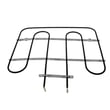
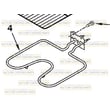
- Heating performance issues (slow preheat, no bake, uneven baking): inspect the bake element for blisters or breaks; consider replacing the bake element WPW10207398.
- Temperature-related codes or overheating/underheating: the oven may be reading temperature incorrectly; test or replace the wall oven temperature sensor WPW10131825.
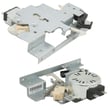
- Self-clean door won’t lock or unlock: a failing lock mechanism can trigger lock-related faults; check the range oven door lock assembly WPW10195934.
- Intermittent codes: check for loose wire connections at the terminal block and control area (power off first).
Common “clear” actions and what they do
| Action | What it clears | When to use it |
|---|---|---|
| CANCEL/OFF | Many temporary messages and some fault displays | First step for any code/message |
| Breaker reset (1 minute) | Control glitches after a power event | If CANCEL/OFF does not clear or code returns quickly |
| Let oven cool after Self-Clean | “DOOR LOCKED” status and end-of-cycle display | If the code/message appears during/after cleaning |
Why it matters
Clearing the display gets you cooking again, but a code that returns helps pinpoint the failing system (heat, sensor, door lock, or control). Fixing the root cause prevents repeat shutdowns and protects the control from ongoing electrical stress.
Last updated: February 2026
How to know if the KitchenAid wall oven thermostat is bad?
If your KitchenAid KEBC147VSS02 wall oven consistently overbakes, underbakes, or swings widely in temperature after you have verified settings and preheating, the temperature control system is failing. On this model, the most common cause is a bad oven temperature sensor or a heating element problem, not a separate user-serviceable thermostat.
Quick checks before replacing parts
- Confirm you are allowing a full preheat before loading food (especially for convection baking).
- Compare oven temperature using an oven thermometer over several cycles (for example, set 350°F and watch highs and lows).
- Watch for error codes (an "F" followed by a number) and stop using the oven if they appear.
- Check whether the oven actually produces heat within about 5 minutes of starting BROIL.
- If the oven overheats only during self-clean, suspect the door lock system.
Parts that most often cause “bad thermostat” symptoms
For KEBC147VSS02, these parts commonly affect temperature accuracy and cycling:
| Symptom | Most likely part | What it affects |
|---|---|---|
| Food consistently under/overcooks | Wall oven temperature sensor WPW10131825 | Tells the control board the actual oven temperature |
| Oven heats unevenly or struggles to reach temp | Bake element WPW10207398 | Primary heat source for bake |
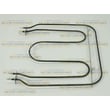
| Broil weak or uneven browning | Oven broiler element WPW10207400 | Top heat for broil and browning |
Why it matters
Accurate temperature feedback is what keeps the control board turning the bake and broil elements on and off correctly. When the sensor drifts out of range or an element is failing, the oven can overshoot, undershoot, or take too long to recover, which looks like a “bad thermostat.”
Where to confirm settings and diagnostics
Use the owner's manual for your KEBC147VSS02 to check calibration options, recommended preheat practices, and any troubleshooting steps tied to display messages.
Last updated: February 2026
How do I find the model number on my KEBC147VSS02?
On the KitchenAid KEBC147VSS02 wall oven, the model and serial number rating plate is located on the right mounting rail. You typically see it when you open the oven door and look along the right side of the oven frame.
Where to look (fast checklist)
- Turn the oven off and let it cool completely
- Open the oven door fully
- Look at the right mounting rail (the vertical frame area the door closes against)
- Find the rating plate label; it lists the model number and serial number
- Write the model number exactly as shown (letters and numbers)
What the label is used for
The rating plate is the reference for key specs and correct replacement parts, including electrical rating information used during installation.
| You need | Why it matters | Example for this oven |
|---|---|---|
| Model number | Ensures parts match your exact configuration | KEBC147VSS02 |
| Serial number | Helps identify production details for service and parts lookups | Printed on the same plate |
| Electrical rating | Confirms proper circuit sizing and wiring | Listed on the rating plate |
Why it matters
KitchenAid built-in ovens can look similar across model families; the rating plate on the right mounting rail is the reliable way to match parts like a bake element, temperature sensor, or control panel to your exact KEBC147VSS02.
For diagrams and additional identification details, use the owner's manual.
Last updated: March 2026





