Owner’s manual
 Error Codes



What is the warranty for LDE4413ST?
For the LG LDE4413ST electric range, the standard warranty is 1 year for defects in materials or workmanship under normal, proper use. For the exact coverage terms and exclusions that apply to your unit, check the LDE4413ST manual.
Warranty terms can vary by region and by what was included with the original purchase, but for this model the 1-year coverage commonly applies to:
- Manufacturing defects in parts or workmanship
- Failures that occur during normal household use
- Repairs performed according to the product warranty terms
- Covered components as defined in the warranty statement
Even during the first year, warranties commonly exclude certain situations. Examples include:
- Damage from improper installation, misuse, or abuse
- Cosmetic issues after delivery (scratches, dents, discoloration)
- Normal wear items and routine maintenance
- Damage from power surges or improper electrical supply
- Service calls for operating instructions or setup corrections
We recommend using the warranty section in the manual because it spells out the specific conditions for the LG LDE4413ST.
| What to check | Why it matters |
|---|---|
| Warranty start date | Confirms when coverage begins (often purchase date) |
| Proof of purchase requirement | Determines what documentation you may need |
| In-home vs. carry-in service | Affects how service is scheduled |
| Exclusions and limitations | Helps avoid denied claims |
Knowing the warranty terms helps you decide whether to schedule service, troubleshoot first, or replace a failed component (such as an oven sensor or control) if the unit is out of coverage.
Last updated: January 2026
What are the common problems with LDE4413ST?
For the LG LDE4413ST electric range, the most common issues we see involve the oven not heating correctly (no heat, uneven heat, or overheating), the range not powering on, and the oven door staying locked after a self-clean cycle. Use the LDE4413ST manual for model-specific operating and reset steps.
- Little to no heat when baking: failed heating circuit, temperature sensing issue, or control problem
- Element will not heat (surface or oven): failed radiant element, bad switch, or wiring connection issue
- Oven not heating evenly: convection fan not running, sensor drift, or airflow blocked by foil/pans
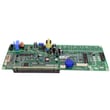
- Oven is too hot: temperature sensor out of range or control board misreading temperature
- Won't turn on / will not start: power supply issue (breaker, cord, terminal block) or control failure
- Door won't open after self-clean: door lock motor stuck, latch mechanism binding, or cool-down not complete
- Confirm the range has full power (for electric ranges, a tripped breaker can leave lights working but no heat).
- Cancel the cycle and power-reset the range (unplug or switch breaker off for 1 minute, then restore power).
- For baking issues, verify you are using the correct mode (Bake vs Convection Bake) and allow full preheat.
- If the door is locked after self-clean, wait for full cool-down; then try a power reset.
- If you see an error code, use a range error code guide to narrow the failure.
When troubleshooting points to a failed component, these model-compatible parts are common suspects:
| Symptom | Part to check | Example model-compatible part |
|---|---|---|
| Oven too hot, uneven temps, error codes related to temperature | Oven temperature sensor | LG range oven temperature sensor EBG61305805 |
| Door won’t open after self-clean | Door lock motor/latch system | Range oven door lock motor EAU62862906 |
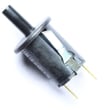
| Surface element not heating or stuck on | Surface element control switch | LG range surface element control switch EBF62174907 |
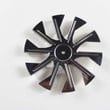
| Convection bake uneven or slow | Convection fan motor | Range convection fan motor EAU62343001 |
Heating and door-lock problems can affect cooking results, self-clean safety, and day-to-day usability. Diagnosing the symptom first helps you avoid replacing the wrong part and gets your LG LDE4413ST back to normal operation faster.
Last updated: January 2026
What features does the LDE4413ST have?
The LG LDE4413ST electric range includes safety and convenience features such as a 12-hour automatic safety shut-off, a clock that can display 12-hour or 24-hour time, cooking-complete reminder tones (including mute), front tilt-control cooktop knobs, a VFD display, glass-touch oven controls, and Celsius/Fahrenheit temperature units. For control details and settings, use the LDE4413ST manual.
- Automatic safety shut-off: turns the oven off after 12 hours
- Clock format options: 12-hour or 24-hour
- Cooking complete reminder: selectable tone levels and mute option
- Cooktop controls: front tilt-control knobs
- Oven controls: glass touch panel
- Display type: VFD (vacuum fluorescent display)
- Temperature units: Celsius or Fahrenheit
| Feature | What it’s for | When you’ll notice it most |
|---|---|---|
| 12-hour safety shut-off | Reduces risk of extended unattended heating | Long bakes or if the oven is left on accidentally |
| Reminder tones + mute | Alerts you when cooking is complete (or stays quiet) | Timed baking, kitchen noise control |
| Glass-touch oven controls | Precise setting changes and a cleaner look | Setting bake, broil, convection, timers |
| Front tilt-control knobs | Quick heat adjustments for surface elements | Everyday stovetop cooking |
These features affect daily use, especially how you set temperatures, manage timers and alerts, and operate the cooktop and oven controls safely. Knowing what your range supports also helps when troubleshooting control behavior or deciding whether a control component may need service.
- For clock and time-format steps, see how to change the clock on your range video.
Last updated: January 2026