Owner’s manual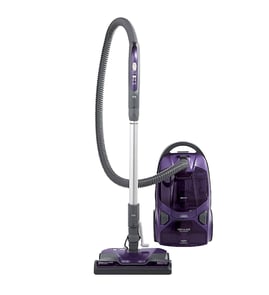




Does a Kenmore canister vacuum have a fuse?
Yes; a Kenmore canister vacuum can be protected by a fuse, but for Kenmore Elite model 11621814411 the Use & Care information does not identify a user-serviceable internal fuse location. In most no-start cases, we recommend checking the home circuit first, then the vacuum’s safety protectors and connections in the 11621814411 use & care manual.
- Confirm the wall outlet has power (try a lamp) and reset the home breaker or replace the home fuse.
- Make sure the hose is fully latched into the canister; this model will not operate if the hose is not seated correctly.
- Check for loose electrical connections at the hose handle, wand, and PowerMate connection points.
- If it shut off while running, let it cool about 30 minutes; the thermal protector can trip if airflow is blocked.
- Clear clogs and replace dirty filters or a full bag; restricted airflow can trigger protection.
| Protection type | What it does | Common symptom | Typical reset action |
|---|---|---|---|
| Household fuse/breaker | Protects your home wiring | Vacuum is completely dead | Reset breaker or replace home fuse |
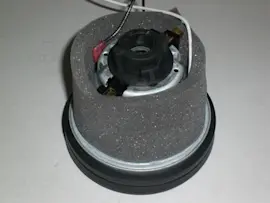
| Thermal protector (in canister) | Shuts motor off if it overheats | Runs, then stops; restarts after cooling | Unplug, clear airflow issues, cool down |
| Overload protector (PowerMate) | Protects brush motor/belt if jammed | Canister runs but PowerMate stops | Remove jam, press reset button |
If you have power at the outlet and the vacuum still will not run, the issue is often in a connection or a component such as the hose wiring. For this model, a common repair path is inspecting the hose and handle wiring for damage and replacing the hose if needed; see vacuum hose 4369467.
A “no power” symptom is not always a blown fuse. On model 11621814411, airflow restrictions and brush jams can trigger built-in protectors that mimic an electrical failure, so checking bag, filters, clogs, and connections can save time and prevent repeat shutdowns.
Last updated: January 2026
Why is my Kenmore vacuum brush roller not spinning?
On the Kenmore Elite 11621814411, the brush roller (agitator) usually stops spinning because the PowerMate is jammed with hair/debris, the belt is worn or broken, or the PowerMate overload protector has tripped. Start with a quick jam check and reset before replacing parts; see the 11621814411 use & care manual.
- Unplug the vacuum before touching the brush area.
- Flip the PowerMate over and remove hair, string, and debris from the brush roller and end caps.
- Press the overload protector reset button on the PowerMate after clearing a jam.
- Confirm the handle switch is set to CARPET (PowerMate motor runs in CARPET mode).
- Check that the wand, hose, and PowerMate electrical connections are fully seated.
If the PowerMate motor runs but the brush roller does not turn (or it turns briefly then stops), the belt may be stretched, slipping, or broken, or the brush roller bearings/end caps may be packed with debris.
| What you see | What it usually means | What to do next |
|---|---|---|
| Brush roller is hard to turn by hand | End caps clogged or brush roller worn | Clean end caps; replace the brush roller if worn |
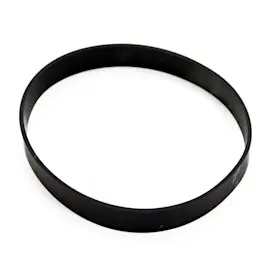
| Burning rubber smell or squeal | Belt slipping | Replace belt and clean belt path |
| PowerMate stops but canister keeps running | Overload protector tripped due to jam | Clear jam; press reset |
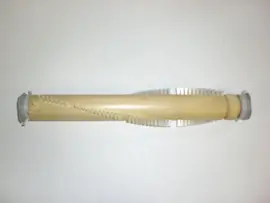
If the brush bristles are worn down to the base support bars, replace the brush roller assembly; the compatible beater bar for this model is the vacuum beater bar KC83QDWCZV06.
A non-spinning brush roller reduces carpet pickup and can overheat the PowerMate belt and motor. Clearing jams and keeping the agitator clean helps protect the PowerMate drive system and maintains cleaning performance.
Last updated: January 2026
Who makes Kenmore canister vacuums now?
Kenmore canister vacuums are sold under the Kenmore brand, but the current manufacturer can vary by model and production run. For Kenmore Elite canister vacuum model 11621814411, the Use & Care information does not identify the manufacturing company; we recommend using the model number to match parts and support.
The most reliable, model-specific information is what’s in the product documentation and the parts list for 11621814411.
- The 11621814411 use & care manual covers operation, safety, and maintenance
- The manual lists replaceable items by style/part reference (bags, filters, belt)
- Manufacturer identity is not required to select compatible replacement parts
- Using the exact model number is the best way to avoid fit and airflow issues
If you are maintaining performance on 11621814411, these items typically drive suction and filtration.
| Maintenance item | What it affects | Common symptom when due |
|---|---|---|
| Dust bag | Airflow and pickup | CHECK BAG light, weak suction |
| Motor safety filter | Motor protection | Dusty odor, reduced airflow |
| Exhaust filter | Filtration and airflow | Musty smell, reduced exhaust flow |
| Hose | Suction path and electrical connection | Low suction, intermittent power at nozzle |
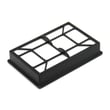
If you’re replacing the exhaust filter, a model-matched option is the vacuum exhaust filter KC38KDWCZV07.
Kenmore is a brand used across multiple suppliers over time. For repairs, the supplier name is less important than matching the correct Kenmore model number, because seals, electrical connections, and airflow paths can differ between similar-looking canisters.
Last updated: January 2026