 Installation guide
 Owner’s manual


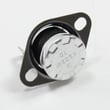
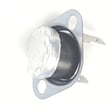
Can I look up Frigidaire parts by model number?
Yes. For your Frigidaire FGMV175QFA microwave/hood combo, looking up parts by the exact model number is the most reliable way to match the correct fit and electrical ratings, especially for safety-related items like door switches, fuses, and thermostats. Use the model number from the product label and confirm the part is listed for FGMV175QFA.
How to look up parts for FGMV175QFA
We recommend using the model number FGMV175QFA as your starting point, then narrowing down by the symptom or the part name.
- Find the model/serial tag on the microwave/hood combo (commonly inside the door area or on the frame).
- Enter FGMV175QFA exactly as shown (letters and numbers matter).
- Choose the correct diagram section (door, control panel, ventilation, internal components).
- Match the part name and ID to what you’re replacing.
- Cross-check any notes in the FGMV175QFA owner’s manual before ordering or installing.
Examples of model-matched parts you can shop by ID
Here are a few examples of parts listed for FGMV175QFA that customers commonly search by model number:
| What you’re fixing | Example compatible part (ID + name) | What it does |
|---|---|---|
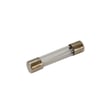
| Microwave won’t power on | Microwave fuse 5304509451 | Protects the microwave from overcurrent conditions |
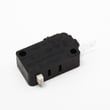
| Door won’t start cycle or acts intermittent | Microwave door interlock switch 5304509460 | Confirms the door is closed so the unit can run |
| Grease filter is missing or clogged | Microwave grease filter 5304509444 | Traps grease to protect the vent fan and airflow |
Why it matters
Microwave/hood combos like the Frigidaire FGMV175QFA use model-specific electrical and mounting designs. Using the model number helps prevent ordering a part that looks similar but has different terminals, ratings, or fit, which can cause repeat failures or unsafe operation.
Helpful related guidance
If you’re troubleshooting a no-power condition, we typically see these checks help narrow the correct part:
- Verify the outlet has power and the breaker is on
- Confirm the door closes firmly and latches properly
- Check for a blown fuse after a power surge
- Inspect door switch operation (clicking and alignment)
- Review basic operating checks in the FGMV175QFA installation instructions
Last updated: January 2026
Can you reset a Frigidaire microwave?
Yes. For the Frigidaire FGMV175QFA microwave/hood combo, the simplest reset is a power reset: unplug the microwave (or switch off the breaker), wait about 10 seconds, then restore power and reset the clock as needed. See the FGMV175QFA use & care manual for the exact keypad steps.
How to reset the FGMV175QFA (power reset)
- Press STOP/CLEAR to cancel any active cooking cycle.
- Unplug the microwave or turn OFF the dedicated circuit breaker.
- Wait 10 seconds.
- Restore power.
- Set the clock again (the display may be blank or flashing).
Resetting the clock on this model
On the FGMV175QFA, the clock is set through the User Pref (user preference) key sequence.
| Task | What you do | What to expect |
|---|---|---|
| Set time of day | Use User Pref to access clock setting, enter time, then START/ENTER | Time displays normally |
| Clear a wrong entry | Press STOP/CLEAR | Returns to last set time or blank display |
If it still will not “reset” (common causes)
A reset will not fix every symptom. If the microwave is still dead, trips the breaker, or stops when the door moves, these are common next checks:
- Confirm the outlet has power (try a small lamp).
- Check the house breaker or fuse for that circuit.
- Make sure the door closes firmly and latches fully.
- If the unit is completely dead, a blown internal fuse is possible; see microwave fuse 5304509451.
- If it runs only with the door held a certain way, a door safety switch issue is possible; see microwave door interlock switch 5304509460.
Why it matters
Resetting clears minor control glitches after a power surge or keypad confusion, and it is the safest first step before diagnosing parts like a fuse, door switch, or control board.
Last updated: January 2026
Does my Frigidaire microwave have a filter?
Yes. Your Frigidaire FGMV175QFA microwave/hood combo uses vent filters: two removable grease filters on the bottom, and a charcoal filter only if the unit is installed for recirculating (non-vented) operation. See the FGMV175QFA use & care manual for cleaning and replacement details.
What filters this model uses
This model’s filters are part of the hood ventilation system, not the microwave cooking system.
- Grease filters capture grease from cooking vapors
- A charcoal filter helps reduce odors only in recirculating setups
- There is no water filter on this microwave/hood combo
Where the filters are located
The manual describes both filter locations and how they come out.
- Grease filters: underside of the microwave; you slide the filter to the rear, then pull down and to the side to drop it out (repeat for the second filter)
- Charcoal filter (recirculating only): behind the top vent grille
| Filter type | Location | When used | What you do |
|---|---|---|---|
| Grease filter | Bottom of unit | Vented or recirculating | Clean regularly (the manual suggests about monthly) |
| Charcoal filter | Behind top grille | Recirculating only | Replace every 6 to 12 months depending on use |
Model-matched replacement parts
If you’re replacing a worn or damaged filter, match the part to FGMV175QFA.
Why it matters
Clean, correctly installed filters help the vent fan move air properly, reduce grease buildup on the louver and vent openings, and improve odor control when recirculating.
Last updated: January 2026
Is it worth repairing a Frigidaire microwave?
Yes, it’s often worth repairing a Frigidaire FGMV175QFA microwave/hood combo when the problem is a common, lower-cost part (like a fuse or door switch) and the unit is otherwise in good condition; for major high-voltage failures, replacement is usually the better value.
Quick decision guide for FGMV175QFA
Use this checklist to decide whether to repair or replace:
- Repair if the microwave is dead/no power, but the display was working recently (often a fuse or safety circuit issue).
- Repair if the door won’t start the microwave or it stops when you close the door (often an interlock or latch issue).
- Repair if the cooktop light is out (simple bulb replacement).
- Replace if it runs but does not heat and you suspect a high-voltage component.
- Replace if there are multiple symptoms (no heat + loud hum + burning smell), because repairs can stack up.
For operating checks and basic troubleshooting steps specific to this model, use the FGMV175QFA use & care manual.
Typical “repair vs replace” cost logic
A practical rule is: repair when the total repair cost is under about half the cost of a comparable new over-the-range microwave.
| Situation on FGMV175QFA | More likely outcome | Why |
|---|---|---|
| No power / dead display | Repair | Often a single electrical safety part |
| Door won’t start cooking | Repair | Common wear parts in the door latch/switch area |
| Runs but no heat | Replace (often) | High-voltage parts can be costly and labor-intensive |
Parts that commonly make repair worthwhile
These are examples of repair-friendly parts for this model:
- Microwave fuse 5304509451 (no power symptoms)
- Microwave door interlock switch 5304509460 (door-related start issues)
- Microwave door switch 5304509459 (interlock circuit problems)
If you’re troubleshooting a “dead” microwave, our how to replace a microwave fuse walkthrough can help you understand the process and what to check.
Why it matters
Over-the-range microwaves like the Frigidaire FGMV175QFA combine cooking and ventilation; repairing a small electrical or door-safety issue can restore both functions without the time and cost of replacing and reinstalling the entire unit.
Last updated: January 2026
What causes a Frigidaire microwave to stop working?
On the Frigidaire FGMV175QFA microwave/hood combo, a “dead” or non-starting microwave is most often caused by a power supply issue (outlet, breaker), a blown internal fuse, or a door-interlock problem that prevents the control from allowing operation. Use the FGMV175QFA use & care manual to run the built-in service call checks before replacing parts.
Quick checks we recommend first
- Confirm the outlet has power (try a lamp or small appliance).
- Reset the kitchen GFCI outlet if the microwave is plugged into one.
- Check the home breaker or fuse for the microwave circuit.
- If the display is blank, unplug for 2 minutes, then plug back in.
- If the display counts down unusually fast, turn off Demo mode (listed in the manual).
Common internal causes (and what they mean)
If the unit has power but will not run, these are typical causes on over-the-range microwaves like the FGMV175QFA:
- Blown line fuse: Often happens after a power surge or a door-switch fault.
- Failed door interlock switch or latch issue: The microwave “thinks” the door is open.
- Tripped thermal cut-off/thermostat: Can occur after overheating or blocked airflow.
- Control panel/control board failure: Less common, but possible after electrical events.
Parts that commonly fix “won’t run” symptoms
Because this question is about a repair scenario, these model-compatible parts are the most relevant starting points:
| Symptom | Likely part to check | Notes |
|---|---|---|
| Completely dead (no display) | Microwave fuse 5304509451 | Often the first internal part to test |
| Runs only with door held or won’t start | Microwave door interlock switch 5304509460 | Door-switch issues are common |
| Stops mid-cycle or after heavy use | Microwave thermal cut-off 5304509475 | Can open if the unit overheats |
Why it matters
Microwaves contain high-voltage components that can store a dangerous charge even when unplugged. For the FGMV175QFA, we recommend limiting DIY work to basic power checks and approved procedures in the manual; internal electrical diagnosis is best handled by a qualified technician.
Last updated: January 2026
What is the average life of a Frigidaire microwave?
A Frigidaire microwave typically lasts 7 to 10 years in normal household use. For your Frigidaire FGMV175QFA microwave/hood combo, lifespan is driven more by usage and care (vent filter cleaning, avoiding arcing) than by a single published “service life” spec in the FGMV175QFA use & care manual.
What affects lifespan the most
- Daily run time: frequent reheating and long cook cycles wear components faster.
- Ventilation and grease: clogged filters trap heat and grease, stressing internal parts.
- Arcing events: metal, foil contact, or a damaged waveguide cover can shorten life quickly.
- Door use and slamming: repeated hard closing can wear latches and interlock switches.
- Power quality: repeated breaker trips or surges can damage electronics.
Typical lifespan ranges (what we see most often)
| Usage pattern | Typical lifespan | Notes |
|---|---|---|
| Light (1 to 3 short cycles/day) | 9 to 10 years | Mostly reheating |
| Average (3 to 8 cycles/day) | 7 to 9 years | Most households |
| Heavy (many long cycles/day) | 5 to 7 years | More heat and wear |
Simple habits that help your FGMV175QFA last longer
- Clean or replace the grease filters regularly (monthly is a good target).
- Keep the cavity clean and wipe splatters quickly to prevent carbon buildup.
- Never run the microwave empty; it can overheat internal components.
- Avoid metal racks/foil unless the recipe and manual specifically allow it.
- If you see sparking or burn marks, stop using it until the cause is corrected.
Why it matters
Knowing the typical 7 to 10 year lifespan helps you decide whether a symptom is worth repairing (for example, a simple electrical issue like a blown fuse) or whether you are nearing end-of-life and planning for replacement.
Last updated: January 2026



