 Error Codes



How to reset a GE wall oven?
To reset your GE JKP13GP2BG electric wall oven, we recommend power-cycling the oven at the home electrical panel: turn the breaker OFF for about 1 minute, then turn it back ON. This resets the electronic control and clears many temporary glitches.
Reset steps (safe, standard method)
- Turn the oven OFF.
- At your home breaker panel, switch the oven circuit breaker to OFF.
- Wait 60 seconds.
- Switch the breaker back to ON.
- Set the clock (if needed) and test Bake and Broil.
If the oven still will not heat after a reset
A reset fixes control lockups, but it will not fix a failed heating or sensing part. These checks help narrow it down:
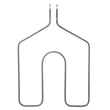
- Bake not heating: inspect and test the bake element WB44K5013.
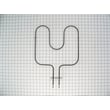
- Broil not heating: inspect and test the GE range broil element WB44K5009.
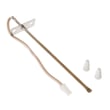
- Temperature is inaccurate (overheats or underheats): test the oven temperature sensor WB21X5301.
- Look for loose, burned, or broken wiring at the element terminals.
- If the breaker trips again, stop and have the circuit and oven wiring checked.
Quick symptom guide
| Symptom | Reset likely helps? | Most common next part to check |
|---|---|---|
| Display frozen or unresponsive | Yes | Control-related (power cycle first) |
| Oven heats sometimes, then stops | Sometimes | Sensor WB21X5301 |
| No bake heat, broil works | No | Bake element WB44K5013 |
| No broil heat, bake works | No | GE range broil element WB44K5009 |
Why it matters
The electronic control in a wall oven can latch into an error state after a power surge or brief interruption. A 1-minute breaker reset restores clean power to the control; if heating still fails, the issue is usually a heating circuit part (element, sensor, wiring) rather than the reset itself.
Last updated: February 2026
What does F200 mean on an oven?
On a GE JKP13GP2BG electric wall oven, the F200 error code points to an oven temperature sensor circuit problem, most commonly a shorted sensor or a wiring issue between the sensor and the control. The first practical step is checking the sensor and its harness.
What to check first (safe, quick checks)
- Power reset: turn the breaker off for 1 minute, then back on; see if F200 returns.
- Look for obvious wiring damage: melted insulation, pinched wires, loose connectors at the sensor plug.
- Check for heat damage near the rear oven wall where the sensor wiring routes.
- Confirm the oven door closes fully; excessive heat escaping can stress wiring and connectors.
How we troubleshoot F200 (sensor and wiring)
- Shut off power at the breaker (wall ovens are 240V).
- Access the sensor connector (often from inside the oven cavity or from the rear, depending on installation).
- Test the sensor with a multimeter (ohms) and inspect the harness for shorts to chassis ground.
- If the sensor tests bad or the connector is heat-damaged, replace the sensor.
A common replacement for this model is the sensor WB21X5301.
Typical sensor readings (what “normal” looks like)
Most GE-style oven RTD sensors read close to these values:
| Oven temperature | Typical resistance (approx.) |
|---|---|
| Room temp (70°F) | ~1,080 ohms |
| 250°F | ~1,450 ohms |
| 350°F | ~1,650 ohms |
| 550°F | ~2,200 ohms |
If the meter shows near 0 ohms (short) or OL/infinite (open), the sensor circuit is faulty.
Why it matters
When the control cannot trust the temperature signal, it may shut heating down, overheat, or lock out bake/broil to prevent unsafe operation. Fixing the sensor circuit restores accurate temperature control and normal baking performance.
Last updated: February 2026
How to disable control lock on GE wall oven?
On a GE JKP13GP2BG electric wall oven, Control Lock is turned off by using the same Control Lock key or touchpad you used to turn it on; on most GE wall ovens, you press and hold that Control Lock pad for about 3 seconds until the lock indicator turns off.
Quick steps to turn Control Lock off
- Press and hold the Control Lock pad (sometimes labeled Lock Controls).
- Keep holding for about 3 seconds.
- Wait for a beep or for the lock icon or “LOC” to disappear.
- Try a simple function (like Bake) to confirm the keypad responds.
If the lock will not turn off
Control Lock can stay on if the control is not sensing the keypress correctly or if the oven is in a state that prevents changes.
- Make sure the control panel is dry and clean; grease or moisture can block touchpads.
- Press firmly and hold the pad continuously (do not tap repeatedly).
- If the oven is in Self-Clean and the door is locked, let it cool; the lock may not release until the temperature drops.
- Reset power: turn the breaker off for 1 minute, then back on.
- If the keypad still will not unlock, inspect the door lock system; a failing lock motor can keep the control “thinking” it is locked (see lock motor WB49T10020).
What you should see (common displays)
| What you see on the display | What it usually means | What to do |
|---|---|---|
| “LOC” or lock icon lit | Control Lock is on | Press and hold Control Lock for ~3 seconds |
| “LOCKED” during/after clean | Door lock engaged | Allow cooling; then try unlocking |
| No change when holding pad | Keypad not registering or control glitch | Clean panel, then reset power |
Why it matters
Control Lock prevents accidental key presses, but if it will not turn off it can also point to a control-panel input issue or a door lock circuit problem. Addressing it early helps avoid being unable to use Bake or Broil when you need it.
Last updated: February 2026
Why is my GE oven not powering on?
If your GE JKP13GP2BG electric wall oven is completely dead (no display, no lights, no heat), the cause is usually a power supply issue (breaker, wiring, terminal connections) or a failed control-related circuit. Start by confirming the oven is receiving the correct voltage before replacing parts.
Quick checks we recommend first
- Reset the double-pole breaker for the wall oven (turn it fully OFF, then ON).
- Confirm the oven has power at the junction box (most wall ovens require 240 VAC; many controls also need a solid 120 VAC leg).
- Check for a tripped GFCI (if your installation uses one) and reset it.
- Look for a loose or burned wire connection at the junction box or terminal area.
- If the display is on but the oven will not heat, skip to the heating circuit checks below.
Heating circuit checks (if the control has power)
If the clock/display works but Bake or Broil will not start, a failed heating component or sensor can stop operation.
- Inspect the bake element for visible breaks or blistering; test for continuity.
- Inspect the broil element for damage; test for continuity.
- Test the oven temperature sensor for resistance consistency (a sensor that reads open/short can prevent heating).
Helpful model-matched parts to consider:
What the symptoms usually mean
| Symptom | Most likely area | What to do next |
|---|---|---|
| No display, no response | Power supply, wiring, control feed | Verify breaker and voltage at junction box |
| Display works, no heat | Elements, sensor, control output | Continuity test elements; check sensor |
| Works sometimes, then shuts off | Loose connection, overheating, failing control | Inspect wiring connections; check for heat damage |
Why it matters
An electric wall oven can appear “not powering on” when it is actually missing one leg of power or has a loose connection; that can also damage wiring and components over time. Verifying power first prevents unnecessary part replacement.
Last updated: February 2026





