Owner’s manual
 Error Codes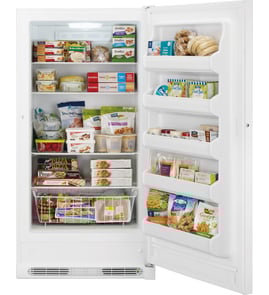



Where is the light bulb in the GE freezer?
In the GE FUF14SVERWW upright freezer, the light bulb sits behind the interior light shield near the top of the freezer compartment. You typically access it by moving the upper shelf out of the way, then lifting off the light shield to reach the bulb.
How to access the light bulb
- Unplug the freezer (or switch off power at the breaker).
- Open the door and clear items from the top shelf area.
- Lift up and remove the light shield to expose the bulb.
- Replace the bulb with the same type and rating listed in your owner's manual.
Quick checks before you replace the bulb
- Make sure the freezer has power (outlet and breaker are on).
- Confirm the door is fully closing; a misaligned door can affect the door switch.
- Check that the light shield is seated correctly and not blocking the bulb.
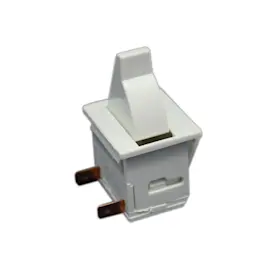
- If the light still does not work after a new bulb, inspect wiring connections and the door switch.
What to do if the light still does not work
If a new bulb does not restore the light, the issue is usually in the door switch, wiring, or control circuitry.
| Symptom | Most likely cause | What we recommend |
|---|---|---|
| No interior light, freezer cools normally | Bulb or door switch | Replace bulb first; then test the door switch |
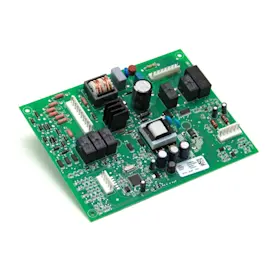
| No interior light and other odd behavior | Control issue | Check connections; consider the freezer electronic control board WR55X11084 |
| Light flickers | Loose bulb or socket contact | Reseat bulb; inspect socket for damage |
Why it matters
A working interior light helps you spot door seal gaps, frost buildup, and airflow blockages quickly, which protects food quality and helps the freezer maintain stable temperatures.
Last updated: February 2026
Is there a reset button on a GE upright freezer?
GE upright freezers like model FUF14SVERWW typically do not have a single master reset button. For most “reset” needs, we use the control panel functions (such as Alarm Reset) or a power reset by unplugging the freezer; see the exact control steps in the owner's manual.
What you can reset on this model
- High temp alarm: press Alarm Reset to silence the alarm.
- Demo mode: use the specific button sequence shown in the manual to turn Demo off.
- Control lock: use the control lock function if the panel is unresponsive due to being locked.
- Power reset: unplug the freezer, wait about 5 minutes, then plug it back in.
Common “reset” situations and the right fix
| Symptom | What to try first | What it does |
|---|---|---|
| High temp alarm keeps sounding | Press Alarm Reset | Silences the alarm; “High Temp” can stay displayed until temperature recovers |
| Freezer not running | Check outlet, then reset house breaker | Restores power if the circuit is tripped |
| “Demo” light on | Follow the Demo mode key sequence in the manual | Exits showroom mode so the freezer cools |
| Temperature seems off after changes | Wait several hours between adjustments | Lets temperature stabilize |
Why it matters
Using the correct reset prevents repeat alarms and helps protect food. If the freezer is warm because the door was left open, airflow was blocked, or the unit is in Demo mode, a “reset” alone will not restore normal temperatures until the underlying cause is fixed.
When a part problem is likely
If the freezer repeatedly warms up, won’t defrost properly, or alarms return after temperatures should be stable, a failed cooling or defrost component is common. Parts that often relate to these symptoms include the freezer electronic control board WR55X11084 and the freezer defrost heater WR51X23562.
Last updated: February 2026
What causes an upright freezer to stop freezing?
On a GE FUF14SVERWW upright freezer, a “not freezing” problem is usually caused by a power issue, the door not sealing or being left open, incorrect temperature settings, or a cooling-system/defrost problem that restricts airflow. Start with the quick checks in the owner's manual.
Quick checks first (most common)
- Make sure the freezer is plugged in fully and the outlet has power.
- Check the home fuse or circuit breaker; reset if tripped.
- Confirm the door closes completely and nothing is holding it open.
- Reduce frequent or long door openings; warm air quickly raises cabinet temperature.
- Verify the temperature control is set cold enough; allow several hours to stabilize after changes.
- If the unit was recently unplugged or moved, allow about 4 hours to cool down completely.
Airflow and frost buildup issues
Even if the compressor runs, the freezer can stop freezing if cold air cannot circulate.
Common causes include:
- Heavy frost/ice on the evaporator area from a defrost system problem
- Blocked vents from overpacked food
- A door seal leak that lets humid air in and creates frost
Parts that often relate to airflow/defrost symptoms
| Symptom you notice | What it often points to | Example part for this model |
|---|---|---|
| Frost buildup, warming temps | Defrost system not clearing ice | Freezer defrost heater WR51X23562 |
| Temps swing, odd behavior | Control not managing cooling/defrost correctly | Freezer electronic control board WR55X11084 |
| Poor cooling after sealed-system work | Moisture/contaminant control in the system | Freezer dryer filter WR86X25269 |
Electrical and control problems
If the freezer has power but does not run or cool, we follow the troubleshooting steps in the manual, including checking for a tripped breaker and verifying the unit is not in Demo mode (if equipped). For electrical testing, unplug the freezer before servicing because the control settings do not disconnect power.
- Use a multimeter to check for power where appropriate.
- Inspect wiring connections for damage or looseness.
Why it matters
A freezer that is not freezing can be a simple door or setting issue, but it can also be an airflow or defrost failure that gets worse quickly. Catching it early helps protect food and prevents excessive frost that can strain the cooling system.
Last updated: February 2026