Installation guide
 Owner’s manual
 Error Codes




What does error code F96 mean on a GE oven?
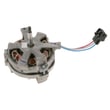
On a GE PT916SR1SS electric wall oven, error code F96 points to a cooling fan or airflow problem that can cause the oven to shut down to protect the control electronics; you may lose use of the upper, lower, or both ovens until the issue is corrected. See the PT916SR1SS owner's manual for model-specific reset steps and error behavior.
- Cancel the cycle and let the oven cool down completely.
- Restore power by turning the breaker off for 2 to 5 minutes, then back on.
- Make sure oven vents are not blocked (foil, pans, or cabinet items restricting airflow).
- If the code appears during or after self-clean, wait for full cool-down before retrying.
- If F96 returns quickly, stop using the oven and troubleshoot the cooling system.
F96 is typically triggered when the control does not see the expected cooling performance.
| Likely cause | What you may notice | What usually fixes it |
|---|---|---|
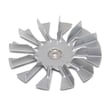
| Cooling fan not running or running slow | Loud hum, no airflow, code returns fast | Fan circuit diagnosis, fan replacement if failed |
| Over-temperature condition | Oven shuts down mid-bake | Check airflow, verify sensor readings |
| Temperature sensing issue | Erratic temps, repeated faults | Test/replace sensor if out of spec |
| Control or wiring issue | Intermittent faults | Inspect harness connections, repair/replace as needed |
These parts are commonly related to overheating protection and temperature feedback on this model:
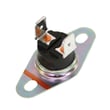
- Wall oven safety thermostat WB24T10060 (safety limit device)
- Sensor assembly WB21T10018 (temperature sensor feedback)
- Oven control WB27T11442 (electronic control that monitors faults)
The cooling fan protects the oven control and wiring from heat damage. When the oven detects inadequate cooling, it can disable heating to prevent further problems and keep the appliance operating safely.
Last updated: February 2026
How to disable control lock on GE wall oven?
On the GE PT916SR1SS wall oven, we disable Control Lock by using the Control Lock touch control on the display. Press and hold the Control Lock control until the lock indicator turns off, then confirm the controls respond normally. See the PT916SR1SS owner's manual for the exact button name and hold time.
- Press and hold Control Lock (sometimes labeled Lock Controls).
- Keep holding until you hear a beep or the lock icon disappears.
- If the screen is asleep, tap the display first to wake it.
- Try starting Bake to confirm the keypad is unlocked.
- If the oven is in a clean cycle or cooling down, wait for the door lock to release.
These checks solve most “stuck lock” complaints on GE electric wall ovens:
- Power reset: Turn the breaker off for 1 minute, then back on.
- Stuck door lock: If the door is locked, let the oven cool completely; the lock will not release while hot.
- Touch panel issues: Clean and dry the control area; moisture can act like a pressed key.
- Control board glitch: If the display is erratic, the oven control may need service.
| What you see | What it usually means | What to do next |
|---|---|---|
| Lock icon on, keys do nothing | Control Lock is enabled | Hold Control Lock until icon clears |
| Door locked after self-clean | Normal cool-down period | Wait for cool-down, then try unlock |
| Random beeps or keys “press themselves” | Moisture or stuck key | Dry/clean panel; power reset |
| No display at all | Power supply issue | Check breaker, then wiring (hard-wired) |
Control Lock prevents accidental keypad presses, but it can also make the oven look “dead.” Unlocking it first helps us avoid replacing parts that are still good.
If the oven is truly locking the door or not responding, these model-matched parts are commonly checked:
- Wall oven door lock assembly WB14T10082 (door stays locked)
- Oven control WB27T11442 (display or keypad not responding)
You can order replacement parts for GE PT916SR1SS from the parts list for this model, or search by model number on Sears PartsDirect.
Last updated: February 2026
How do I reset the error code on my GE oven?
To reset an error code on your GE PT916SR1SS electric wall oven, we recommend a hard reset at the circuit breaker: turn the oven’s breaker OFF for 1 minute, then turn it back ON and let the control panel reboot. Afterward, reset the clock and test Bake.
- Turn the oven controls OFF.
- Locate the dedicated wall oven circuit breaker.
- Switch the breaker OFF for 60 seconds.
- Switch the breaker back ON.
- Wait for the display to restart, then set the clock.
- Run a quick test: Bake at 350°F for 10 minutes.
An error that returns immediately usually points to an ongoing issue such as overheating protection, a temperature sensing problem, or a control/lock fault.
- If the oven is hot, let it cool completely and try again.
- If the door is locked after self-clean, allow more cool-down time; then retry.
- If heating is erratic, the oven temperature sensor circuit is a common suspect.
- If the oven will not heat at all, check for a failed element or control issue.
These are model-matched parts we often see involved when faults repeat after a reset:
| Symptom after reset | What it often points to | Example model-matched part |
|---|---|---|
| Overheat or shutdown behavior | Safety/limit device opening | Wall oven safety thermostat WB24T10060 |
| Temperature-related codes or bad temp control | Sensor circuit issue | Sensor assembly WB21T10018 |
| No heat or weak heat | Heating circuit problem | Range bake element WB44T10105 |
A breaker reset clears temporary control glitches, but a repeating error code helps protect the oven from unsafe temperatures or failed components. Using the code plus symptoms helps us narrow the repair to the sensor, safety thermostat, door lock, or control.
- Use the troubleshooting section in your PT916SR1SS owner’s manual to match the exact code to the likely cause.
- For general GE code patterns and what they typically indicate, see GE manual cleaning range error codes.
If you need to order replacement parts for PT916SR1SS, use the parts list for this model or search by model number on Sears PartsDirect.
Last updated: February 2026
What is the lifespan of a GE oven?
A GE electric wall oven like model PT916SR1SS typically lasts 13 to 15 years with normal household use and basic maintenance (keeping vents clear, avoiding harsh cleaners on controls, and fixing heating issues early).
Most ovens reach the end of life due to heat-related wear on electrical components rather than the cabinet itself.
- Heavy use (daily high-heat baking, frequent self-clean cycles) shortens lifespan
- Power surges and loose wiring connections can damage controls
- Poor airflow around a built-in wall oven increases heat stress
- Slamming the door can wear hinges and door alignment
- Delayed repairs (running with weak heat or error codes) can lead to bigger failures
These are frequent wear items on electric ovens; replacing them often restores performance.
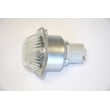
- Oven light issues: replace the oven lamp 40A15 if the bulb is out; inspect the oven lamp holder WB08T10002 if the socket is damaged
- Temperature problems: a failing sensor can cause underheating or overheating; check the sensor assembly WB21T10018
- No heat or weak bake: a worn element is a common cause; inspect the range bake element WB44T10105 for visible damage
- Door won’t unlock after self-clean: the lock mechanism can stick or fail; check the wall oven door lock assembly WB14T10082
- Wipe spills after the oven cools to prevent baked-on residue
- Use self-clean sparingly; run it only when truly needed
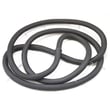
- Keep the door gasket area clean so the door seals properly
- Avoid covering racks or oven bottom with foil unless your owner's manual allows it
- If you see repeated temperature swings, address it before it stresses the control
| Usage pattern | Typical lifespan | What to watch for |
|---|---|---|
| Light (weekends, holidays) | 15+ years | Lamp, door wear |
| Average (several times/week) | 13 to 15 years | Sensor drift, element wear |
| Heavy (daily, frequent self-clean) | 10 to 13 years | Control overheating, lock issues |
Knowing the expected lifespan helps us decide whether a repair is cost-effective. On a 13 to 15-year-old wall oven, replacing a wear part (sensor, lamp, bake element) often makes sense; repeated control or wiring issues can signal end-of-life.
You can order PT916SR1SS replacement parts from the parts list for this model, or search by model number on Sears PartsDirect.
Last updated: February 2026