 Error Codes
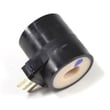



How to put Speed Queen dryer in diagnostic mode?
On the Speed Queen HG4209 dryer, diagnostic (service) mode is entered using a specific button sequence that depends on the exact control panel version. We recommend using the official Speed Queen service information for HG4209 so you use the correct sequence and can read any stored fault codes.
Before you try diagnostics
These steps prevent false “no response” symptoms and help the console accept the key sequence:
- Confirm the dryer has power; check the breaker and that the outlet is live.
- Close the door firmly; a failed door circuit blocks many tests.
- Set the cycle selector to a normal timed cycle (if your model uses a knob).
- Wait 5 seconds after powering on before pressing any keys.
- If the panel is acting “locked up,” unplug for 2 minutes to reset, then retry.
If the dryer will not enter diagnostic mode
When the correct sequence is used and nothing happens, these are the most common causes on gas dryers like HG4209:
- Door circuit not closing; test/replace the door switch D512973.
- Stuck key or damaged console button; inspect for a physically jammed button.
- Loose console wiring connection (requires opening the top/control area).
- Control not powering correctly due to a supply issue (cord, terminal block, or outlet).
| Symptom | What it usually means | What to do next |
|---|---|---|
| No lights or indicators at all | Power supply problem | Verify breaker, outlet, and cord connection |
| Lights on but no buttons respond | Stuck key or console input issue | Power reset; inspect buttons; check console wiring |
| Starts then stops when door moves | Door switch/latch issue | Test/replace the door switch |
Why it matters
Diagnostic mode speeds up troubleshooting for “won’t start” and “won’t heat” problems by pointing you to the right circuit (door switch, igniter, gas valve coils, or motor). For a structured heating check, use gas dryer wont heat troubleshooting video.
Last updated: February 2026
What are common problems with Speed Queen dryers?
Common problems on the Speed Queen HG4209 dryer fall into a few buckets: airflow restrictions (lint and venting), heat system failures (igniter and gas valve coils), and start or run issues (door switch, belt, idler). Most symptoms trace back to a small set of checks and a few high-wear parts.
Most common symptoms and what they usually mean
- Takes too long to dry: restricted venting, lint buildup, weak heat output
- No heat: failed igniter, gas valve coil issue, thermostat problem
- Won’t start: door not closing fully, failed door switch, power supply issue
- Runs but won’t tumble: broken belt, idler problem
- Stops mid-cycle or overheats: poor airflow, thermostat cycling issues
Quick checks we recommend first (before replacing parts)
- Clean the lint screen and confirm strong airflow at the outside vent hood.
- Inspect the vent path for kinks, crushed flex duct, or heavy lint buildup.
- Verify the cycle and temperature settings match the load (heavy loads need higher heat and more time).
- For gas models, confirm the gas shutoff valve is fully open.
- If the drum doesn’t turn, stop using the dryer to prevent motor strain.
Parts that commonly fix these problems on HG4209
If basic airflow and settings checks don’t solve it, these HG4209 parts are common culprits:
| Symptom | Likely area | Example part for HG4209 |
|---|---|---|
| No heat | Ignition | Igniter D510184P |
| Won’t start | Door circuit | Door switch D512973 |
| Runs, no tumble | Drive system | Belt 56095P |
| Squeal, poor tension | Idler system | Idler wheel D510142P |
| Overheating or cycling heat | Temperature control | Thermostat 56410 |
Why it matters
Airflow problems can mimic “bad heat” and also cause overheating, shutdowns, and longer dry times. Fixing venting first often restores performance and helps protect key components like the igniter, thermostat, and motor.
For step-by-step help diagnosing heat and airflow symptoms, use our gas dryer wont heat troubleshooting video and dryer takes a long time to dry guides.
Last updated: February 2026
What is the average lifespan of a Speed Queen washing machine?
Speed Queen washing machines typically last about 25 years in normal home use. That long service life comes from commercial-style design and heavy-duty components; keeping the washer level, avoiding overloads, and doing basic maintenance helps you reach that lifespan.
Typical lifespan at a glance
| Appliance type | Typical lifespan | What most affects it |
|---|---|---|
| Speed Queen washer | ~25 years | Load size, leveling, water quality, maintenance |
| Typical household washer (many brands) | ~10 to 15 years | Usage, repairs, maintenance |
What helps a Speed Queen washer reach 25 years
- Do not overload; overloading strains the drive system, suspension, and tub bearings.
- Use the right detergent amount; excess suds can cause longer cycles and residue.
- Keep it level; an out-of-level cabinet increases vibration and wear.
- Inspect hoses yearly and replace if cracked or bulging.
- Clean residue and odors periodically (especially with cold-water washing).
Signs your washer is nearing end-of-life
- Loud rumbling or grinding during spin (often points to bearing or drive wear)
- Frequent out-of-balance events even with normal loads
- Water leaks from the tub area or recurring drain issues
- Repeated electrical or control failures
Why it matters
A washer that is maintained and not overloaded runs smoother, uses less energy and water per load, and avoids the high-wear failures that shorten lifespan. If you are comparing repair vs. replace, age plus the type of failure usually makes the decision clearer.
For dryer care tips that also apply to laundry-room maintenance habits, see how to keep a dryer clean and economical.
Last updated: February 2026
Where is the model number on a Speed Queen dryer?
On a Speed Queen HG4209 dryer, the model number is typically printed on a rating label located around the door opening. The most common spot is on the cabinet frame just inside the door; if it is not there, check the back of the dryer near the top.
Most common places to check
- Open the dryer door and look on the cabinet frame (door opening) on the left or right side
- Check the inside face of the door itself
- Look on the back panel near the top edge
- If your unit is stacked or tight to a wall, use a flashlight and mirror to view the rear label
What the label looks like (and what to write down)
The label usually includes several identifiers. For parts lookup, we recommend recording these exactly:
| Label item | Example | Why it matters |
|---|---|---|
| Model number | HG4209 | Ensures the correct parts diagram and fit |
| Serial number | (varies) | Helps match production changes |
| Type (gas/electric) | (varies) | Heating parts differ by fuel type |
Why it matters
Speed Queen dryers can have similar-looking cabinets across multiple model series. Using the exact model number (HG4209) helps us match the correct dryer parts, including door components and heating or drive parts.
Related parts you might see referenced during repairs
If you are already troubleshooting a door or start issue, these model-matched parts are commonly involved:
- Door switch D512973 (door must close to run)
- Door strike D510181 (helps the door latch align and close)
For general dryer identification and maintenance tips that can prevent repeat issues, see what are the main parts of a clothes dryer.
Last updated: February 2026
Who makes Speed Queen washers and dryers?
Speed Queen washers and dryers are made by Speed Queen, a U.S. laundry-equipment brand owned by Alliance Laundry Systems (ALS). For your Speed Queen HG4209 dryer, that means the manufacturer and parts support trace back to Alliance Laundry Systems.
Who the manufacturer is (and why that matters)
Speed Queen is the brand name; Alliance Laundry Systems is the parent company behind the engineering, production, and distribution of Speed Queen laundry products. This is helpful when you are matching replacement parts, looking up service information, or confirming compatibility for your HG4209.
What to check when ordering parts for HG4209
To avoid ordering the wrong component, we recommend verifying these basics before you buy:
- Confirm the full model number on the dryer data plate: HG4209
- Match the part by function (ignition, door safety, belt drive, etc.)
- Compare the part ID on the listing to what your dryer uses
- Replace worn mounting hardware or clamps when servicing moving parts
- If the symptom is “no heat” or “won’t start,” troubleshoot first so you do not replace good parts
Common HG4209-RELATED parts you may see
These examples are typical for gas dryer operation and door safety circuits:
| Dryer function | Example part for this model | What it affects |
|---|---|---|
| Ignition (gas heat) | Igniter D510184P | Burner ignition and heat production |
| Door safety | Door switch D512973 | Allows the dryer to run only when the door is closed |
| Drum drive support | Idler wheel D510142P | Belt tension and drum turning |
Why it matters
Knowing who makes Speed Queen appliances helps you stay consistent with OEM-style parts and correct fitment. It also helps narrow troubleshooting to the most common dryer systems (door switch circuit, drive belt and idler, and gas ignition components).
For performance and upkeep tips that apply to most dryers, use how to keep a dryer clean and economical.
Last updated: February 2026
Why is my speed queen dryer not drying clothes completely?
Your Speed Queen HG4209 dryer usually won’t dry completely because airflow is restricted (lint screen, vent, or outside hood) or the burner system is not heating consistently. Start with airflow checks first; then test heat components such as the igniter and thermostat.
Quick checks that fix most “not drying” complaints
- Clean the lint screen before every load; wash it with warm water if you use dryer sheets (film blocks airflow).
- Inspect the vent hose for kinks, crushing, or long runs; keep it as short and straight as possible.
- Check the outside vent hood flap; it should open fully while the dryer runs.
- Avoid overloading; tightly packed loads trap moisture and slow tumbling.
- Use the right cycle; timed dry can finish too soon if the load is heavy.
If airflow is good, focus on heat and ignition
On a gas dryer like the HG4209, weak or intermittent heat commonly points to ignition or temperature control parts.
- If the dryer tumbles but you get little or no heat, check the igniter D510184P.
- If it heats at first and then stops heating mid-cycle, a failing temperature control part is common; check the thermostat 56410.
- If the drum turns but airflow feels weak even with a clean vent, inspect the blower area and belt drive; a slipping belt can reduce effective tumbling on some designs.
Symptom-to-cause guide
| What you notice | Most likely cause | What to do next |
|---|---|---|
| Clothes warm but still damp | Vent restriction | Clean venting and outside hood |
| No heat at all, tumbles normally | Ignition failure | Test/replace igniter |
| Heat starts then quits | Temperature control issue | Test thermostat and related controls |
| Takes 2+ cycles to dry | Airflow plus load size | Shorten vent, reduce load, verify cycle |
Why it matters
Poor airflow and weak heat make drying times longer, raise energy use, and can overheat internal components. Restoring proper venting and steady burner operation brings drying performance back to normal.
Last updated: February 2026





