 Installation guide
 Owner’s manual
 Error Codes





What is the difference between a GE range and a GE Profile range?
GE and GE Profile are both GE brands, but GE Profile is positioned as the more premium line with more advanced features and design upgrades. For your GE JB655EK1ES electric range, the exact feature set is defined by its control panel options and special features listed in the JB655EK1ES owner’s manual.
Key differences you’ll typically see
- Features: GE Profile models commonly add more cooking modes, smarter controls, and convenience features.
- Design/finish: Profile often includes upgraded styling and trim details.
- Controls: Profile models more often use enhanced electronic controls and expanded settings.
- Price point: Profile is usually priced higher due to added features.
- Model families: GE is the core lineup; Profile is the step-up lineup within GE
How to compare models the right way
The most accurate comparison is feature-by-feature using the model’s documentation and control panel functions.
| What to compare | GE line (typical) | GE Profile line (typical) |
|---|---|---|
| Cooking features | Core bake/broil and standard options | Expanded modes and convenience features |
| User interface | Straightforward controls | More advanced controls and settings |
| Fit and finish | Standard | More premium styling |
| Ownership experience | Solid essentials | More “upgrade” features |
Why it matters
When you’re shopping for parts, accessories, or troubleshooting steps, the model number matters more than the badge. A GE Profile range and a GE range can look similar but use different oven controls, surface elements, or wiring. For JB655EK1ES, always match parts and procedures to the model-specific documentation.
Last updated: February 2026
How do I reset my GE oven control board?
To reset the control on your GE JB655EK1ES electric range, press Cancel/Off to stop the current function; for error-code type glitches, shut off power at the breaker for at least 30 seconds, then restore power and set the clock. Use the steps in the JB655EK1ES owner’s manual for any model-specific key sequences.
Quick reset steps (most common)
- Press Cancel/Off once to clear the current cooking mode.
- If an “F-” error code is flashing, press Cancel/Off and let the oven cool for 1 hour, then try baking again.
- If the error returns, turn OFF the range circuit breaker (or unplug if accessible).
- Leave power off for at least 30 seconds, then restore power.
- Reset the clock and test Bake.
If the display is blank or buttons seem unresponsive
A blank display is usually a power issue or a special mode.
- Check the home breaker or fuse; reset if tripped.
- Make sure the range is not in Sabbath mode (Sabbath disables tones and several functions).
- If controls are locked, press and hold the Lock Controls pad (or the +/- pads, depending on the control) for 3 seconds to unlock.
What a reset can and cannot fix
| Symptom | Reset helps most when | Likely next step if it returns |
|---|---|---|
| “F-” code flashes | Temporary control glitch or over-temp event | Diagnose wiring, sensor, or control |
| Oven won’t respond to keys | Control lock or mode setting | Unlock controls; exit special modes |
| Display goes blank | Breaker/fuse issue | Check power supply and connections |
Why it matters
Resetting clears a stuck cooking cycle and can clear a temporary function error so you can confirm whether you have a one-time glitch or a repeat problem that points to a failing component such as the range oven control board WB27X45466 or a wiring connection.
Last updated: February 2026
What is error code F760 on GE range?
On the GE JB655EK1ES electric range, error code F760 points to an internal control problem where the main logic board is seeing an invalid touch-key (keypad) signal. In most cases, the fix is restoring power to reset the control, then troubleshooting the user interface and oven control if the code returns.
What to do first (safe reset and quick checks)
- Turn the range off at the breaker for 2 to 5 minutes, then restore power.
- If F760 returns immediately, stop using the oven functions and proceed with troubleshooting.
- If the cooktop works but the oven will not start, focus on the control and keypad circuit.
- If keys beep or act “stuck,” treat it like a touch-key signal fault.
- Check for moisture or cleaner residue around the control panel; let it dry fully.
Likely causes of F760
F760 is commonly triggered by a fault in the touch-key circuit (keypad) or the electronic oven control.
| Symptom | Most likely issue | What we recommend |
|---|---|---|
| F760 appears with random beeping or unresponsive keys | Touch panel/keypad signal problem | Power reset; inspect for moisture; service if it returns |
| F760 appears and oven won’t heat, cooktop still works | Control not accepting commands | Diagnose control and UI connections |
| F760 returns after reset every time | Control or UI failure | Plan for repair or replacement of the failed control component |
Parts that are often involved
If diagnostics point to the electronic control side, the oven control is a common suspect on electric ranges.
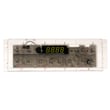
- Range oven control board WB27X45466 (electronic control that processes keypad inputs and runs bake/broil relays)
Why it matters
When the control thinks a key signal is invalid or “stuck,” it can disable oven operation to prevent unsafe heating or unintended commands. Addressing F760 quickly helps restore reliable baking and broiling and prevents repeated shutdowns.
Where to find model-specific guidance
- Use the JB655EK1ES owner’s manual to confirm control panel behavior, basic troubleshooting tips, and where to locate the model and serial label.
- For code lookups and GE-specific guidance, use GE freestanding range error codes.
Last updated: February 2026





