


How many years does a Whirlpool washing machine last?
Most Whirlpool washers, including model WTW4655JW2, typically last about 10 to 14 years in normal household use when they’re installed correctly, not overloaded, and maintained. Actual lifespan varies most with load size, cycle frequency, water quality, and how quickly small issues are repaired.
We see these factors make the biggest difference on Whirlpool top-load washers:
- Overloading (stresses the drive system, basket, and suspension)
- Detergent overuse (leads to residue, odors, and extra wear)
- Unbalanced loads (increases vibration and component fatigue)
- Hard water (can contribute to buildup in valves and hoses)
- Ignoring early symptoms (noise, slow drain, intermittent locking)
These are simple, high-impact habits:
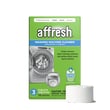
- Run periodic cleaning cycles and wipe the tub ring and lid area dry
- Use the correct detergent amount for your load size and soil level
- Keep loads balanced (mix items, avoid washing single heavy pieces alone)
- Check fill hoses for bulges or seepage and replace as needed
- Address draining or spinning problems early (before they strain the motor)
For a practical routine, follow our guide: how to clean and maintain your washing machine.
Many “end-of-life” symptoms are actually a single worn part. On WTW4655JW2, these are common examples:
| Symptom | Often related to | Example compatible part for this model |
|---|---|---|
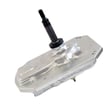
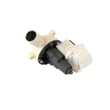
| Won’t drain or drains slowly | Pump or restriction | Washer drain pump W10919003 |
| Loud squeal/burning rubber smell | Belt slipping/worn | Drive belt W11239857 |
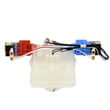
| Won’t start or stops when lid is shut | Lid lock not engaging | Washer lid lock W11307244 |
A washer that’s maintained and repaired early usually costs less over time because it avoids secondary damage (for example, a slipping belt can overwork the drive system). Keeping WTW4655JW2 running smoothly also helps cleaning performance and reduces vibration.
Last updated: January 2026
What is the most common problem with Whirlpool washers?
Across Whirlpool washers (including model WTW4655JW2), the most common service complaint we see is a “won’t start” or “won’t run” condition. It’s often caused by a lid not locking, a control not sensing the lid as closed, or a power and control issue that prevents the cycle from beginning.
Unplug the washer before opening panels or handling wiring.
- Confirm the outlet has power (try a lamp or small appliance).
- Make sure the lid is fully closed and nothing is caught at the rim.
- Cancel the cycle and reselect a cycle; then press Start.
- Reduce the load size; an overloaded basket can stop a cycle from starting or spinning.
- If the washer fills but won’t drain or spin, check for a kinked drain hose and a clogged pump path.
For WTW4655JW2, these are common suspects when basic checks do not help:
- Washer lid lock W11307244
- Control unit assembly, machine and motor W11607637
- Actuator, shift W11481722
- Drive belt W11239857
- Washer drain pump W10919003
| What you notice | What it often points to | Example compatible part for WTW4655JW2 |
|---|---|---|
| No response when you press Start | Lid not locking or control issue | Lid lock, control unit |
| Fills but won’t drain | Pump blockage or failed pump | Drain pump |
| Drains but won’t spin | Shift system or belt/drive issue | Actuator, drive belt |
| Loud grinding or poor agitation | Drive components worn | Drive belt, drive pulley |
A “won’t start” complaint is usually a safety or sensing problem (lid lock) or a control decision (machine/motor control). Identifying the symptom early helps you avoid replacing the wrong part and reduces repeat breakdowns.
If you’re seeing flashing lights or a stored fault, use our Whirlpool belt drive top load washer error codes reference to narrow the diagnosis before ordering parts.
Last updated: January 2026
How to reset a washer Whirlpool?
To reset a Whirlpool washer like model WTW4655JW2, we recommend a simple power reset first: unplug the washer (or turn off the breaker) for 1 minute, restore power, then start a cycle. This clears many temporary control glitches without changing settings.
Try these in order; stop once the washer responds normally.
- Power reset: Unplug for 60 seconds, then plug back in.
- Control reset: With the washer powered on, press Cancel/Stop once, wait 10 seconds, then select a cycle and press Start.
- Hard reset: Unplug for 5 minutes (useful after repeated error beeps or a frozen panel).
- Drain and reset: If the tub is full, set Drain/Spin (or similar) and run it before retrying a wash cycle.
A “reset” won’t fix a failed safety switch or a mechanical issue. On WTW4655JW2, these checks are the most common:
- Confirm the lid closes firmly and the strike is not cracked or loose.
- Listen for a lid lock click when you press Start.
- Verify the outlet has power (try a lamp) and the breaker is not tripped.
- If the washer won’t drain, check for a clog at the pump or hoses.
- If the washer stops mid-cycle, note any flashing lights or error pattern.
| Symptom | What it often points to | Example compatible part for WTW4655JW2 |
|---|---|---|
| Won’t start, lid won’t lock | Lid lock not engaging | Washer lid lock W11307244 |
| Won’t drain, cycle won’t complete | Drain pump or restriction | Washer drain pump W10919003 |
| Random stopping, dead panel | Main control issue (less common) | Control unit assembly, machine and motor W11607637 |
Resetting is a safe first step because it can clear a temporary control fault. If the problem returns quickly, it usually means the washer is detecting a real condition (lid not locking, not draining, or a control/drive fault) that needs troubleshooting.
For help interpreting flashing lights or fault behavior, use our Whirlpool belt drive top load washer error codes.
Last updated: January 2026