Installation guide
 Owner’s manual


Are Electrolux dryers good quality?
Yes. Electrolux dryers are generally good quality, and the Electrolux EFME627UTT0 is designed for consistent drying and fabric care when it’s installed correctly and maintained (especially lint and venting). For model-specific use, cycles, and care, see the EFME627UTT0 use & care guide.
What “good quality” looks like on the EFME627UTT0
This model’s platform uses moisture-sensing Auto Dry cycles, multiple temperature and dryness selections (availability varies by model series), and reminders like “CLEAN LINT” to support reliable performance.
- Auto Dry finishes most everyday loads without a second cycle
- Clothes come out evenly dry (not damp spots, not over-dried)
- Drum tumbles smoothly without persistent thumping or squealing
- Lint filter cleans easily and seats securely
- Drying times stay consistent from load to load
Installation and airflow matter most
A dryer can seem “low quality” if airflow is restricted. EFME627UTT0 venting should use 4-inch rigid or semi-rigid metal ducting, minimal turns, and exhaust outdoors. Follow the venting and clearance guidance in the EFME627UTT0 installation instructions.
| What you notice | Most common cause | Best first step |
|---|---|---|
| Long dry times | Vent restriction or lint buildup | Clean lint filter; check vent path |
| Hot smell or very hot cabinet | Poor exhaust airflow | Stop cycle; inspect venting |
| Wrinkles | Overloading or not unloading promptly | Reduce load; use wrinkle options |
When performance points to a worn part
If airflow checks out but the dryer is noisy or won’t tumble, a drive component may be worn.
- Motor runs but drum won’t turn: inspect the belt
- Rumble or thump that persists: check drum support rollers
- Squeal: address early to prevent added wear
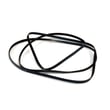
A compatible replacement listed for this model is the white-westinghouse dryer drum belt 134719300.
Why it matters
Good airflow and routine lint removal help the EFME627UTT0 dry faster, protect fabrics, and reduce overheating that can shorten the life of parts like the heating system and motor.
Last updated: January 2026
How to clean moisture sensor in Electrolux dryer?
On the Electrolux EFME627UTT0 dryer, clean the moisture sensor bars by wiping them with a soft cloth lightly dampened with rubbing alcohol, then let them dry completely. This removes waxy residue that can cause Auto Dry cycles to stop early or leave clothes damp.
Where the moisture sensor is on this model
Electrolux describes the sensor as front-mounted moisture sensor bars (on select models). You can typically find the bars just inside the drum opening near the lint filter area. See the EFME627UTT0 use & care manual for the Care & Cleaning guidance.
Step-by-step: cleaning the sensor bars
- Turn the dryer off and let the drum cool.
- Dampen a soft cloth with rubbing alcohol (do not pour liquid into the dryer).
- Wipe each sensor bar firmly to remove any film.
- Wait a few minutes for the alcohol to evaporate fully.
- Run a normal load on an Auto Dry cycle and check results.
If drying is still inconsistent after cleaning
A dirty sensor is common, but long dry times can also come from restricted airflow or lint buildup.
- Clean the lint filter before every load.
- Check the vent duct and outside hood for blockage or crushed ducting.
- Avoid overloading; the drum should usually be about 1/3 to 1/2 full when wet.
- If the dryer is taking much longer than normal, use the dryer takes a long time to dry guide to narrow down airflow and heating issues.
Quick comparison: sensor issue vs airflow issue
| What you notice | More likely cause | What to do first |
|---|---|---|
| Cycle ends early, clothes still damp | Sensor bars coated | Clean sensor bars with alcohol |
| Dryer runs full time but still slow | Vent restriction or lint buildup | Check venting and lint areas |
| Small loads stop too soon | Sensors not detecting enough moisture | Use Time Dry for very small loads |
Why it matters
Auto Dry cycles rely on moisture sensing to prevent overdrying and save energy. When the sensor bars get a waxy coating (often from dryer sheets), the dryer can “think” the load is dry and shut off too soon.
Last updated: January 2026
What does LOC mean on Electrolux dryer?
On the Electrolux EFME627UTT0 dryer, LOC means Control Lock is turned on. When Control Lock is active, the dryer won’t accept most button presses and a cycle may not start until you unlock the controls (see the EFME627UTT0 use & care guide).
How to turn off LOC (Control Lock)
On EFME627UTT0, Control Lock is a cycle option you can toggle.
- Press Power to turn the dryer on.
- Press Options to scroll until control lock is highlighted.
- Press Select (Set) to toggle Control Lock off.
- Confirm the control lock icon disappears from the display.
- Press Start/Pause to begin the cycle.
What you’ll notice when LOC is on
| Symptom | What it indicates | Fix |
|---|---|---|
| “LOC” or a lock icon shows | Controls are locked | Turn off Control Lock |
| Buttons beep but settings don’t change | Inputs are blocked | Unlock, then reselect settings |
| Cycle won’t start | Start is ignored while locked | Unlock, close door, press Start |
If LOC won’t clear
Try these quick checks before assuming a failure.
- Make sure you press Select (Set) after scrolling to control lock.
- Press buttons with a bare, dry fingertip.
- Unplug the dryer (or switch off the breaker) for 1 minute, then restore power.
- Verify the door is fully closed and latched.
Why it matters
Control Lock is designed to prevent accidental changes (especially with kids around). It can look like the dryer is broken, but it’s usually resolved by turning the option off.
Last updated: January 2026