Owner’s manual
 Error Codes


How to reset an LG fridge freezer?
To reset your LG LFX31925ST refrigerator and freezer, disconnect power for about 5 minutes (unplug the cord or switch the circuit breaker off), then restore power and allow up to 24 hours for temperatures to stabilize. Some settings (like Control Lock) may need to be turned off manually. See the LFX31925ST owner’s manual.
- Unplug the refrigerator; if you can’t reach the plug safely, turn the dedicated breaker off.
- Wait about 5 minutes (this lets the control board fully power down).
- Restore power.
- Confirm the control panel wakes up and responds.
- Give cooling time; check temps periodically over the next 24 hours.
On the LFX31925ST, the control panel can be intentionally locked.
- Press and hold Lock for about 3 seconds to toggle Control Lock.
- If the display stays dark, open a door; this model can use a power-saving display mode.
- If the unit is cooling but the display is erratic, a power reset is still the right first step.
| What you see after reset | What it usually means | What to do next |
|---|---|---|
| Lights and display return | Reset worked | Wait 24 hours for stable temps |
| Display on, buttons don’t work | Control Lock is on | Hold Lock 3 seconds |
| No display, interior lights work | Display may be in power-saving mode | Open door, press a button |
| No lights, no display | No power to unit | Check outlet, breaker, cord |
A power reset clears minor control glitches that can affect temperature display, dispenser behavior, and modes like Ice Plus. Waiting a full day prevents chasing “false” temperature problems while the sealed system re-stabilizes.
Last updated: January 2026
How to remove bottom shelf LG refrigerator?
On the LG LFX31925ST refrigerator, the bottom refrigerator shelf typically removes by clearing the shelf, lifting the front edge to unhook it from the side supports, then tilting and sliding it out. For the exact shelf style and release points used on your unit, check the LFX31925ST owner's manual.
- Remove all food and containers from the shelf.
- Pull out the crisper drawers below if they block the shelf from sliding forward.
- Lift the front of the shelf straight up to disengage it from the shelf supports.
- Tilt the shelf slightly (front up) so the rear edge clears the back supports.
- Slide the shelf out through the door opening.
- Confirm the shelf is centered on both left and right supports.
- Pull the shelf forward 1 to 2 inches, then lift; some shelves release easier when not fully pushed back.
- Remove the drawers below to create hand room and a better lifting angle.
- Lift one side slightly higher than the other to clear liner ribs.
- Do not force the glass; re-seat the shelf and try again.
| What you notice | Likely cause | What to do |
|---|---|---|
| Shelf lifts in front but won’t come forward | Rear edge still hooked | Tilt more (front up), then pull forward |
| Shelf feels stuck on one side | Not seated evenly | Push fully back, then lift evenly |
| Shelf hits a bin or drawer | Not enough clearance | Remove the obstruction first |
LG used multiple shelf configurations within the LFX31925 series, so we cannot identify a single “bottom shelf” part ID for LFX31925ST using model-level information alone. If you need a replacement, match your shelf by shape and mounting style to the compatible shelf options listed for this model.
Removing the shelf the right way helps prevent broken glass, damaged shelf supports, and liner cracks; it also makes cleaning spills and accessing the crisper area much easier.
Last updated: January 2026
Why is my LG bottom freezer not freezing?
If your LG LFX31925ST bottom-mount freezer isn’t freezing, the most likely causes are restricted airflow (frost buildup or a failed fan), a temperature sensing/control problem, or a sealed-system/compressor issue. Use the troubleshooting steps in the LFX31925ST owner’s manual to confirm settings and isolate the cooling system area.
- Confirm the freezer set temperature is set to a normal cold setting (not “Ice Plus” only as a workaround).
- Make sure the freezer drawer closes fully and nothing is holding it open.
- Check for heavy frost on the back wall inside the freezer; that often points to a defrost/airflow restriction.
- Avoid overpacking; blocked vents stop cold air circulation.
- After any setting change, allow several hours for temperatures to stabilize.
| What you notice | Most likely area | Why it matters |
|---|---|---|
| Frost/ice on back freezer panel | Airflow restricted at evaporator | Cold air can’t circulate, so temps rise |
| Freezer warm and fresh food also warming | Sealed system or compressor | Overall cooling capacity is reduced |
| Freezer warm but fresh food still fairly cool | Airflow/fan or damper issue | Cold air is not moving correctly |
If troubleshooting points to a specific component, these model-matched parts are examples that may be involved:
- Refrigerator evaporator fan motor EAU61524007 (moves cold air across the evaporator and through compartments)
- Refrigerator defrost sensor assembly 6615JB2005R (helps the control manage defrost and temperature feedback)
- Refrigerator compressor overload and start relay EBG60663207 (helps the compressor start and protects it from overheating)
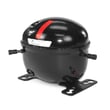
- Refrigerator compressor TCA38091801 (the main sealed-system pump that drives cooling)
A freezer that won’t freeze can lead to food spoilage quickly and can also cause the refrigerator to run longer, build more frost, and strain key components. Addressing airflow and frost issues early often prevents bigger repairs.
Last updated: January 2026