 Installation guide
 Owner’s manual
 Error Codes





How to reset GE oven control board?
On the GE JB630RF2SS electric range, the most reliable way to reset the oven control board is to disconnect power at the breaker for at least 30 seconds, then restore power and let the control finish its startup before pressing any keys. This clears many function-code and “blank display” issues.
Quick reset steps (recommended)
- Press Cancel/Off to stop any active cycle.
- Turn OFF the range circuit breaker (or unplug the range if accessible).
- Wait at least 30 seconds.
- Turn the breaker back ON.
- Set the clock if it’s flashing after a power interruption.
- Test Bake and Broil to confirm the control responds normally.
For control lock issues (not a board failure), use the lock/unlock method in the JB630RF2SS owner’s manual.
If an error code comes back after the reset
If the same function code repeats after a power reset, the problem is usually not a “stuck” control state. Common causes include a failing electronic control, a keypad issue, or a wiring/connection problem.
- If the display is dead or resets randomly, inspect the power supply and connections.
- If buttons do not respond, check whether Control Lock is enabled.
- If the oven heats incorrectly or won’t start, verify the controls are set correctly.
- If the code repeats consistently, replacing the control is a common repair.
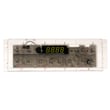
A frequently replaced part for control problems is the range oven control board WB27X45466.
What to try based on the symptom
| Symptom | Best first step | Next likely step |
|---|---|---|
| Display blank | Reset breaker; check home breaker/fuse | Check wiring; control board diagnosis |
| Clock flashing | Set the clock; press Cancel/Off if cooking was interrupted | Retest cooking functions |
| Controls won’t respond | Check Control Lock; reset power | Keypad/control board diagnosis |
Why it matters
A proper power reset forces the electronic range control to reboot and reload its normal operating state. That can clear temporary glitches after a surge, outage, or interrupted cycle, and it helps confirm whether you’re dealing with a one-time lockup or a part that’s failing.
Last updated: January 2026
What is the life expectancy of a GE oven?
A GE electric oven like model JB630RF2SS typically lasts 13 to 15 years with normal household use. Keeping the door sealed, avoiding frequent high-heat self-clean cycles, and fixing small issues early helps you reach (and often exceed) that range.
What affects how long a GE electric range lasts
- How often you cook (daily use wears heating and control components faster)
- Self-clean frequency (high heat stresses wiring, sensors, and electronics)
- Door seal condition (heat loss makes the oven work harder)
- Power quality (surges can damage the control board)
- Cleaning habits (spills left to bake on can damage finishes and create hot spots)
Quick maintenance checklist (best ROI)
- Wipe spills after the oven cools; avoid harsh abrasives on the glass cooktop.
- Keep racks clean and seated correctly so the door closes fully.
- Check for a torn, flattened, or loose door gasket; replace if it is not sealing.
- Use self-clean sparingly; choose shorter cycles when possible.
- If baking temps drift, run the temperature calibration steps in the JB630RF2SS owner's manual.
Common “end-of-life” symptoms vs. repairable issues
| Symptom | Most common cause | Typical fix |
|---|---|---|
| Oven won’t heat | Failed element, wiring issue, control problem | Diagnose heat circuit; replace failed part |
| Long preheat | Weak bake element, sensor drift, heavy buildup | Clean, test components, calibrate |
| Uneven baking | Rack position, convection settings, hot spots | Adjust racks, verify mode, check elements |
| Display or buttons act up | Electronic control issue | Inspect connections; replace control if needed |
Why it matters
Knowing the typical lifespan helps you decide whether to repair or replace. On a range in the 10 to 15-year window, replacing a wear item (like a light bulb or surface element) often makes sense, while repeated electronic failures can signal it is time to plan for replacement.
Last updated: January 2026
Why does my oven keep beeping and saying F2?
On the GE JB630RF2SS electric range, an F2 code with beeping points to an oven temperature problem (the control senses the oven is too hot or sees an abnormal temperature-sensor signal). Cancel the cycle, let the oven cool, then restart; if F2 returns, troubleshoot the sensor circuit and control.
What to do right now
- Press Cancel/Off to stop the alarm.
- Keep the door closed and let the oven cool for about 1 hour.
- Try Bake again and watch whether the code returns.
- If F2 comes back, shut off power at the breaker for at least 30 seconds, then restore power.
- If the code repeats after the reset, plan for a repair (sensor circuit, wiring, or control).
Common causes of an F2 code
F2 is usually triggered when the control thinks oven temperature is out of range.
| What’s happening | What it usually means | What to check |
|---|---|---|
| Oven seems extremely hot or overheats | Temperature regulation problem | Sensor position, wiring, control relay sticking |
| F2 appears soon after starting Bake | Sensor circuit reading wrong | Sensor connector, harness damage, loose plug |
| F2 appears during/after self-clean | Excess heat or heat damage | Let cool fully; inspect wiring near hot areas |
Parts that are often involved
These checks help narrow down whether you need a part.
- Oven temperature sensor and wiring: Look for a loose connector, pinched harness, or heat-damaged insulation.
- Electronic control: If the sensor circuit is good but F2 persists, the control can misread temperature or fail to regulate heat; the range oven control board WB27X45466 is the model-matched control listed for JB630RF2SS.
- Power supply issues: A poor connection at the terminal block can cause odd behavior; inspect for overheating or loose lugs (power off first).
Why it matters
An F2 condition can mean the oven is overheating or not sensing temperature correctly. Addressing it quickly helps prevent poor baking results and reduces the chance of heat-related damage to wiring and electronic controls.
Reference for settings and error behavior
For control features and operating guidance specific to this model, use the JB630RF2SS owner’s manual.
Last updated: January 2026





