 Installation guide
 Owner’s manual


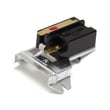

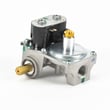
What does E65 mean on a dryer?
On an Electrolux EWMGD65HSS0 dryer, an E65 code points to a heating system problem (the dryer is not heating correctly or is overheating). If the drum is not turning at the same time, stop using the dryer and check airflow and the drive system first; overheating can damage components.
What to check first (safe, high-impact steps)
- Clean the lint screen and confirm it is seated correctly; a restricted screen can cause high heat and long dry times.
- Inspect the exhaust vent path for restrictions (crushed duct, lint buildup, blocked outside hood).
- Run the dryer empty on a timed cycle and confirm the drum tumbles and airflow feels strong at the outlet.
- If the drum does not turn, do not keep restarting the dryer; address the drive issue first.
- If you smell gas: follow the safety steps in the EWMGD65HSS0 installation guide and contact your gas supplier.
If the drum is not turning
A non-tumbling drum commonly points to a worn belt or a seized support roller. On this model, these are common wear items:
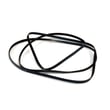
- Belt,"h",pol 134719300 (drum belt)
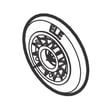
- Roller wheel 5304523152 (drum support roller)
Quick symptom guide
| Symptom | Most likely area | Why it matters |
|---|---|---|
| Drum will not turn, motor runs or hums | Belt or roller | Prevents tumbling; can lead to overheating and shutdowns |
| Dryer runs but clothes stay cool | Gas ignition/heating circuit | No heat means no drying |
| Dryer feels too hot or takes too long | Venting/airflow | Restricted airflow can trigger overheat errors |
Why it matters
E65 plus poor tumbling or restricted venting can cause overheating, longer dry times, and repeated shutdowns. Fixing airflow and the drum drive first protects the motor, thermostat, and heating system.
Helpful reference
For Electrolux code definitions and common fixes, use our Electrolux iq-touch dryer error codes reference alongside the troubleshooting section in your manual.
Last updated: January 2026
What is the life expectancy of an Electrolux dryer?
Most Electrolux dryers, including model EWMGD65HSS0, typically last 10 to 13 years with normal household use and good airflow. Regular lint and vent maintenance, plus prompt repair of wear items, is what most directly extends dryer life.
Typical life expectancy (what to expect)
A dryer’s lifespan depends most on heat stress, airflow restriction, and how quickly worn moving parts are replaced.
- Typical range: 10 to 13 years
- Heavy use (multiple loads daily): closer to 8 to 10 years
- Light use and excellent venting: can exceed 13 years
| Usage pattern | What it usually means for lifespan | Biggest factor |
|---|---|---|
| Light (1 to 3 loads/week) | Longer life | Keeping venting clear |
| Average (4 to 7 loads/week) | Typical life | Routine cleaning |
| Heavy (8+ loads/week) | Shorter life | Heat and motor wear |
What to do to help your EWMGD65HSS0 last longer
We recommend these habits because they reduce overheating, strain on the motor, and premature wear.
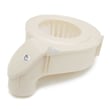
- Clean the lint screen every load; replace it if it’s torn or warped (see lint filter 134793600).
- Keep the exhaust vent run short and clear; restricted venting is the most common cause of long dry times and overheating.
- Do not overload; overloading strains the drum belt, rollers, and motor.
- If you hear squealing or thumping, service drum support components early (rollers and belt wear together).
- Follow the care and cleaning schedule in the EWMGD65HSS0 owner’s manual.
Signs your dryer is nearing end-of-life (or needs key parts)
These symptoms often point to repairable issues, especially on a gas dryer.
- Drying takes much longer than normal (after vent is confirmed clear)
- Burning smell or repeated high-heat shutdowns
- Loud rumbling, squealing, or scraping from the drum area
- Drum not turning consistently
- Intermittent heat or no heat
Why it matters
A dryer that runs hot or runs too long wears out the motor, belt, and gas heating components faster and can increase energy use. Good airflow and timely replacement of wear parts usually deliver the full expected lifespan.
Last updated: January 2026
How to reset electrolux dryer error code?
On the Electrolux EWMGD65HSS0 dryer, the most reliable “reset” for many display issues is using the built-in RESET option in the preferences menu to restore cycle settings, factory preferences, or all defaults. Follow the button prompts shown in the EWMGD65HSS0 owner's manual.
How to reset from the control panel (most common)
Use this when the display is acting up, settings seem “stuck,” or you want to clear customized preferences.
- Turn the dryer on.
- Open the Preferences/Options area on the display.
- Choose RESET.
- Select what you want to restore:
- Cycle settings only
- Factory preferences only (users, language, brightness, volume, etc.)
- All factory defaults
- Press EXIT to return to normal operation, or press CANCEL to turn the dryer off.
If you reset all settings, the dryer may show INSTALL CYCLE as if it is being powered up for the first time. You can press CANCEL if you do not want to rerun the install cycle.
If the “error code” is an installation message
Some messages are not cycle faults; they indicate an install problem that must be corrected first.
| What you see | What it usually means | What to do next |
|---|---|---|
| INSTALL PASS! | Installation check passed | Dryer is ready to use |
| SERVICE CORD (electric) | Power cord or receptacle wiring issue | Correct wiring/cord installation per the EWMGD65HSS0 installation guide |
| NO GAS (gas) | Gas supply not connected or valve closed | Confirm gas line connection and open the supply valve |
| CALL SERVICE | Condition requires a technician | Schedule service after basic checks |
Quick checks that prevent repeat codes
- Unplug the dryer (or switch the breaker off) for 1 minute, then restore power.
- Make sure the door closes firmly and the cycle is started normally.
- If drying performance is poor, clean the lint screen and confirm airflow is strong.
- If the dryer runs but does not heat, confirm the gas supply valve is open (gas models).
Why it matters
Resetting the correct way helps clear incorrect settings and restores stable operation without guessing. If the display is reporting an install-related condition (power or gas), fixing that root cause prevents the message from returning.
Last updated: January 2026





