 Error Codes





How to reset KitchenAid wall oven?
To reset your KitchenAid wall oven model KODE500ESS05, we recommend doing a power reset: turn the oven off, cut power at the breaker for about 1 minute, then restore power and press Cancel/Off. This clears many temporary control glitches and restores normal operation.
Quick reset steps (power reset)
- Press Cancel/Off to stop any cooking cycle.
- Turn both oven controls off (upper and lower, if active).
- Switch the oven’s circuit breaker OFF (or unplug if accessible).
- Wait 60 seconds.
- Switch the breaker ON.
- Set the clock if prompted, then test Bake.
If the display is blank or the oven will not heat
A reset helps, but repeated blank display or no-heat symptoms usually point to a failed safety device, heating circuit issue, or control problem.
Common checks we use:
- Confirm the breaker is a 240V double-pole breaker and is fully reset (OFF then ON).
- If the oven overheated recently, check the range high-limit thermostat WP4449751.
- If the oven is completely dead after a surge or overheat, check the wall oven thermal fuse W11610133.
- If the oven powers on but will not heat, inspect the range bake element W11545804 for visible damage.
- If functions are erratic (random beeps, wrong temps, unresponsive keys), the control (with power supply) W11179310 is a common suspect.
What to expect after a reset
| What you see | What it usually means | What to do next |
|---|---|---|
| Display goes blank, then returns | Normal reboot of the control | Test Bake and Broil |
| Clock flashes or asks to set time | Power was interrupted | Set clock, retest |
| Error code returns immediately | Ongoing fault detected | Troubleshoot the related circuit/part |
Why it matters
A proper reset is the fastest way to clear a “stuck” electronic control and confirm whether you have a temporary glitch or a part failure (thermal fuse, thermostat, bake element, or control board).
Last updated: February 2026
What is the error code f2e1 on a KitchenAid double wall oven?
On the KitchenAid KODE500ESS05 built-in electric double oven, error code F2E1 points to a keypad or user interface (UI) issue, or a problem in the wiring between the UI and the main control. A hard reset at the breaker often clears a one-time glitch; repeated F2E1 usually means a component or connection needs attention.
Quick reset (first step)
- Turn both oven breakers OFF (or the double-pole breaker) for 1 minute.
- Turn power back ON.
- Watch the display for at least 1 minute.
- If F2E1 returns, continue with the checks below.
What typically causes F2E1
- Stuck or shorted key on the touch panel
- Moisture, cleaner residue, or heat-related distortion affecting the keypad
- Loose or damaged ribbon cable/connector between the UI and control
- Failed electronic control or UI assembly
What to check next (power off)
Shut off power at the breaker before opening panels.
- Inspect the UI/control area for signs of moisture or residue; let it dry completely.
- Check harness plugs for a loose fit, corrosion, or overheated terminals.
- Look for pinched wires around the control panel and chassis edges.
- If the oven beeps randomly or keys activate by themselves, the UI/keypad is the most common culprit.
Parts that are commonly involved
Depending on what you find, these model-matched parts are often used in F2E1 repairs:
| Symptom you see | Most likely area | Example model-matched part |
|---|---|---|
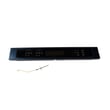
| Some keys do not respond or act “pressed” | UI/control panel | Control panel assembly (stainless) W11086141 |
| Random beeping, intermittent F2E1 | UI or wiring connection | Control panel assembly (stainless) W11086141 |
| Multiple error codes, dead display, erratic operation | Main control | Control (with power supply) W11179310 |
Why it matters
F2E1 can prevent accurate temperature control and reliable baking in either oven cavity. Fixing the UI, control, or wiring issue restores normal operation and helps avoid nuisance shutdowns during cooking.
Last updated: February 2026
What are the parts of an electric oven?
An electric oven like the KitchenAid KODE500ESS05 is built around heating elements, temperature safety controls, airflow parts, and electronic controls that manage cooking modes. The most common parts you will see are the bake and broil heating system, racks and cavity hardware, and the control panel and control board.
Main electric oven parts (what they do)
- Bake element: provides the primary heat for baking and roasting (usually at the bottom of the cavity). See the range bake element W11545804.
- Broil system: provides high, direct top heat for broiling (element and related wiring).
- Oven control and user interface: the electronic “brain” and the buttons/display that run bake, broil, convection, timers, and self-clean. Examples include the control (with power supply) W11179310 and the control panel assembly (stainless) W11086141.
- Convection fan: circulates hot air for more even baking and faster cooking in convection modes. See the convection f W10860984.
- Thermal safety parts: protect the oven from overheating, including a thermal fuse and high-limit thermostat. See the wall oven thermal fuse W11610133 and range high-limit thermostat WP4449751.
- Racks and cookware accessories: hold food at different heights and support roasting/broiling. See the range oven rack WPW10554526 and range broil pan 4396923.
Quick “what’s inside” breakdown
| Part group | What you notice | Common symptom when it fails |
|---|---|---|
| Heating (bake/broil) | No/weak heat, uneven browning | Long preheat, undercooked food |
| Airflow (convection fan) | Fan noise, airflow | Hot spots, longer cook times |
| Controls (board/panel) | Display, buttons, beeps | Dead display, wrong temps, error codes |
| Safety (fuse/thermostat) | Usually hidden | Oven goes completely dead or stops heating |
| Hardware (racks, screws) | Fit/finish, rack glide | Rack won’t sit right, loose trim |
Why it matters
Knowing which part does what helps you troubleshoot faster and order the right replacement for your built in electric double oven. For example, “no heat” points you toward a heating element or safety device, while “dead display” points you toward the control system.
Last updated: February 2026
How to replace KitchenAid oven temperature sensor?
On the KitchenAid KODE500ESS05 built-in electric double oven, replacing the oven temperature sensor is a remove-and-replace job: shut off power at the breaker, remove the sensor’s mounting screws inside the oven, disconnect the harness plug behind it, then reconnect and reinstall the new sensor.
Where the sensor is on KODE500ESS05
On this style of KitchenAid double wall oven, the temperature sensor mounts inside the oven cavity and the wiring passes through the rear oven liner to a quick-connect plug. You access it from inside the oven; you do not need to pull the oven from the cabinet for a basic sensor swap.
Tools and prep
- Phillips screwdriver or 1/4-inch nut driver (fastener type varies)
- Work gloves
- Towel or cardboard to protect the oven floor
- Flashlight
- Multimeter for checks (optional); see how to use a multimeter to test electrical parts video
Step-by-step replacement
- Turn off the oven circuit breaker (wall ovens are hard-wired).
- Open the oven door and remove racks for working room.
- Find the sensor probe mounted to the rear wall inside the oven cavity.
- Remove the 2 mounting screws.
- Carefully pull the sensor straight toward you a few inches until the connector is reachable.
- Separate the harness connector (press the locking tab; pull on the plug, not the wires).
- Connect the new sensor; confirm the plug is fully seated and locked.
- Feed any extra wire back through the opening so it stays clear of hot surfaces.
- Reinstall the screws, reinstall racks, restore power, then run a bake test.
If temperature is still off after replacement
Use this quick guide to decide what to check next.
| What you notice | What to check next | Why it matters |
|---|---|---|
| No heat in either oven | Wall oven thermal fuse W11610133 | A blown fuse can cut power to heating circuits |
| Oven shuts down or stops heating during use | Range high-limit thermostat WP4449751 | An overheat limit opening interrupts heat |
| Weak or uneven baking | Range bake element W11545804 | A failing element reduces heat output |
Why it matters
The temperature sensor is the oven’s primary feedback device; when it drifts out of range or has a poor connection, the control can mismanage heat, causing underbaking, overheating, or temperature-related fault behavior.
Last updated: February 2026







