Installation guide
 Owner’s manual
 Error Codes










How do I reset a Whirlpool duet dryer?
To reset your Whirlpool gas dryer model WGD8500DC1, we recommend a simple power reset: turn the dryer off, unplug it (or switch off the breaker) for about 5 minutes, then restore power and start a new cycle. This clears many control glitches and stuck cycle states.
Quick reset options (most common)
- Power reset: Unplug the dryer for 5 minutes, then plug it back in.
- Cycle cancel: Press Power to turn the dryer off, then select a new cycle.
- Restart a paused cycle: If the door was opened and the dryer paused, press Start/Pause to continue.
- Clear a code display: If a code is showing, press Power to clear the display, then reselect the cycle.
For model-specific control behavior and button functions, follow the steps in the WGD8500DC1 owner's manual.
If the dryer still will not run after a reset
A reset helps only if the control is confused; it will not bypass a real safety or airflow problem. Check these items next:
- Confirm the door is fully closed and the latch is engaging.
- Clean the lint screen and vacuum lint from the screen housing.
- Check the exhaust vent for crushing, kinks, long runs, or too many elbows.
- Make sure the dryer is level and all feet are firmly on the floor.
- For gas models, confirm the gas supply valve is open.
What the dryer may be telling you
| Symptom | What it usually means | What to do |
|---|---|---|
| Runs but dries slowly | Restricted airflow | Clean lint screen; inspect venting |
| “AF” / restricted airflow message | Lint screen or vent clogged, vent kinked, too many turns | Correct venting; rerun cycle |
| Drum turns but no heat | Gas supply off or heating system issue | Verify gas valve; troubleshoot heat system |
Why it matters
On the WGD8500DC1, restricted airflow can trigger “AF” messages and long dry times; resetting the control without fixing venting can make the same problem return quickly. Venting and lint buildup also affect drying performance and operating temperatures.
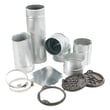
For vent length, vent material, and installation checks, use the WGD8500DC1 installation guide.
Last updated: February 2026
What does F-01 mean on a whirlpool dryer?
On Whirlpool gas dryer model WGD8500DC1, an F-01 display is an F-type fault reported by the electronic control. On this model, the manual groups F# E# style codes as service codes; start by clearing the code and verifying power, then plan for service if it returns (see the WGD8500DC1 owner's manual).
What F-01 usually points to
On Whirlpool electronic-control dryers, F-01 is commonly tied to a control-related fault (control board logic, internal memory, or a communication issue). The WGD8500DC1 user manual does not list every individual F-number; it directs service when an F-code appears.
What to do first (quick checks you can do safely)
- Touch any key to clear the code from the display.
- Unplug the dryer (or switch off the breaker) for 1 minute; restore power.
- Start a heated Timed Dry cycle and watch whether the code returns.
- Press START/PAUSE with the pad of your finger (not a fingernail).
- Confirm the door closes fully and the drum turns freely.
- If the display is erratic, verify the outlet power is steady and the cord is secure.
Code comparison (helps narrow the cause)
| Code on display | What it indicates on Whirlpool dryers | Best next step |
|---|---|---|
| F-01 (F-type fault) | Control-detected fault; often control or wiring related | Reset power; if it returns, schedule service and inspect harness connections |
| PF | Power failure interrupted the cycle | Clear code; correct power interruptions |
| L2 | Low or no line voltage condition | Check supply voltage and connections using the WGD8500DC1 installation guide |
When parts inspection becomes relevant
If the code returns immediately after a reset, a loose connection or failing control is a common root cause. If you also have heat or cycling symptoms, testing may include:
- Wiring harness connections at the console and main harness
- Temperature sensing and overheat protection devices
- The electronic control assembly (not replaced based on the code alone)
Why it matters
An F-code is the dryer protecting itself after the control detects an abnormal condition. Doing the power and connection checks first prevents repeat faults and avoids replacing the wrong part.
Last updated: February 2026
What is the life expectancy of a Whirlpool Cabrio dryer?
A Whirlpool Cabrio dryer like model WGD8500DC1 typically lasts 10 to 15 years with normal household use. Regular vent cleaning, not overloading, and promptly fixing wear items (belt, rollers, idler pulley) are the biggest factors in reaching the high end of that range; see the WGD8500DC1 owner’s manual for care and operating guidance.
Typical life expectancy (what to expect)
Most Whirlpool gas dryers in this class fall into this range:
| Usage pattern | Typical life expectancy |
|---|---|
| Light use (1 to 3 loads/week) | 12 to 15 years |
| Average use (4 to 7 loads/week) | 10 to 13 years |
| Heavy use (multiple loads/day) | 7 to 10 years |
What shortens dryer life fastest
We see these issues reduce lifespan more than anything else:
- Restricted venting (long runs, crushed flex duct, lint buildup)
- Overloading the drum (extra strain on belt, rollers, and motor)
- Running with loud squealing or thumping (wear parts get damaged further)
- Skipping lint screen cleaning (airflow drops, heat stress rises)
- Ignoring heat problems on a gas dryer (burner system cycles abnormally)
Maintenance that helps you reach 15 years
These habits make the biggest difference:
- Clean the lint screen before every load
- Inspect and clean the vent path regularly (dryer outlet to exterior hood)
- Keep loads sized so items tumble freely
- If you hear rumbling or thumping, service the drum support system early (common wear item: dryer drum support roller WPW10314173)
- If you hear squealing or the drum feels hard to turn, check the belt drive system (common wear item: dryer idler pulley W10837240)
Why it matters
A dryer that is struggling to move air or has worn drum support parts often dries slower, runs hotter, and puts extra stress on the burner and controls. Fixing airflow and wear items early usually costs less and helps your WGD8500DC1 run efficiently for years.
Last updated: February 2026