 Installation guide
 Owner’s manual
 Error Codes





How to hard reset a Whirlpool oven?
For a Whirlpool RBD275PDB6 27-inch electric wall oven, a “hard reset” is simply removing power long enough for the electronic oven control to fully reboot, then clearing any “PF” (power failure) message by pressing OFF/CANCEL (or UPPER OFF or LOWER OFF on double-oven models). See the steps in the owner's manual.
Hard reset steps (power cycle)
- Turn the oven off by pressing OFF/CANCEL.
- Switch OFF the oven circuit breaker (or remove the fuse) at your home electrical panel.
- Wait 2 to 5 minutes.
- Switch the breaker ON.
- If the display shows PF, clear it by pressing OFF/CANCEL (single oven) or UPPER OFF / LOWER OFF (double oven).
- Reset the clock if needed.
What the display messages mean after a reset
| Display message | What it indicates | What to do next |
|---|---|---|
| PF | Power failure occurred | Press OFF/CANCEL (or UPPER OFF / LOWER OFF) and reset the clock if needed |
| Err | An invalid pad was pressed | Press OFF/CANCEL (or UPPER OFF / LOWER OFF) and re-enter the setting |
| F plus a number | A fault code | Clear the display; if it returns, service is typically needed |
If the oven still will not heat after resetting
Use this quick functional check from the installation instructions:
- Press BROIL, then press START/ENTER.
- Keep the door closed; after about 2 minutes, crack the door open slightly.
- You should feel heat; press CANCEL to stop.
If the oven still does not heat, a failed safety device or cooling issue can stop operation. Common items to inspect include:
Why it matters
Power cycling clears a locked-up control and removes the PF message, but it will not fix an ongoing overheating, wiring, or component failure. If a fault code keeps returning, troubleshooting the specific circuit (fuse, thermostat, fan, wiring) prevents repeat shutdowns.
Last updated: February 2026
What does F5 mean on a Whirlpool oven?
On a Whirlpool wall oven like model RBD275PDB6, an F5 code points to a control-related fault (most often the electronic oven control detecting a problem with a monitored circuit such as the door latch or a related control input). Clearing power may reset it briefly, but repeated F5 usually means troubleshooting the controls and latch circuit.
Quick checks to try first
- Press OFF/CANCEL to stop the function and clear the display.
- If the code appeared during or after self-clean, let the oven cool completely and try again.
- Reset power: turn the breaker OFF for 1 minute, then back ON.
- If the display shows PF, that indicates a power failure; reset the clock and retest.
- If the oven will not heat and an F + number returns, use the troubleshooting guidance in the owner's manual.
What commonly causes an F5 code
F5 is typically triggered when the control senses an abnormal condition in a circuit it expects to behave a certain way.
| Common cause | What you may notice | What to check next |
|---|---|---|
| Door latch circuit issue (often tied to self-clean) | F5 during clean, door will not lock or unlock | Inspect latch wiring and connectors; check for binding |
| Control board input problem | F5 appears even in bake/broil | Check keypad inputs, harness connections, signs of heat damage |
| Overheat condition leading to protective shutdown | Fan runs a lot, oven stops mid-cycle | Verify cooling airflow; test safety devices |
Parts that are often involved
If you are diagnosing an F5 that repeats, these model-matched parts are commonly checked or replaced during repair:
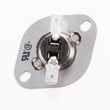
- Range high-limit thermostat WP9759243 (helps protect against overheating)
- Wall oven thermal fuse WP4451042 (opens if temperatures get unsafe)
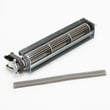
- Blower WPW10016550 (cooling fan that helps prevent control overheating)
Why it matters
An F5 code is the oven telling you it cannot reliably control or monitor a key circuit. Continuing to run the oven without fixing the root cause can lead to no-heat symptoms, self-clean lock problems, or repeated shutdowns.
Last updated: February 2026
Why did my Whirlpool wall oven stop working?
If your Whirlpool RBD275PDB6 wall oven stopped working, the most common causes are a tripped breaker or blown house fuse, a control setting that prevents operation (Control Lock, Delay Start, Sabbath Mode), or an overheat safety device opening the circuit. Start with power and control checks before replacing parts.
Quick checks we recommend first
- Reset the circuit breaker (or replace the house fuse) supplying the oven.
- If the display shows PF, clear it by pressing OFF/CANCEL, then reset the clock (power failure indicator).
- Make sure you selected the correct oven (upper vs. lower) before pressing START/ENTER.
- Turn off Control Lock (if enabled).
- Cancel Delay Start and confirm the oven is not in Sabbath Mode.
- If one oven is in Self-Clean, the other oven may not start on some double-oven models.
For the exact control layout and operating steps, use the owner's manual.
If the oven has power but will not heat
When the display works but the oven will not heat, focus on heating and safety components.
Common part-related causes
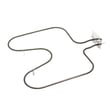
- Failed bake element: the oven may not heat in Bake
- Open thermal fuse: the oven can go completely dead or stop heating after overheating
- High-limit thermostat or safety thermostat opening: can interrupt power to heating circuits
- Cooling fan problem causing overheating and shutdown behavior
Parts on this model that often relate to “stopped working”
| Symptom | What to check | Example part on this model |
|---|---|---|
| Completely dead or intermittent | Thermal fuse continuity | Thermal fuse WP4451042 |
| No heat in Bake | Bake element continuity/visible damage | Bake element WPW10207397 |
| Shuts down after getting hot | Cooling airflow and fan operation | Blower WPW10016550 |
Error codes (letter followed by a number)
If you see an “F” code or a letter followed by a number, clear the display with OFF/CANCEL. If it returns, follow the service guidance in the installation guide.
Why it matters
A wall oven is a high-voltage appliance; starting with breaker, display messages (like PF), and control settings prevents unnecessary parts replacement and helps you pinpoint whether the issue is power, controls, or a failed component.
Last updated: February 2026






