 Installation guide
 Owner’s manual
 Error Codes




What are the symptoms of a bad oven control board Whirlpool?
On the Whirlpool GBD309PVS02 double wall oven, a failing oven control board typically shows up as a dead or flickering display, keypad buttons that do not respond (or respond on their own), random beeping, error codes, or heating that is erratic (no heat, intermittent heat, or overheating). Confirm basic settings like Control Lock in the GBD309PVS02 owner's manual before replacing parts.
Common symptoms you can see right away
- Display is blank, dim, or flickers
- Buttons do nothing, work only sometimes, or trigger the wrong function
- Oven starts, then cancels or shuts off unexpectedly
- Temperature is inconsistent (burns food or undercooks)
- Error codes appear repeatedly after clearing power
- Fan or elements run at odd times (with no normal cycle pattern)
Quick checks before blaming the control board
These checks rule out common look-alikes such as a locked keypad, a sensor issue, or a power connection problem.
- Make sure Control Lock is not enabled (the manual notes Control Lock limits which pads work)
- Reset power at the breaker for 1 minute, then retest Bake and Broil
- If the oven overheats or swings widely, test the wall oven temperature sensor WPW10131825
- If the oven is completely dead or resets when heating starts, inspect the house junction box connection and the oven’s power leads using the installation guide
- If the oven heats but the keypad is unreliable, the touch panel can be the issue (for this model, see wall oven membrane switch (black) W10172118)
What each symptom usually points to
| Symptom | Most likely cause | What we recommend first |
|---|---|---|
| No display, no response | Power supply issue, wiring, control board | Verify breaker and wiring connections per install guide |
| Wrong temp or long preheat | Temperature sensor, control board | Check sensor resistance and wiring |
| Keypad not responding | Membrane switch, control board | Inspect/replace membrane switch if keys are dead |
| Error codes that return | Sensor, latch/lock circuit, control board | Check sensor and door lock circuits before board |
Why it matters
The control board is the “brain” that reads the temperature sensor, runs the bake and broil relays, and interprets keypad commands. Replacing it without checking the sensor, wiring, and Control Lock can lead to repeat failures and unnecessary cost.
Last updated: February 2026
How to replace Whirlpool wall oven control panel?
To replace the control panel on your Whirlpool GBD309PVS02 double wall oven, we disconnect power, remove the oven door(s) if needed for access, pull the oven forward from the cabinet, then transfer the wiring from the old panel to the replacement panel one connector at a time.
Safety first (do this every time)
- Turn off the breaker; this is a 240-volt appliance
- Confirm the display is off before touching wiring
- Let the oven cool completely
- Use gloves; sheet metal edges can be sharp
- Support the oven’s weight when sliding it out
Accessing the control area
Most built-in wall ovens require the unit to be partially removed from the cabinet to reach the control panel and control housing.
- Remove oven racks to reduce weight
- If you remove a door, use the hinge latches and lift carefully (the door is heavy)
- Remove the mounting screws that secure the oven to the cabinet/trim
- Slide the oven forward enough to access the top/front control area
For the correct door removal and reinstallation steps for this model, follow the owner's manual.
Replacing the control panel (typical process)
- Take a photo of the wire routing and connector locations.
- Remove the screws securing the control panel/control housing.
- Carefully tilt the panel forward.
- Move wiring harness connectors from the old panel to the new panel one at a time (prevents mix-ups).
- Reinstall the panel and all screws.
- Slide the oven back into the cabinet and reinstall mounting screws (do not overtighten).
- Reinstall door(s) and racks.
- Restore power; “PF” may appear briefly after power is reconnected.
What part is usually replaced?
Depending on what failed, you may be replacing the decorative panel, the keypad/membrane, or the full control assembly.
| Symptom | Most likely part area | Notes |
|---|---|---|
| Buttons do not respond | Keypad/membrane switch | Often fails before the main control |
| Display is blank but power is good | Control/electronics or power connection | Check wiring and terminal connections |
| Some keys work, others do not | Keypad/membrane switch | Intermittent response is common |
If your issue is unresponsive keys, the wall oven membrane switch (black) W10172118 is a common control-panel related replacement for this model.
Why it matters
A miswired connector or pinched harness can cause error codes, a dead display, or repeated control failures. Moving connectors one at a time and following the wiring layout in the manual helps ensure the replacement works correctly.
Last updated: February 2026
What are the parts of an electric oven?
An electric oven like the Whirlpool GBD309PVS02 is built around heating elements, temperature sensing, airflow cooling, and door and control components that keep heat contained and cooking accurate. You can confirm your exact component locations and service notes in the GBD309PVS02 installation guide.
Core parts you will find in most electric wall ovens
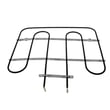
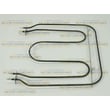
- Bake element: primary heat source for baking (commonly the lower element); see bake element WPW10207398
- Broil element: high-heat element at the top for broiling; see oven broiler element WPW10207400
- Temperature sensor: tells the control how hot the oven is; see wall oven temperature sensor WPW10131825
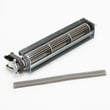
- Cooling blower and fan: moves air to protect controls and cabinetry; see oven blower assembly WPW10176670
- Oven light and bulb: illuminates the cavity; see oven light WPW10307114 and wall oven light bulb WPW10169757
- Door system: hinges, glass, bumpers, and gasket retainers that seal and support the door; see wall oven door hinge, right WP9760575 and oven door glass W10401225
What each part does (quick reference)
| Part | What it affects | Common symptom when it fails |
|---|---|---|
| Bake element | Baking and preheat | Slow preheat, uneven baking, no heat in bake |
| Broil element | Broiling and top browning | No broil, weak browning |
| Temperature sensor | Temperature accuracy | Overheats, underheats, erratic temps |
| Cooling blower/fan | Control and cabinet protection | Fan noise, overheating, shutdowns |
| Door hinge/glass/bumper | Heat retention and door alignment | Heat leaks, door won’t close evenly |
Why it matters
Knowing the major oven parts helps you troubleshoot faster and order the right replacement the first time. For example, a “no bake” complaint often points to the bake element, while inaccurate temperatures often point to the sensor.
Safety and installation notes we follow
Built-in ovens use high voltage and hard wiring. The installation instructions for this style of oven call out basics such as disconnecting power before servicing and using proper connectors and grounding practices; we recommend following the GBD309PVS02 installation guide for your exact setup.
Last updated: February 2026







