Get free shipping on your order, with any water filter subscription. Find my filter

Open Hamburger Menu
Sears Parts Direct
Tips to find your model number
Whirlpool WED7500GC0 washer

Whirlpool WED7500GC0 washer Parts

Here are the diagrams and repair parts for Whirlpool WED7500GC0 washer, as well as links to manuals and error code tables, if available.

By Schematic
By Part
SELECT DIAGRAM
?

This is the number corresponding to the part on the diagram / schematic

Browse Parts for WED7500GC0 Washer

  • Appliance Speaker for Whirlpool WED7500GC0 - Part W11123146

    Top and console parts diagram

    Enclosed Spe

    Part #W10568405

    Replaced by #W11123146

    Info Icon
    Manufacturer substitution
    This part replaces W10568405. Substitute parts can look different from the original.
    In Stock
    $44.23
    12% OFF Phone Price : $50.23Info Icon
    Minus Item
    Qty
    Plus Item
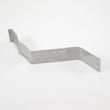
  • Dryer Exhaust Duct for Whirlpool WED7500GC0 - Part 279936

    Bulkhead parts diagram

    Exhaust Pipe

    Part #8066224

    Replaced by #279936

    Info Icon
    Manufacturer substitution
    This part replaces 8066224. Substitute parts can look different from the original.
    In Stock
    $76.06
    7% OFF Phone Price : $82.06Info Icon
    Minus Item
    Qty
    Plus Item
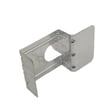
  • Bracket-moto for Whirlpool WED7500GC0 - Part W11481730

    Cabinet parts diagram

    Dryer Base

    Part #W10242878

    Replaced by #W11481730

    Info Icon
    Manufacturer substitution
    This part replaces W10242878. Substitute parts can look different from the original.
    In Stock
    $98.92
    Minus Item
    Qty
    Plus Item
  • Dryer Door Seal for Whirlpool WED7500GC0 - Part W11676508

    Door parts diagram

    Dryer Door Seal

    Part #W10284122

    Replaced by #W11676508

    Info Icon
    Manufacturer substitution
    This part replaces W10284122. Substitute parts can look different from the original.
    In Stock
    $43.99
    Minus Item
    Qty
    Plus Item
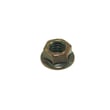
  • Dryer Nut, 3/8-in for Whirlpool WED7500GC0 - Part WPW10080190

    Bulkhead parts diagram

    Nut

    Part #W10001120

    Replaced by #WPW10080190

    Info Icon
    Manufacturer substitution
    This part replaces W10001120. Substitute parts can look different from the original.
    This item is not returnable
    In Stock
    $5.06
    17% OFF Phone Price : $6.06Info Icon
    Minus Item
    Qty
    Plus Item
  • Range Screw for Whirlpool WED7500GC0 - Part W10850756

    Top and console parts diagram

    10-32 X .500

    Part #W10773242

    Replaced by #W10850756

    Info Icon
    Manufacturer substitution
    This part replaces W10773242. Substitute parts can look different from the original.
    This item is not returnable
    In Stock
    $4.91
    17% OFF Phone Price : $5.91Info Icon
    Minus Item
    Qty
    Plus Item
  • Appliance Touch-up Paint, 0.6-oz (chrome Shadow) for Whirlpool WED7500GC0 - Part W10446202

    Optional parts (not included) diagram

    Appliance Touch-up Paint, 0.6-oz (chrome Shadow)

    Part #W10446202
    This item is not returnable
    In Stock
    $14.95
    12% OFF Phone Price : $16.95Info Icon
    Minus Item
    Qty
    Plus Item
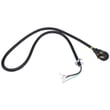
  • Estate Dryer Power Cord for Whirlpool WED7500GC0 - Part PT600L

    Optional parts (not included) diagram

    Estate Dryer Power Cord

    In Stock
    $28.00
    18% OFF Phone Price : $34.00Info Icon
    Minus Item
    Qty
    Plus Item
  • Dryer Electronic Control Board for Whirlpool WED7500GC0 - Part W11124284

    Top and console parts diagram

    Prog Acu Ago

    Part #W11106066

    Replaced by #W11124284

    Info Icon
    Manufacturer substitution
    This part replaces W11106066. Substitute parts can look different from the original.
    In Stock
    $287.55
    $12.00 OFF Phone Price : $299.55Info Icon
    Minus Item
    Qty
    Plus Item
  • Dryer Exhaust Duct for Whirlpool WED7500GC0 - Part WP8563747

    Cabinet parts diagram

    Exhaust Pipe

    Part #8563747

    Replaced by #WP8563747

    Info Icon
    Manufacturer substitution
    This part replaces 8563747. Substitute parts can look different from the original.
    In Stock
    $41.87
    13% OFF Phone Price : $47.87Info Icon
    Minus Item
    Qty
    Plus Item

Whirlpool Washer WED7500GC0 FAQs

For a Whirlpool dryer such as model WED7500GC0, the manufacturer does not publish a specific “life expectancy” in the product documentation. In real-world home use, many dryers run for roughly a decade or more; how long yours lasts depends most on airflow, cleaning, and addressing wear items early.

What we can confirm for WED7500GC0

The WED7500GC0 documentation emphasizes airflow and lint removal as key to performance and safe operation. Use the maintenance and troubleshooting guidance in the WED7500GC0 use & care manual.

  • Clean the lint screen before each load
  • Keep the area around the dryer clear so airflow is not blocked
  • Remove lint from the entire vent system at least every 2 years (more often with heavy use)
  • Use proper venting materials and avoid crushed or kinked venting
  • Keep the dryer level so the moisture sensing system can work correctly

Typical lifespan range (general guidance)

Because Whirlpool does not specify a lifespan for WED7500GC0, we treat longevity as an estimate based on common household dryer use.

What you’ll see What it often means What to do next
Longer dry times Restricted venting or lint buildup Check airflow at the outside hood; clean venting
Rattling/vibration Dryer not level or items caught at drum edge Level the dryer; check drum edges and pockets
Squealing/thumping Wear in drum support or belt-drive components Inspect rollers and idler; replace worn parts

Parts that often extend service life (when symptoms match)

If your WED7500GC0 develops persistent noise, replacing common wear parts can prevent secondary damage.

Why it matters

Dryers usually fail early from overheating and long run times caused by poor vent airflow, or from ignored mechanical wear. Keeping airflow strong and fixing noise issues promptly helps your Whirlpool dryer dry faster and run cooler.

Last updated: January 2026

To reset a Whirlpool WED7500GC0 dryer, we recommend a simple power reset: cancel the cycle, remove power for about 1 minute, then restore power and start a new cycle. For display messages like PF or L2, use the model-specific steps in the WED7500GC0 use & care manual.

Quick reset steps (safe for most situations)

  • Touch POWER to stop/cancel the cycle.
  • Unplug the dryer, or switch the dryer breaker(s) off (electric models often use two breakers).
  • Wait 60 seconds.
  • Restore power.
  • Touch POWER, choose a cycle, then touch and hold START/PAUSE for 2 to 5 seconds.

If you see a code or message

Some “reset” situations are really code clears or restarts.

Display message What it usually means What to do next
PF Power failure interrupted the cycle Touch and hold START/PAUSE to restart, or touch POWER to clear
L2 Low or no line voltage (heater may not heat) Check both breakers/fuses, then run a heated Timed Dry cycle
F# E# Service code Power-cycle once; if it returns, service is typically needed

When a “reset” won’t fix the real problem

If the dryer still will not start or stops mid-cycle after a reset, we typically check these next:

  • Door not fully closed or a failing door switch
  • Venting restriction causing overheating or long dry times
  • Home power supply issue (especially on electric dryers)
  • Overheating protection opening (thermal cut-off or thermal fuse)

If the dryer acts like the door is open, inspect the dryer door switch WP3406107. If the dryer ran hot and then quit, testing the thermal protection devices is a common next step; for this model, a compatible option is the Whirlpool dryer thermal cut-off fuse kit 279973.

Why it matters

A proper reset clears temporary control glitches and power-failure states, but repeated resets can hide airflow or electrical problems that lead to no-heat, long dry times, or repeat shutdowns.

Last updated: January 2026

On the Whirlpool WED7500GC0 dryer, a blown thermal fuse often shows up as a dryer that will not start or a dryer that runs but will not heat. The sure way to confirm is to disconnect power and test the fuse for continuity with a multimeter; a good fuse reads closed (continuous).

What you’ll notice when the fuse opens

A thermal fuse is a one-time safety device; once it trips, it must be replaced.

  • Dryer will not start (no motor run)
  • Dryer runs but there’s no heat (clothes stay wet)
  • Drying times suddenly get much longer
  • Issue happens after poor airflow (clogged lint screen, crushed vent, blocked hood)

How to confirm it on WED7500GC0

We cannot identify the exact thermal fuse mounting location for WED7500GC0 from the available model-specific documents because the Use & Care Guide and Installation Instructions focus on operation and venting, not internal component placement. You can still confirm a blown fuse with a standard continuity test.

  1. Unplug the dryer (and shut off gas if you have a gas version).
  2. Remove the wires from the fuse terminals (pull on the connector, not the wire).
  3. Set your multimeter to continuity or the lowest ohms setting.
  4. Touch a probe to each fuse terminal.

How to read the meter

Meter reading What it means What to do next
Near 0 ohms or beeps Fuse is likely good Check airflow, heating circuit, and sensors
OL / infinite / no beep Fuse is blown Replace the fuse and correct the overheating cause

For venting and airflow requirements that help prevent overheating, follow the WED7500GC0 installation instructions.

Parts that may be involved

If your fuse tests open, use a model-compatible replacement. For WED7500GC0, one listed option is the thermal cut-off fuse kit 279973 (a safety cut-off kit used in the dryer’s heating protection circuit).

  • Replace the blown safety device (do not bypass it)
  • Inspect and clean the entire vent run
  • Confirm the outside hood opens freely
  • Check for lint buildup inside the cabinet if accessible

Why it matters

A thermal fuse usually opens because the dryer overheated. Fixing the airflow problem (proper 4-inch metal venting, clean lint screen, clear exhaust hood) helps the WED7500GC0 dry properly and helps prevent repeat failures.

Last updated: January 2026

Most common symptoms to help you fix your dryers

Choose a symptom to see related dryer repairs.

Main causes: bad gas valve coils, broken heating element, tripped safety thermostat or fuse, bad operating thermostat, c…

Main causes: clogged exhaust system, heating system failure, deposits on moisture sensor, control system failure…

Main causes: clogged exhaust vent, bad motor relay, loose dryer door catch, bad door switch, control system failure, fau…

Main causes: door switch failure, lack of power, broken belt, blown thermal fuse, bad drive motor, control system failur…

Main causes: damaged door strike, worn door catch…

Main causes: lack of electrical power, bad power cord, wiring failure, bad control board, blown thermal fuse, bad door s…

Main causes: bad timer or electronic control board, door switch failure…

Main causes: bad drum support roller, damaged idler pulley, broken blower fan blade, worn drum glide bearing, bad drive …

Most common repair guides to help fix your dryers

These step-by-step repair guides will help you safely fix what’s broken on your dryer.

How to replace an electronic control board in an electric dryer

How to replace an electronic control board in an electric dryer

The electronic control board manages the components and controls the cycle times in your electric dryer. Follow these st…

Repair time and Difficulty

 45 minutes or less
How to replace an igniter in a gas dryer

How to replace an igniter in a gas dryer

The igniter in a gas dryer glows white hot during the to light the gas that heats the air in the dryer. If the dryer air…

Repair time and Difficulty

 60 minutes or less
How to replace a dryer thermistor

How to replace a dryer thermistor

The thermistor senses the air temperature in the dryer. If your dryer overheats or doesn't heat at all, the thermistor …

Repair time and Difficulty

 30 minutes or less

Effective articles & videos to help repair your dryers

Use the advice and tips in these articles and videos to get the most out of your dryer.

How to use your clothes dryer efficiently

How to use your clothes dryer efficiently

Get expert tips on using your dryer efficiently to save energy.…

Are DIY appliance repairs safe?

Are DIY appliance repairs safe?

Find out how to stay safe when repairing your appliances.…

Keeping your smart appliances secure from hackers

Keeping your smart appliances secure from hackers

Find out how to protect your smart appliances from malevolent invasions by hackers.…

Parts & More

Bottom-Mount Refrigerator
Carpet Cleaner
Dishwasher
Dryer
Electric Range
Gas Chainsaw
Gas Leaf Blower
Generator
Microwave
Parts
Side-By-Side Refrigerator
Snowblower Attachment
Treadmill
Washer
Water Softener
Weight System