 Owner’s manual



How do I clear the error code on my Samsung washer?
On your Samsung WA50K8600AV washer, an error code clears after you correct the cause and reset the washer. Turn it off, remove power for a few minutes, then restart. This model also supports Smart Care; running it deletes stored error history. See the WA50K8600AV owner's manual for the exact button steps.
Fast ways to clear an error code
- Power reset: Press Power to turn off; unplug (or switch the breaker off) for 2 to 5 minutes, restore power, then try a rinse and spin.
- Fix first, then clear: If the code returns immediately, the washer is still detecting the problem (drain, fill, lid, balance).
- Use Smart Care: On this model, Smart Care helps identify the error and deletes error code history after use.
Use Smart Care on WA50K8600AV
- Press Power.
- Press and hold Fabric Softener for 3 seconds (after power-on or when an error occurs).
- Use the Smart Care app to scan the display; if scanning fails, enter the code manually.
If Smart Care will not scan
- Reduce glare from bulbs or lamps on the display
- Hold the phone nearly parallel to the control panel
- Clean the display surface and try again
What usually makes the code come back
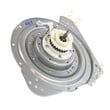
- Drain issue: kinked hose, restricted standpipe, or a failing pump (see washer drain pump assembly dc97-19289f)
- Fill issue: supply valves not fully open, clogged inlet screens
- Lid sensing: lid not closing fully, magnet/strike area blocked
- Out-of-balance: overloaded tub, washer not level
Quick “what to do next” table
| When it happens | Most likely cause | Best next step |
|---|---|---|
| Clears after reset | Temporary glitch | Restart cycle |
| Returns during drain | Restriction or pump problem | Check hose and drain path |
| Returns during fill | Water supply problem | Restore water flow |
| Returns at spin/start | Lid or balance issue | Close lid, rebalance, level |
Why it matters
Clearing the code without fixing the underlying condition can stop the cycle, leave water in the tub, or cause repeated spin interruptions.
You can order replacement parts from the parts list for this model, or search by model number on Sears PartsDirect.
Last updated: February 2026
What is the capacity of the Samsung WA50K8600AV?
The Samsung WA50K8600AV washer has a 5.0 cu. ft. capacity, which is designed to handle larger loads so you can wash more items per cycle. For cycle loading guidance and best practices, use the owner's manual.
What “5.0 cu. ft.” means for real-world loads
Capacity is the tub volume, not a guaranteed “number of items.” Load size still depends on fabric type, soil level, and the cycle you choose.
- Bulky items (comforters, blankets) take up space quickly and need room to move
- Dense items (towels, jeans) get heavy fast and can unbalance the spin
- Overloading reduces cleaning performance and can leave detergent residue
- Underloading can cause off-balance spinning with single heavy items
Quick loading guidelines (works well for this model)
Use these practical checks to avoid overload and out-of-balance issues:
- Load items loosely; do not pack them down
- Keep the load below the top of the washplate area so water and detergent can circulate
- Mix large and small items to help balance the basket
- If you wash one heavy item, add a few similar items to balance the spin
- If the washer shows an unbalance message (such as Ub), redistribute the load and restart spin
Capacity vs. performance: what changes when you overload
| What you notice | Most common cause | What to do |
|---|---|---|
| Poor cleaning | Not enough turnover | Reduce load size, choose appropriate cycle |
| Vibration or banging | Load imbalance | Redistribute items, mix sizes |
| Detergent residue | Too much detergent or packed load | Use correct detergent amount, load loosely |
| Spin issues | Single heavy item or uneven load | Add balancing items, re-level washer |
Why it matters
Correct loading helps the WA50K8600AV reach full wash action, rinse thoroughly, and spin smoothly. That reduces wear on suspension components and helps prevent drain and spin complaints.
You can also order replacement parts for your WA50K8600AV from the parts list for this model, or search by model number on Sears PartsDirect.
Last updated: February 2026
What is the most common problem with Samsung washers?
The most common Samsung washer problems are out-of-balance shaking and drain or fill issues. On the Samsung WA50K8600AV, these usually trace back to load size and leveling, plus normal wear in suspension and water-handling parts; use the WA50K8600AV owner's manual for model-specific troubleshooting steps.
Most common issues we see (and what to check first)
- Excessive shaking or banging: redistribute the load, reduce load size, and confirm the washer is level.
- Won’t drain or drains slowly: check for kinks or clogs in the drain path; a failing pump is also common.
- Won’t fill or fills slowly: confirm both water taps are fully open and inlet screens are clear.
- Odors: run periodic cleaning cycles and dry the interior after use.
- Information codes (error codes): use the display code to narrow the cause and the next step.
Parts that commonly solve these symptoms
If basic checks do not fix the issue, these model-matched parts are frequent solutions:
| Symptom | Common cause | Part to consider |
|---|---|---|
| Not draining / standing water | Pump not running, internal blockage | Washer drain pump assembly dc97-19289f |
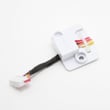
| Slow fill / no fill | Inlet valve not opening, restricted flow | Samsung washer water inlet valve DC97-15459G |
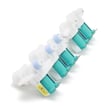
| Shaking / walking | Worn suspension components | Washer damper dc97-18610f |
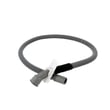
| Leaks or siphoning issues | Cracked or misrouted drain hose | Washer drain hose dc97-18682d |
Why it matters
Ignoring shaking, drain problems, or fill problems can turn a simple leveling or clog issue into repeated error codes, poor cleaning performance, and extra wear on the tub, motor system, and control components.
Quick tips that prevent repeat problems
- Load items loosely; do not pack the tub.
- Wash bulky items (blankets, jackets) in smaller loads.
- Keep the washer level; recheck after moving it.
- Make sure the drain hose is routed correctly to prevent siphoning.
- Use the error code on the display to guide the next check.
You can order replacement parts for your Samsung WA50K8600AV from the parts list for this model, or search by model number on Sears PartsDirect.
Last updated: February 2026





