 Installation guide
 Owner’s manual
 Error Codes
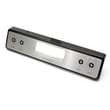

Can I look up Frigidaire parts by model number?
Yes. For your Frigidaire electric range model FEF368GCD, looking up parts by the full model number is the most accurate way to match compatible replacement parts (like a bake element, surface element switch, or oven temperature sensor) to your exact configuration.
How to find the model number on the range
On FEF368GCD, the model and serial information is typically on the serial plate. The manual points you to check the storage drawer area or the lower panel area.
- Open the storage drawer (if your range has one) and look for the serial plate
- If there is no drawer, remove the outer lower panel (some models) and look for the plate
- Write the model number exactly as shown (letters and numbers)
- Record the serial number too; it helps confirm production details
- Use the full model number when searching parts diagrams and listings
Reference: FEF368GCD owner's manual
What you can find when you search by model number
Searching by model number narrows results to parts that fit your range’s design (cooktop style, control type, and oven features).
| What you’re replacing | Common matching part type | Example part for this model |
|---|---|---|
| Oven not baking evenly or not heating | Bake element | Range bake element 316075103 |
| Oven temperature seems off | Oven temperature sensor | Frigidaire range oven temperature sensor 316490000 |
| Surface element won’t heat or won’t regulate | Surface element control switch | Frigidaire range surface element control switch 316436001 |
Why it matters
Frigidaire ranges often share similar styling across multiple models, but internal components (wiring harnesses, element sizes, control switches, and overlays) can differ. Using FEF368GCD prevents ordering a part that looks right but does not mount, wire, or calibrate correctly.
Quick tips for a successful parts lookup
- Match the model number first, then confirm the part by name and diagram location
- Compare your old part’s markings to the listing (when accessible)
- If you’re troubleshooting first, use the symptom to narrow likely parts (element, sensor, switch)
- For installation and safety steps (like anti-tip requirements), follow the FEF368GCD installation guide
Last updated: February 2026
How do I tell what model my Frigidaire stove is?
Your Frigidaire range model number is printed on the appliance’s identification label; on model FEF368GCD, the most common places to check are the oven door frame and the storage drawer area. Use the FEF368GCD owner's manual to confirm the exact label location for your configuration.
Where to look on a Frigidaire range
Check these spots in this order (they are the most common on freestanding electric ranges):
- Oven door frame: open the oven door and look around the frame opening.
- Storage drawer: pull the drawer out and check the front frame area behind it.
- Lower front panel: if your range has a lower cover panel instead of a drawer, check behind or along the edge.
- Backguard area: look near the control panel area (some models place the label nearby).
- Side trim/frame: check the left or right side frame near the front.
How to read the label correctly
Model numbers are a mix of letters and numbers, so accuracy matters when ordering parts like a bake element or oven temperature sensor.
- Write the model number exactly as shown (example: FEF368GCD).
- Watch for look-alikes: 0 vs O, 1 vs I, 5 vs S.
- Record the serial number too; it helps confirm production details.
- Take a clear photo before the label fades or gets greasy.
Why it matters (parts and troubleshooting)
The model number determines the correct fit for parts and wiring layouts. For example, FEF368GCD uses model-specific components such as the range bake element 316075103 and the Frigidaire range oven temperature sensor 316490000.
| What you’re doing | Why the model number is needed |
|---|---|
| Ordering replacement parts | Ensures correct size, terminals, and mounting |
| Using wiring diagrams | Matches the correct harness and connection points |
| Following safety steps | Confirms features like door latch and indicator lights |
Last updated: February 2026
How to reset a Frigidaire electric range?
To reset your Frigidaire electric range model FEF368GCD, turn the range off and cycle power at the breaker (or unplug it) for about 10 minutes, then restore power and reset the clock and any oven settings per the FEF368GCD owner's manual.
Reset steps (safe, reliable method)
- Turn all surface burner knobs to OFF.
- Switch the range circuit breaker OFF (preferred) or unplug the power cord.
- Wait 10 minutes to let the electronic control fully power down.
- Restore power.
- Reset the clock and reselect your cooking mode (Bake, Broil, Timer).
- Test by setting Bake to a temperature and confirming the oven begins heating.
If the control is still acting up
A reset fixes temporary glitches, but repeated issues usually point to a heating or control input problem.
Common next checks:
- If the oven heats unevenly or not at all, inspect the range bake element 316075103 for visible damage.
- If temperatures are off (overheats or underheats), the Frigidaire range oven temperature sensor 316490000 is a common cause.
- If you see an error code, match it using Frigidaire self-cleaning range error codes and then reset power again.
What a “reset” does (and does not do)
| Action | What it affects | What to expect |
|---|---|---|
| Power cycle (breaker/unplug) | Electronic control memory and logic | Clears many temporary faults |
| Reset clock/settings | User settings after power loss | Required after restoring power |
| Replace failed part | Heating/control feedback | Fixes recurring symptoms |
Why it matters
After a power interruption, the range can resume operation when power returns if it was left on. Resetting and re-setting the clock and oven function helps you confirm the control is stable before cooking again.
Last updated: February 2026




