Owner’s manual

How to tell if Samsung dryer thermal fuse is bad?
On our Samsung dryer model DV50F9A7EVW, a bad thermal fuse typically shows up as a dryer that will not run at all (most common) or a dryer that runs but has no heat. The sure way to tell is a continuity test with a multimeter after unplugging the dryer.
Quick symptoms checklist
- Dryer won’t start even though the door is closed and a cycle is selected
- Drum light and/or display works, but pressing Start does nothing
- Dryer runs but produces little to no heat (less common, depends on design)
- Burning smell or very hot cabinet before the failure (overheating event)
- Problem returns quickly after a fuse replacement (airflow issue not fixed)
How we test the thermal fuse (safe, accurate method)
- Unplug the dryer (and shut off the breaker if hardwired).
- Access the fuse area (commonly on the blower housing or heater housing; your DV50F9A7EVW owner’s manual shows access and safety notes).
- Pull at least one wire off the fuse terminal.
- Set the meter to continuity (or lowest ohms).
- Test across the fuse terminals.
What the meter reading means
| Meter result | What it means | What we do next |
|---|---|---|
| Beep or ~0 to 1 Ω | Fuse is good | Keep troubleshooting airflow, heat circuit, controls |
| No beep or OL/infinite | Fuse is blown | Fix overheating cause, then replace the fuse |
Fix the cause first (so the new fuse doesn’t blow)
A thermal fuse usually opens because the dryer overheated. Before installing a new fuse, we recommend:
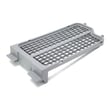
- Clean the lint screen and confirm it seats correctly (replace if damaged; see dryer lint screen DC97-16742A)
- Clear lint buildup in the lint duct and blower area
- Inspect and clean the entire vent run to the outside; remove kinks and crushed flex duct
- Confirm the outside vent hood opens fully and isn’t blocked
- Check heat-control parts that can contribute to overheating, such as the high-limit thermostat and thermal cut-off (for this model, common items include DC47-00018A and DC47-00016A)
Why it matters
The thermal fuse is a one-time safety device. If we replace it without correcting restricted airflow or a failed thermostat, the dryer can overheat again, leading to repeat failures and longer dry times.
Last updated: February 2026
What is the capacity of the DV50F9A7EVW?
The Samsung DV50F9A7EVW dryer is a large-capacity model; dryers in this class are typically about 7.4 cu. ft. For the exact capacity rating and how Samsung defines it (DOE vs. IEC), we recommend confirming it in the DV50F9A7EVW owner's manual.
How to confirm the capacity for your exact configuration
Capacity can be listed in more than one way depending on the source. We use the manual as the best place to confirm the official rating.
- Look for “Specifications” or “Product dimensions and capacity” in the manual
- Check whether the capacity is labeled DOE or IEC
- If your dryer is stacked or installed in a closet, also confirm clearance requirements
- Match the model on the label to DV50F9A7EVW before relying on any spec sheet
Capacity types you may see (quick guide)
| Capacity label | What it means | What to use it for |
|---|---|---|
| DOE capacity | Standardized U.S. capacity rating | Comparing dryers across brands/models |
| IEC capacity | Alternate measurement method | Some retailer listings and older spec sheets |
Why it matters
Knowing the correct capacity helps us recommend the right drying habits and maintenance steps (load size affects airflow, dry time, and heat). Overloading can also increase wear on drum support parts such as the Samsung dryer drum support roller DC97-16782A and the drum belt.
Last updated: February 2026
How to tell if a Samsung dryer heating element is bad?
If your Samsung dryer model DV50F9A7EVW runs but doesn’t heat (or heats inconsistently), the heating element is a top suspect. We confirm a bad element by unplugging the dryer, inspecting the coil for breaks, then testing the element for continuity and for a short to the metal housing using a multimeter.
Quick checks before you test the element
- Make sure the cycle and temperature are set to a heated cycle (not Air Fluff or No Heat).
- Clean the lint screen and check airflow; restricted venting can mimic a heat failure.
- If the drum turns but clothes stay cold, move to electrical tests.
- If the dryer stops mid-cycle or overheats, also suspect safety thermostats.
How we test a dryer heating element (safe, reliable method)
- Unplug the dryer (electric shock hazard).
- Access the heater housing using the steps in the DV50F9A7EVW manual.
- Visual inspection: look for a broken or burned-through coil.
- Continuity test (element terminals):
- Set the meter to ohms (Ω) or continuity.
- Probe the two element terminals.
- Good element: shows continuity (a steady resistance reading).
- Bad element: shows no continuity (open circuit).
- Ground fault test (short to chassis):
- Probe one terminal and the metal heater housing.
- Good element: no continuity to the housing.
- Bad element: continuity to the housing (shorted element).
What the results usually mean
| Symptom / meter result | Most likely cause | What to check next |
|---|---|---|
| No heat + element is open (no continuity) | Burned-out element | Replace the element (often the full heater assembly) |
| Breaker trips + continuity to housing | Element shorted to ground | Replace the element and inspect wiring |
| Element tests good but still no heat | Control or safety circuit issue | Test thermostats, thermal cut-off, wiring |
Parts that commonly fail with “no heat”
On DV50F9A7EVW, we often see these in the heat circuit:
- Samsung dryer heating element DC47-00019A
- Dryer high-limit thermostat DC47-00018A
- Dryer thermal cut-off thermostat DC47-00016A
- Dryer thermistor DC32-00007A
Why it matters
A failed heating element can be completely open (no heat) or shorted (overheating or tripping a breaker). Testing prevents replacing the wrong part and helps protect the dryer from repeated thermal cut-off failures caused by overheating or poor airflow.
Last updated: February 2026
How do I reset my Samsung dryer?
For your Samsung DV50F9A7EVW dryer, the most reliable reset is a power reset: turn the dryer off, disconnect power at the plug or breaker for 5 minutes, then restore power and try a cycle. This clears many temporary control glitches and some error-code conditions.
Reset steps (power reset)
- Press Power to turn the dryer off.
- Unplug the dryer, or switch the dryer breaker OFF.
- Wait 5 minutes (this lets the control board fully discharge).
- Restore power (plug back in, or switch breaker ON).
- Press Power, select a timed cycle, and press Start/Pause.
For model-specific control panel behavior and any reset-related notes, follow the steps in the DV50F9A7EVW manual.
If the dryer still will not run after a reset
These checks solve the most common “reset didn’t help” situations:
- Confirm power: electric dryers typically need full 240V; a tripped half-breaker can leave the dryer “on” but not heating or starting correctly.
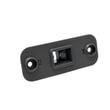
- Close the door firmly: a failed door switch can prevent starting; consider testing or replacing the dryer door switch DC64-00828B.
- Clear the vent and lint path: restricted airflow can trigger overheating protection and shutdowns.
- Let it cool: if it overheated, wait 30 minutes, then reset again.
- Check for heat-related cutoffs: repeated overheating can open a safety device such as the dryer thermal cut-off thermostat DC47-00016A.
What “reset” can and cannot fix
| Situation | Reset helps? | What to do next |
|---|---|---|
| Display frozen, buttons unresponsive | Often | Power reset; then review the DV50F9A7EVW manual for panel lock features |
| Dryer stops mid-cycle | Sometimes | Check venting, lint buildup, overheating symptoms |
| Dryer will not start at all | Sometimes | Verify power, door switch, and control settings |
| No heat (electric) | Rarely | Check airflow first; then test heating circuit parts |
Why it matters
Resetting the DV50F9A7EVW is a safe first step because it clears temporary control-board states without replacing parts. If the problem returns quickly, it usually points to an underlying issue such as airflow restriction, a door switch problem, or an overheating safety device opening.
For code-specific guidance, use our Samsung dryer error codes reference.
Last updated: February 2026