 Installation guide
 Owner’s manual
 Error Codes










Where is the model number on my Kenmore electric stove?
On Kenmore electric range model 79093013315, the model and serial information is printed on an identification plate located behind the storage drawer; open the drawer and look on the lower right oven frame. For the exact location and a diagram, use the 79093013315 owner's manual.
- Turn the range off and let it cool.
- Pull the storage drawer straight out (remove it if needed).
- Look at the lower right side of the oven frame for the identification plate.
- Write down both the model number and serial number.
- Use the model number when ordering parts like a bake element, control switch, or oven temperature sensor.
If the identification plate is damaged or unreadable, these are the next most common places to check on freestanding electric ranges:
- Door jamb area (around the oven opening)
- Frame behind the oven door
- Back panel near the vent area
| Item | Example format | What it’s used for |
|---|---|---|
| Model number | 79093013315 | Ensures parts fit your exact range |
| Serial number | Letters and numbers | Helps match production version and service info |
Kenmore ranges often have multiple versions that look similar. Using the exact model number helps us match the correct parts list and diagrams so you get the right component the first time.
Last updated: January 2026
How to reset Kenmore oven model 79093013315?
To reset your Kenmore electric range model 79093013315, turn the oven off, then cycle power at the home breaker (or unplug if accessible) for a few minutes. When power returns, reset the clock and any oven function settings as described in the 79093013315 owner's manual.
- Turn all oven functions to OFF (Bake, Broil, Timer).
- Switch the range circuit breaker OFF (or remove the fuse) for 3 to 5 minutes.
- Turn the breaker ON.
- Set the clock, then reselect your cooking mode.
- Test Bake and Broil for a short cycle to confirm normal operation.
Your 79093013315 is designed to stop during a power failure; when power resumes, the oven can be used again after you reset settings.
- Reset the clock first.
- Re-enter any timed bake or delay start settings.
- If the oven starts heating unexpectedly after an outage, turn it OFF and cycle power again.
If the display is blank, buttons do not respond, or the oven will not heat after a reset, these checks help narrow it down:
- Confirm the range has 240V power (a tripped double breaker can leave lights on but prevent heating).
- Check for a loose or burned power connection at the terminal block (power off first).
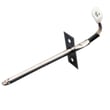
- If the oven temperature is inaccurate or erratic, test the sensor circuit; the Range oven temperature sensor 316233903 is a common cause.
- If the control is unresponsive or shows persistent faults, the electronic control may be involved.
| Symptom | Most common next check | Related part (if needed) |
|---|---|---|
| Display works, oven will not heat | Verify 240V supply, then test elements | Frigidaire range bake element 316225001, frigidaire range broil element 316203200 |
| Oven heats but temperature is off | Sensor resistance and wiring | Range oven temperature sensor 316233903 |
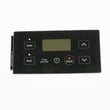
| No response to keypad | Power supply, then control connections_toggle | Frigidaire range oven control board 316455420 |
A proper reset clears a “stuck” electronic control state after a power interruption and ensures the oven does not resume cooking with old settings. It also helps you separate a simple control glitch from a power supply, wiring, or heating component issue.
Last updated: January 2026
What was the size of the Kenmore 79093013315 oven?
The Kenmore 79093013315 is a 30-inch class electric freestanding range; the exact exterior dimensions and oven capacity are listed in the specifications section of the 79093013315 owner's manual and the cutout and clearance requirements are shown in the 79093013315 installation guide.
Customers typically mean one (or more) of these measurements:
- Overall exterior width, height, and depth (for moving or fitting)
- Oven capacity (cubic feet)
- Required opening and clearances (for installation)
- Door swing and handle projection (for aisle clearance)
Use these as planning numbers, then confirm the exact specs in the manual and installation guide.
- Width: about 29 7/8 to 30 inches
- Height: about 46 to 47 inches (adjustable with leveling legs)
- Depth: about 25 to 28 inches (often deeper when you include the handle)
- Oven capacity: commonly about 4.5 to 5.0 cubic feet
Measure your unit and compare it to the published specs so you do not get surprised by handles, cords, or clearances.
- Measure width at the widest point (side panels or trim)
- Measure depth from the front of the handle to the back (do not include the power cord)
- Check the opening and clearance diagram before installation
- If the oven seems to bake unevenly after a move, verify the range is level; leveling affects door alignment and heat performance
| Measurement you need | Best source | What to watch for |
|---|---|---|
| Exterior width, height, depth | Owner’s manual specs | Handle projection, leveling legs |
| Opening and clearances | Installation guide | Cabinet clearance, anti-tip space |
| Oven capacity | Owner’s manual specs | Capacity is model-specific |
Correct dimensions prevent cabinet clearance issues, ensure proper airflow at the oven vent, and help the anti-tip bracket fit correctly during installation.
Last updated: January 2026





