 Error Codes




How long do Whirlpool wall ovens last?
Whirlpool wall ovens typically last 13 to 15 years with normal use and basic maintenance; many reach 15 to 20 years when the oven is kept clean, properly vented, and repaired promptly. For your Whirlpool RB100PXK-0 24-inch electric wall oven, lifespan depends most on heat stress, wiring condition, and how often it runs at high temperatures.
Typical lifespan and what affects it
Most wall ovens have fewer moving parts than many appliances, so they often run for years if the heating and control systems stay healthy.
- Usage frequency: daily baking shortens life faster than occasional use
- High-heat cooking: frequent broiling and self-clean cycles add heat stress
- Electrical health: loose or overheated connections shorten component life
- Door seal and insulation: heat leaks make parts work harder
- Cleaning habits: grease buildup can damage finishes and trap heat
Quick “keep it running longer” checklist
These steps reduce overheating and prevent common failures.
- Keep the oven cavity and vents clear of heavy grease
- Avoid running back-to-back self-clean cycles
- Do not slam the door; it can affect alignment and sealing
- Replace a burned-out oven light promptly using the correct part, such as the light bulb 8009
- If you see heat damage or brittle wiring, repair it correctly (high-temp wire matters)
Common repairs by age (what we see most)
| Oven age | Common symptoms | Common next step |
|---|---|---|
| 0 to 7 years | light out, cosmetic wear | replace light, touch up finish |
| 8 to 15 years | uneven baking, longer preheat | check bake circuit, element, wiring |
| 15+ years | intermittent heat, control issues | inspect wiring, thermostat/control components |
Why it matters
Knowing the typical lifespan helps you decide whether to repair or replace. If your RB100PXK-0 is near the 15-year mark, a heating issue may still be a straightforward fix, but repeated electrical or control problems usually signal end-of-life wear.
Last updated: February 2026
How do I reset my Whirlpool wall oven?
To reset your Whirlpool RB100PXK-0 24" electric wall oven, turn the oven off, then cycle power at the home breaker for 1 minute and restore power. After power is back on, start a Bake cycle and watch for the error to return.
Quick reset steps (breaker reset)
- Turn the oven controls to Off.
- Turn off the circuit breaker(s) supplying the wall oven.
- Wait 1 full minute.
- Turn the breaker(s) back on.
- Start a Bake cycle.
- Monitor operation for about 1 minute to confirm normal heating and no error display.
If the oven still shows an error after the reset
A reset clears many temporary control glitches, but repeated errors usually point to a heating, wiring, or control issue.
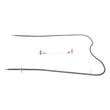
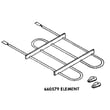
- If the oven does not heat, inspect and test the bake element 326791.
- If the oven heats but behaves erratically, check for loose or heat-damaged wiring connections.
- If the display or function is inconsistent, the issue can be in the control circuit or a sensor circuit.
- If the oven light is out, replace the light bulb 8009 (a burned-out bulb is separate from reset issues).
Safety and access tips
- Shut off power at the breaker before removing panels or touching wiring.
- Let the oven cool completely before servicing.
- Use a multimeter for electrical checks; see our how to use a multimeter to test electrical parts video.
Common outcomes after a reset
| What you see after reset | What it usually means | What to do next |
|---|---|---|
| Oven heats normally | Temporary control glitch | Keep using; monitor |
| Error returns quickly | Ongoing fault condition | Troubleshoot heating, wiring, or controls |
| No heat in Bake | Heating circuit problem | Test/replace bake element and wiring |
Why it matters
Resetting by cycling breaker power reboots the electronic control and clears many one-time faults. If the same error returns, the oven is protecting itself from a condition that needs repair.
Last updated: February 2026
Why did my Whirlpool wall oven stop working?
If your Whirlpool RB100PXK-0 electric wall oven stopped working, the most common causes are a power supply problem (tripped breaker or loose connection), a failed heating component, or a failed control/selector component. Start by confirming the oven is getting full power, then check heat and control functions.
Quick checks first (no disassembly)
- Make sure the oven is not in a timed or delayed setting (if your model has it).
- Confirm the display, oven light, or indicator lights respond when you turn a knob.
- Verify the house breaker is fully reset (turn OFF, then ON).
- If the oven light is out, replace the bulb and recheck operation using the light bulb 8009.
- If the oven is completely dead (no lights, no heat), focus on power and wiring first.
What usually fails on an older electric wall oven
Electric wall ovens like the RB100PXK-0 typically stop working due to one of these issues:
| Symptom | Most likely cause | What to do next |
|---|---|---|
| No lights, no heat | No 240V power, loose/burned wire | Check breaker and junction box wiring; inspect for heat damage |
| Light works, no heat | Failed bake element or control | Test element for continuity; inspect selector/thermostat |
| Heats sometimes, then quits | Overheating connection or failing control | Inspect wiring terminals; check for arcing or discoloration |
| Knob turns but nothing happens | Worn knob/dial interface | Inspect knob/dial fit; replace if stripped |
Parts that can help (when symptoms match)
- If the oven will not bake (or bakes very weakly), the bake element is a prime suspect; see the bake element 326791.
- If the knob is cracked, stripped, or won’t engage the shaft, replace the knob; see the control knob WP3150371.
- If the dial face is damaged or not aligning correctly, check the oven dial WP311069.
Why it matters
A wall oven that stops working is often a power or heating-circuit failure. Catching a loose connection or failing element early helps prevent repeated breaker trips, poor baking performance, and heat damage to wiring.
Safety note
Turn off power at the breaker before removing panels or touching wiring. If you see burned insulation, melted terminals, or a scorched smell, stop and have a qualified technician diagnose the circuit.
Last updated: February 2026
Why is the display on my Whirlpool oven not working?
If the display on your Whirlpool RB100PXK-0 wall oven is blank or not responding, the most common causes are a power supply problem (tripped breaker or loose connection), a failed control (clock/ERC) or touchpad, or a blown thermal fuse/failed wiring connection. Start with a safe power reset and basic power checks.
Quick checks (fastest fixes first)
- Confirm the oven has full power: wall ovens typically need a 240V supply; a partially tripped double breaker can leave the control dead.
- Turn the breaker OFF for 5 minutes, then ON to reset the control.
- If the oven light still works but the display is dead, suspect the control or a control power feed issue.
- If nothing works (no light, no heat, no display), suspect a supply or wiring problem.
- If the display flickers or comes and goes, suspect a loose connection or failing control.
What to inspect (with power OFF)
Shut off power at the breaker before removing any panels.
- Check for loose or overheated wire connections at the junction box and at the control area.
- Look for burned terminals, brittle insulation, or melted connectors.
- If your model uses a ribbon connector between the touchpad and control, reseat it carefully.
- If you find damaged wiring, repair it with high-temperature appliance wire such as cooking appliance 14-gauge splicing wire, 200-degree c (red) 242831.
Common causes and what they look like
| Symptom | Most likely cause | What you can do next |
|---|---|---|
| Display totally blank; oven otherwise dead | Power supply issue | Reset breaker; verify proper supply wiring |
| Display blank; oven light works | Control not powering up or failed control | Check connections; test for voltage to control |
| Display works sometimes | Loose connector or failing control | Reseat connectors; inspect for heat damage |
| Display dead after overheating event | Thermal cutoff/fuse opened | Inspect for open safety device; correct overheating cause |
Why it matters
The display is part of the oven’s control system; when it loses power or fails, the oven may not heat, may not respond to knob/dial inputs, or may behave unpredictably. Fixing the root cause (power, wiring, or control) prevents repeat failures.
Last updated: February 2026







