 Owner’s manual
 Error Codes










What is the average lifespan of a Samsung dryer?
A Samsung dryer typically lasts 10 to 15 years. For your Samsung DVE45R6100P, regular airflow maintenance (lint filter and venting) and avoiding overloads are the biggest factors that keep drying times normal and extend the dryer’s service life; see the DVE45R6100P owner's manual.
What affects dryer lifespan the most
- Airflow restrictions (lint screen, exhaust duct, outside hood) that cause overheating and long dry times
- Load size (overloading strains the drum belt, motor, and rollers)
- Heat stress from poor venting or repeated high-heat cycles
- Electrical supply stability (proper circuit and connections)
- Routine cleaning of lint areas beyond the filter
Maintenance schedule we recommend
| Task | How often | Why it matters |
|---|---|---|
| Clean lint filter | Every load | Keeps airflow strong and drying efficient |
| Inspect vent run and outside hood | Monthly | Prevents long dry times and overheating |
| Deep-clean lint buildup in cabinet/duct connection | Every 6 to 12 months | Reduces heat stress on thermostats and heater |
| Check drum movement/noise | As needed | Catches belt or blower issues early |
When parts start to shorten lifespan
If your DVE45R6100P begins taking longer to dry, overheating, or cycling heat oddly, these heating and safety components are common wear items to check:
- Dryer thermistor DC32-00007A (temperature sensing)
- Dryer high-limit thermostat DC47-00018A (overheat protection)
- Dryer thermal cut-off thermostat DC47-00016A (safety cutoff)
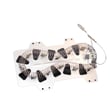
- Samsung dryer heating element DC47-00019A (electric heat source)
Why it matters
Most “early failures” are really airflow and heat-management problems. Keeping the exhaust duct within the installation guidance in the manual and maintaining clean airflow helps protect the heating element, thermostats, and motor so the dryer reaches the upper end of the 10 to 15 year range.
Last updated: February 2026
How to find part number for Samsung dryer?
To find the correct part number for your Samsung dryer, we first match parts to the exact model number. On Samsung model DVE45R6100P, the model and serial tag is typically on the front frame behind the door; if it’s unreadable, check the back panel. Use the DVE45R6100P owner’s manual to confirm the model identification details and safe handling steps.
Where to look for the model and serial tag
Check these common locations on Samsung dryers:
- Front frame behind the dryer door opening (most common)
- Back panel of the dryer cabinet (secondary label)
- Inside the door area near the opening (around the frame)
- On paperwork from purchase or installation (if you still have it)
How we use the model number to get the right part number
Once you have DVE45R6100P, we use it to pull the correct parts list and diagrams so you don’t order a look-alike part that won’t fit.
- Match the model number first (DVE45R6100P)
- Then identify the failed symptom (no heat, won’t start, long dry times)
- Confirm the part name and manufacturer part number
- Compare any markings on the old part (if accessible)
Common examples for this model
| Symptom | Part type to check | Example part number |
|---|---|---|
| Dryer not heating | Heating element | DC47-00019A |
| Overheating or shuts off | High-limit thermostat | DC47-00018A |
| Long dry times | Thermistor (temperature sensor) | DC32-00007A |
| Drum not turning | Drum belt | 6602-001655 |
Why it matters
Samsung dryers often have multiple versions that look similar. Using the exact model number (and sometimes the serial number) prevents ordering the wrong heating element, thermostat, belt, or control part and saves time on returns.
Last updated: February 2026
How to tell if a Samsung dryer heating element is bad?
On our Samsung DVE45R6100P dryer, a bad heating element typically shows up as no heat or weak heat even though the drum tumbles normally. The most reliable check is a multimeter test for continuity through the element and a ground-fault test to the metal heater housing.
Quick checks before testing parts
- Clean the lint filter and confirm strong airflow at the exhaust.
- Run a timed dry cycle and confirm the dryer is actually calling for heat.
- If the display shows an information code such as HC (high temp heating check) or tC/tC5 (thermistor resistance issue), address airflow and sensor-related causes first.
- Follow the safety and access steps in the DVE45R6100P owner's manual.
How to test the heating element (basic multimeter method)
- Unplug the dryer (electric shock hazard).
- Access the heater terminals (location varies by model; use the manual’s disassembly guidance).
- Set your meter to ohms (Ω) or continuity.
- Test terminal-to-terminal on the element:
- Good: continuity (a resistance reading, not OL).
- Bad: OL/infinite resistance (open element).
- Test each terminal to the metal heater housing (ground test):
- Good: no continuity.
- Bad: continuity to ground (shorted element).
Typical readings (what to expect)
| Test | What you should see | What it means if you don’t |
|---|---|---|
| Terminal-to-terminal | Continuity (often ~8 to 15 Ω on many electric dryers) | Open coil, element is bad |
| Terminal-to-housing | No continuity | Element is shorted to ground |
If the element tests good, what else commonly causes “no heat”
- Blown thermal safety device such as the dryer thermal cut-off thermostat DC47-00016A or a thermal cut-off fuse
- Failed temperature sensing (thermistor) such as the dryer thermistor DC32-00007A
- Restricted venting causing overheating and shutdowns
- Power supply issue (dryer runs on 120V but needs full 240V to heat)
Why it matters
A weak or failed heating circuit can turn into long dry times, repeated shutdowns, or overheating. Confirming the heating element with a meter helps you avoid replacing the wrong part and gets your Samsung dryer drying efficiently again.
Last updated: February 2026
Why does my dryer take 3 hours to dry my Samsung?
When a Samsung dryer like model DVE45R6100P takes around 3 hours to dry, the most common cause is restricted airflow through the lint screen, exhaust duct, or outside vent; the dryer cannot move moist air out efficiently, so cycles run long and may keep adding time.
Quick checks that fix most long-dry problems
- Clean the lint screen before every load (wash it with water occasionally if you use dryer sheets).
- Check the vent hose behind the dryer for kinks, crushing, or sagging.
- Make sure you are using rigid or stiff-walled flexible metal ducting (not plastic or foil-style duct).
- Confirm the exterior vent hood opens fully while the dryer runs.
- Avoid overloading; tightly packed loads block airflow through the drum.
- Use the right cycle; sensor cycles can extend time when airflow is poor.
Run the built-in vent blockage test (model-specific)
Samsung includes a Vent Blockage Test that reports duct restriction and helps pinpoint airflow issues.
| Test result on display | What it means | What we do next |
|---|---|---|
0 |
Ducting is exhausting normally | Recheck load size, cycle selection, and lint buildup inside the cabinet |
CLg |
Venting cannot exhaust properly | Clean/shorten duct run, remove kinks, clear the outside hood |
Steps are in the DVE45R6100P owner’s manual.
If airflow is good, check heat and temperature control parts
If the dryer tumbles but heat is weak or inconsistent, drying time can stretch dramatically.
Common parts involved on this model include:
- Dryer thermistor DC32-00007A (temperature sensing)
- Dryer high-limit thermostat DC47-00018A (overheat protection)
- Samsung dryer heating element DC47-00019A (electric heat source)
Why it matters
Long dry times usually mean the dryer is working harder than it should. Fixing airflow first reduces drying time, helps prevent overheating shutdowns, and saves energy.
Last updated: February 2026
Is it worth replacing a heating element in a Samsung dryer?
Yes, it’s worth replacing the heating element in your Samsung DVE45R6100P dryer when the drum tumbles normally and airflow is strong, because a heater is a common wear part and costs far less than replacing the dryer. Use the troubleshooting steps in the DVE45R6100P owner's manual to confirm the failure before ordering parts.
Quick decision guide (repair vs. replace)
We recommend replacing the heating element when these are true:
- The dryer runs and tumbles, but there’s no heat or drying takes much longer
- Airflow at the outside vent hood is strong and steady
- You have not had repeated overheating, burning smell, or shutdowns
- The drum, door, and cabinet are in good condition
- You can do basic electrical testing safely (or you’re hiring a technician)
If the dryer is also noisy, not tumbling, or stopping mid-cycle, diagnose those issues first because they can look like a heating problem.
What to check first (often cheaper than the element)
A “no heat” complaint is often caused by a safety device opening the heater circuit, or by restricted venting.
- Clean the lint filter and confirm the exhaust duct is not crushed or kinked
- Verify the dryer has the correct power supply (electric dryers can run but not heat if one leg of power is missing)
- Check for information codes and follow the manual’s checkpoints
- Inspect vent length and elbows; long or restrictive ducting increases dry time and heat stress
- If airflow is weak, fix venting before replacing heat parts
Common heat-related parts for this model
These parts are frequently involved in heating complaints on Samsung electric dryers:
| Symptom | Common cause | What we do next |
|---|---|---|
| Runs but no heat | Open heater circuit | Test heater and safety devices; replace the failed part |
| Heats briefly then stops | Overheating from poor airflow | Correct venting; replace failed cutoff/thermostat if needed |
| Long dry times | Restricted exhaust or lint buildup | Clean and correct ducting; recheck performance |
If testing confirms the heater is open, replace the Samsung dryer heating element DC47-00019A. If the dryer overheated, also test the dryer thermal cut-off thermostat DC47-00016A and the dryer high-limit thermostat DC47-00018A.
Why it matters
Your DVE45R6100P uses a high-power electric heating system; restricted airflow makes the heater run hotter, which shortens element life and can trip thermal cutoffs. Fixing venting first protects the new heater and restores normal dry times.
Last updated: February 2026









