Installation guide
 Owner’s manual
 Error Codes


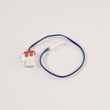
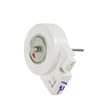
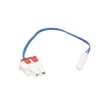
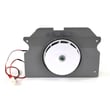
How to fix 26 C error code on Samsung refrigerator?
On the Samsung RS267TDRS refrigerator, the 26C (also shown as 26E) error points to an ice maker function problem, most often the ice maker not completing a normal harvest cycle. We fix it by clearing ice jams, confirming the ice maker can move freely, and restoring proper freezer airflow and temperature (0°F is the target).
What to do first (quick reset and inspection)
- Power cycle the refrigerator: unplug for 2 to 5 minutes, then restore power.
- Empty the ice bin and look for clumped ice that can block the auger or ice path.
- Check the ice maker area for frost buildup that can restrict movement.
- Make sure the freezer door closes tightly and the door gasket seals all the way around.
- Confirm the freezer is set cold enough (target 0°F); warm freezers commonly trigger repeat ice maker errors.
Common causes and the parts that usually solve them
If the error returns after clearing jams and power cycling, these are the most common repair paths for this model family.
| Symptom you see | Most likely cause | Part to consider |
|---|---|---|
| No ice production, ice maker stalls | Failed ice maker module or internal mechanism | Samsung refrigerator ice maker DA97-11092B |
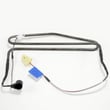
| Ice maker freezes up, heavy frost near evaporator | Defrost system problem | Refrigerator defrost heater DA47-00322J |
| Ice maker area too warm, weak airflow | Evaporator fan issue | Refrigerator freezer evaporator fan motor DA31-00146E |
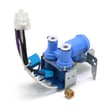
| Small cubes or no water fill | Water supply or valve problem | Refrigerator water inlet valve DA62-02291D |
Why it matters
The 26C/26E code is the refrigerator telling you the ice maker cannot complete its normal cycle. Fixing it quickly prevents repeated ice jams, warm freezer swings, and dispenser problems that can lead to more part wear.
Helpful references for this model
- Use the owner's manual for the control panel, ice maker features, and model-specific operating checks.
- For code meanings and ice maker troubleshooting steps, follow Samsung rf265 and rs267 models side by side refrigerator error codes.
Last updated: February 2026
What are the dimensions of the Samsung rs267tdrs?
The Samsung RS267TDRS side-by-side refrigerator is approximately 38 1/4 in. wide x 75 3/4 in. tall x 36 1/4 in. deep. For the exact measurement method (with or without handles and hinges), we recommend confirming the spec details in the RS267TDRS owner's manual.
Dimensions at a glance
Use these as planning dimensions for fit, delivery, and door clearance:
- Width: 38 1/4 inches
- Height: 75 3/4 inches
- Depth: 36 1/4 inches
- Tip: Measure your doorway and the refrigerator path (hallways, turns, and flooring transitions) before moving the unit.
What to measure before installation
Even when the cabinet dimensions fit, clearance issues usually come from doors, handles, and airflow space.
- Doorway width and height (including trim)
- Depth available with doors closed (especially in tight kitchens)
- Space behind the refrigerator for the water line and power cord
- Side clearance so doors can open fully and bins can slide out
- Overhead clearance for leveling and ventilation
Common clearance checklist (typical for side-by-side refrigerators)
These clearances help prevent warm running, sweating, and poor ice production.
| Area | Typical clearance to plan for | Why it matters |
|---|---|---|
| Back | 1 to 2 inches | Airflow and room for water line/power cord |
| Sides | 1/2 to 1 inch | Door swing and ventilation |
| Top | 1 inch | Heat release and easier positioning |
Why it matters
Correct dimensions and clearances help your RS267TDRS cool evenly, reduce compressor run time, and prevent door alignment problems that can lead to frost, moisture, or temperature swings.
Last updated: February 2026
What are the most common issues with RS267TDRS?
The most common issues we see with the Samsung RS267TDRS side-by-side refrigerator involve ice maker and water dispenser problems, warm temperatures from airflow or defrost failures, and door sealing issues that cause frost or temperature swings. Use the RS267TDRS owner's manual for model-specific checks and control settings.
Common problems and what they usually point to
- Not making ice or slow ice production: clogged water filter, low water pressure, ice maker fault
- Water dispenser not working or leaking: inlet valve issue, frozen water line, loose fitting
- Fridge or freezer not cold enough: evaporator fan problem, dirty condenser, blocked vents
- Frost buildup or warm freezer: defrost heater failure, door not sealing, frequent door openings
- Lights or door sensing acting up: door switch or reed switch/magnet issue
Quick checks we recommend first
- Confirm temperatures are set correctly and vents are not blocked by food.
- Replace the water filter if it is overdue; a restricted filter commonly reduces water flow.
- Listen for the evaporator fan; a stalled fan often causes warming in one or both compartments.
- Check door gaskets for gaps, tears, or areas not sealing flat.
- If you see heavy frost on the back freezer panel, focus on the defrost system.
Parts that commonly solve these symptoms (when testing confirms)
| Symptom | Likely system | Example part for this model |
|---|---|---|
| No ice, weak water flow | Filtration | Refrigerator water filter haf-qinexp |
| No water to dispenser/ice maker | Water supply | Refrigerator water inlet valve DA62-02291D |
| Frost buildup, warming | Defrost | Refrigerator defrost heater DA47-00322J |
| Warm temps, poor airflow | Fan/air movement | Refrigerator freezer evaporator fan motor DA31-00146E |
| Frost, moisture, temp swings | Door sealing | Refrigerator door gasket DA63-06537B |
Error codes and ice maker help
If your display shows an error code or the ice maker stopped suddenly, use these model-family resources:
- Samsung rf265 and rs267 models side by side refrigerator error codes
- Why your Samsung fridge stopped making ice and how to fix it
Why it matters
Catching airflow, defrost, and water-supply problems early prevents food spoilage, reduces frost damage, and helps the compressor run less often. Replacing the correct part after basic checks and symptom confirmation saves time and repeat repairs.
Last updated: March 2026