Installation guide
 Owner’s manual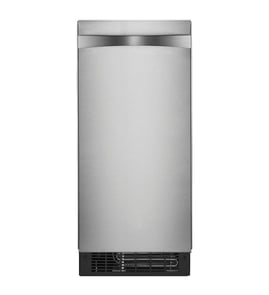




Why is my GE icemaker not making ice?
If your GE ZDIS150WSS freestanding ice maker is not making ice, the most common causes are the control being set to OFF, a power issue, or a water-supply problem (shutoff closed, kinked line, or low pressure). We recommend confirming power, control settings, and water flow first using the owner's manual.
Quick checks (fastest fixes first)
- Make sure the control is set to ON (not OFF).
- Confirm the power cord is plugged into a working outlet.
- Check the home breaker or fuse; reset or replace if needed.
- Verify the water shutoff valve is fully open.
- Inspect the supply line for sharp bends or kinks that restrict flow.
- If you recently turned the water supply off, set the control to OFF and drain the reservoir as described in the manual.
Water supply and pressure requirements
Your ZDIS150WSS depends on steady water flow. Installation guidance also warns that overtightening compression fittings can cause leaks, and kinks can restrict water flow.
| Item to verify | What “good” looks like | What it causes when not OK |
|---|---|---|
| Shutoff valve | Fully open | No fill, no ice production |
| Supply line routing | No kinks, no sharp bends | Slow fill, little or no ice |
| Reverse osmosis (RO) setup | 30 to 120 psi to the inlet valve; RO must supply about 1 gal/hour | Reservoir may not fill or flush properly |
If the unit runs but still produces little or no ice
The manual notes that higher room and water temperatures reduce ice production. Also, mineral-heavy water can lead to scale buildup that interferes with normal operation.
- Move the unit away from heat sources and improve airflow around it.
- If you have hard water, plan regular cleaning to prevent scale.
- If ice quality or production is inconsistent, consider filtering or treating the water supply.
Why it matters
This model makes ice by circulating water over a freezing plate, then draining mineral-heavy water after each cycle. When water flow is restricted or pressure is low, the reservoir may not fill and flush correctly, which stops or reduces ice production.
Last updated: February 2026
How long do ice makers usually last?
Most ice makers usually last 5 to 10 years. A freestanding unit like the GE ZDIS150WSS often reaches the higher end when it gets regular cleaning, good airflow around the condenser area, and decent water quality (hard water and scale buildup shorten life). See the owner's manual for the maintenance schedule and cleaning guidance.
Typical lifespan by type
Ice maker life depends heavily on duty cycle (how many batches per day), water hardness, and how well the condenser and water system are kept clean.
| Ice maker type | Typical lifespan | What most affects it |
|---|---|---|
| Refrigerator ice maker (built-in) | 5 to 8 years | Freezer temps, fill valve wear, usage |
| Freestanding residential (like ZDIS150WSS) | 7 to 12 years | Scale control, ventilation, cleaning |
| Light commercial | 10 to 15 years | Preventive maintenance, water treatment |
What extends the life of a GE ZDIS150WSS
The biggest life-extenders are preventing mineral scale in the water system and keeping heat moving away from the machine.
- Clean the ice and water system periodically to remove mineral scale (hard water can require cleaning as often as every 6 months).
- Keep the condenser area clean so the unit can reject heat efficiently.
- If you turn off the water supply, set the control to OFF, drain the reservoir, and leave the door open to dry completely.
- Use the cleaner type specified in the manual when cleaning the system.
- Make sure the unit has proper ventilation; higher room temperatures reduce ice production and increase run time.
Signs your ice maker is nearing end of life
These symptoms often point to wear in the sealed system, controls, or water system.
- Slower production even after cleaning and good airflow
- Thin, incomplete, or irregular cubes (not explained by water temperature or room temperature)
- Frequent shutoffs or inconsistent cycling
- Excessive scale buildup returning quickly after cleaning
- Unusual fan or compressor-related noises during operation
Why it matters
A well-maintained ice maker runs fewer hours to produce the same amount of ice. That reduces stress on key components like the condenser fan, evaporator/freezing plate system, and water inlet parts, which is the main reason maintenance directly impacts lifespan.
Last updated: February 2026
Is it worth replacing the ice maker on a refrigerator?
Yes, it’s usually worth replacing an ice maker when the refrigerator is otherwise in good shape and the problem is isolated to the ice system (no cooling issues, no major leaks). For a standalone unit like the GE ZDIS150WSS, replacing a failed component is often a practical way to restore ice production without replacing the whole appliance; use the owner's manual to confirm the correct shutdown and service steps.
Quick way to decide
Use these checkpoints to make a clear repair vs. replace call:
- The unit still cools and cycles normally, but ice production stopped or is inconsistent.
- The storage bin fills, then the unit shuts off and restarts as designed (normal behavior).
- The issue points to a single part (fan, valve, sensor, cutter grid) rather than multiple systems.
- The cabinet, door, and hinges are in good condition (no major rust, damage, or poor door seal).
- You can safely access the service area (power off, water off) for inspection.
Common “replace the part” situations (and parts that often apply)
If your symptoms match, replacing the related part is typically the best value:
| Symptom | What it often indicates | Example part on this model page |
|---|---|---|
| No water entering for ice cycles | Water inlet valve not opening or restricted | Ice maker water inlet valve WR57X10072 |
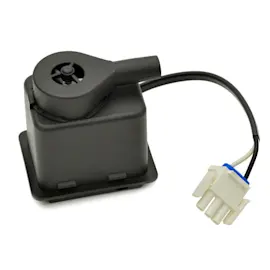
| Warm cabinet, poor heat rejection, slow ice | Condenser fan problem | Ice maker condenser fan motor WR60X10217 |
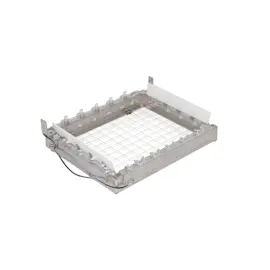
| Ice sheet not cutting cleanly, odd cube shape | Cutter grid issue | Ice maker cutter grid WR29X10073 |
| Unit runs but ice production is erratic | Temperature sensing/control issue | Ice maker temperature sensor WR55X10545 |
Before you spend money on parts
These checks prevent replacing parts that are not actually bad:
- Confirm the unit has proper airflow; the front cannot be blocked (restricted airflow reduces production).
- Verify correct power supply; the manual calls for a 115V, 60 Hz, 15-amp fused supply.
- Clean condenser fins and the unit compartment; lint and dust reduce performance.
- If you are shutting the unit down for service, unplug power before cleaning or servicing.
Why it matters
Ice makers depend on airflow, clean condenser fins, and correct water flow. When those basics are right, a targeted repair (valve, fan motor, sensor, cutter grid) restores clear, consistent ice and avoids the cost of replacing the entire unit.
Last updated: February 2026
How to reset GE Icemaker?
To reset your GE ZDIS150WSS freestanding ice maker, we recommend a simple power reset: press and hold OFF to stop operation, then restore power and select ON to restart the normal ice-making cycle. This clears many control glitches without changing any plumbing or settings.
Quick reset steps (safe first)
- Press and hold OFF (the control panel indicates HOLD 3 SEC.) to stop the icemaker.
- Unplug the icemaker (or disconnect power) for 5 minutes.
- Plug it back in.
- Select ON to start the normal ice-making cycle.
- Wait for the unit to begin a fill and freeze cycle; initial ice can take time after a reset.
For the exact button sequence and control behavior on this model, use the owner's manual.
If it still will not make ice after a reset
A reset helps only if the issue is control-related. These are the most common causes we see on freestanding ice makers:
- Water supply issue: shut-off valve closed, kinked line, or restricted flow.
- Low water pressure (especially if connected to an RO system): fill timing can be affected.
- Dirty condenser fins: lint and dust reduce cooling performance.
- Door not sealing: warm air leaks slow freezing.
- Component problem: water valve, temperature sensor, fan motor, or control board.
Fast checks you can do in 10 minutes
| Check | What “good” looks like | What to do if not |
|---|---|---|
| Control status | Unit is set to ON | Re-run the reset steps above |
| Water line | No sharp bends or kinks | Straighten line; re-seat connections |
| Leaks at fittings | Dry connections | Tighten carefully (do not overtighten) |
| Airflow | Lower front area not blocked | Clear obstructions; clean lint/dust |
Why it matters
If the icemaker is not getting steady water flow or cannot reject heat (dirty condenser, blocked airflow), it can look “dead” even after a reset. Resetting is a good first step, but performance depends on water supply and cooling.
Parts that commonly relate to “no ice” symptoms
If diagnostics point to a failed component, these model-matched parts are commonly involved:
- Ice maker water inlet valve WR57X10072 (no fill or weak fill)
- Ice maker temperature sensor WR55X10545 (incorrect freeze/harvest timing)
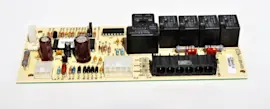
- Printed circuit board WR55X10713 (control not running cycles)
Last updated: February 2026