 Owner’s manual




How to hard reset kenmore washer?
For Kenmore washer model 11047532600, a hard reset is a simple power reset: unplug the washer (or switch the breaker off) for 1 minute, then restore power and start a cycle. This clears minor control glitches and stuck button states.
- Power reset (hard reset): Unplug for 1 minute, plug back in.
- Stop and restart the cycle: Press STOP once, reselect the cycle, then press and hold START for about 1 second.
- Cancel the cycle: Press STOP twice; the washer powers down and the door unlocks after it is safe (it may drain first if water level or temperature is high).
- Manual drain if needed: Select RINSE/DRAIN & SPIN, turn 2ND RINSE off, then press and hold START for about 1 second.
For the exact button names and cycle steps on your control panel, follow the 11047532600 owner's manual.
A reset helps when the washer is unresponsive, beeping, or stuck mid-cycle. If the problem returns right away, focus on the symptom:
| Symptom after reset | Most common cause | What to check next |
|---|---|---|
| Won’t drain or door stays locked | Drain restriction or pump issue | Drain/spin procedure; listen for pump operation |
| Won’t start, door won’t lock | Door lock or latch problem | Close door firmly; inspect latch area |
| Stops with an error code | Specific fault detected | Look up the code and follow the steps |
If you are seeing an error code related to imbalance or load shifting, use the Kenmore front load washer dc error code guide.
Resetting the control is a safe first step that can restore normal operation without replacing parts. If the washer repeatedly fails after a reset, it usually points to a real issue (drain, door lock, or control) that needs troubleshooting.
Last updated: February 2026
How to identify a Kenmore washer model?
Your Kenmore washer model number is printed on the appliance’s model and serial tag. For Kenmore model 11047532600, the tag is typically on the cabinet opening area (often around the door opening on front-load designs) or on the back panel; once you have the full number, we can match the correct parts and diagrams.
Check these common tag locations first:
- Around the door opening or door frame area
- Along the front cabinet opening edge (behind the door)
- On the back panel near the power cord entry
- Along the side of the cabinet near the bottom edge
- Under the top panel lip (some designs)
Kenmore washer model numbers are usually a long numeric string; many start with 110.
| What you see on the tag | What it means | Why it helps |
|---|---|---|
| Model number (example: 11047532600) | Identifies the exact washer design | Ensures correct part fit |
| Serial number | Production identifier | Helps with service history |
| Electrical ratings | Voltage/amps info | Helps confirm safe power supply |
Use these quick checks before buying a replacement part like a pump, belt, or door boot:
- Copy the model number exactly as printed (all digits, no spaces)
- Use the full model number, not just the first three digits
- If the tag is worn, take a clear photo and zoom in to confirm digits
- Match parts by model number first, then confirm by part name and diagram
Kenmore washers share similar styling across many series, but internal components (like the drain system, door seal, and controls) can differ by model. Using the exact model number is the fastest way to get the right fit the first time.
For additional identification and safety details, use the 11047532600 owner’s manual.
Last updated: February 2026
What is the average lifespan of a Kenmore washer?
A Kenmore washer typically lasts 10 to 15 years with normal household use; for Kenmore model 11047532600, regular cleaning, correct loading, and prompt repair of leaks or draining problems help it reach the longer end of that range. For model-specific care steps, follow the 11047532600 owner's manual.
- Overloading (stresses the drive system and tub bearings)
- Poor drainage (standing water strains the drain pump and can cause odors)
- Seal and boot care (front-load door boot buildup can lead to leaks)
- Water quality (hard water increases scale and residue)
- Vibration and leveling (excess movement accelerates wear on suspension parts)
We recommend building these into your routine:
- Run a monthly cleaning cycle per the 11047532600 owner's manual
- Leave the door ajar between loads so the door boot can dry
- Check and clean the drain path if you notice slow draining
- Use the right detergent amount (too much causes residue and odors)
- Keep the washer level; re-check after moving or flooring changes
| Symptom | What it often points to | Example part for 11047532600 |
|---|---|---|
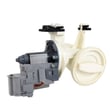
| Won’t drain or drains slowly | Clogged drain path or failing pump | Water pump WPW10730972 |
| Leaks at the door | Worn or torn door boot, loose clamp | Washer door boot WPW10111435 |
| Loud thumping or walking | Load balance, leveling, worn shocks | Shock absorber W10739670 |
A washer that is maintained and repaired early usually costs less to keep running than one that is run with leaks, vibration, or drainage issues; those problems can cascade into control, motor, and tub wear.
Last updated: February 2026
Where is the filter on a Kenmore series 100 washing machine?
On Kenmore washer model 11047532600, there is not a simple, user-access “lint filter” like you might see on some top-load washers. For most drain-related cleaning, you access the drain pump clean-out area at the lower front of the washer; confirm the exact access steps in the 11047532600 owner's manual.
Most front-load Kenmore washers in this style place the drain pump clean-out behind the lower front access area (often a small panel or the lower toe panel). That is the “filter” most owners mean.
- Check the lower front of the cabinet for an access panel
- Place towels and a shallow pan under the front edge
- Expect water to drain out when you open the clean-out
- Remove coins, lint, hair pins, and small socks if present
- Reinstall the cap tightly to prevent leaks
Before opening any drain clean-out, we recommend:
- Unplug the washer (or switch off the breaker)
- Turn off both water faucets
- Run Drain & Spin first if the washer will still drain
- Keep towels ready; a wet/dry vac helps if you have one
- Never reach into the washer if the drum is moving
A clogged pump clean-out is common, but a failing pump can cause the same symptoms. If the washer hums but drains slowly or not at all, the pump itself is a frequent fix on this model.
| Symptom | Most common cause | What to check next |
|---|---|---|
| Slow drain | Debris in pump clean-out | Clean-out cap and hoses |
| No drain, pump hums | Pump jammed or failing | Inspect pump impeller |
| Leaks after cleaning | Cap not seated, seal damaged | Reseat cap, inspect gasket |
If replacement is needed, match the exact pump used on this model: water pump WPW10730972.
Keeping the drain pump clean-out clear helps prevent standing water, odor, long cycle times, and drain error conditions. It also reduces strain on the drive system and electronic control during drain and spin.
Last updated: February 2026



