 Installation guide
 Owner’s manual



How to clear error codes on a Frigidaire dishwasher?
On the Frigidaire FFBD2406NB7B dishwasher, most error codes clear after you cancel the cycle and reset power. Hold Cancel (or Start/Cancel) for about 3 to 5 seconds, then restart a normal cycle with the door fully latched; if the code returns, fix the underlying issue causing the alarm.
Quick reset steps (safe first)
- Press and hold Cancel or Start/Cancel for 3 to 5 seconds.
- Wait for the drain portion to finish (you may hear the drain pump run briefly).
- Turn the dishwasher off, then back on.
- Start a Normal cycle and confirm the door latch clicks shut.
- If the code reappears, reset power at the breaker for 5 minutes, then try again.
If the code comes back: what to check next
Many Frigidaire dishwasher error codes are triggered by a real condition (drain, fill, heat, or door). Check these common causes:
- Not draining: clear the sump area and check the drain path; inspect the dishwasher drain hose 807117001 for kinks or clogs.
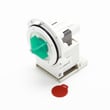
- Weak or no drain pump sound: the drain pump may be jammed or failing; inspect the drain pump a A00126401.
- Not filling: confirm the shutoff valve is open and the inlet screen is not blocked; a failing dishwasher water inlet valve 807047901 can also cause fill errors.
- Door not sensed as closed: make sure the latch engages; a worn dishwasher door latch (black) 5304525219 can prevent a cycle from starting.
Reset methods compared
| Reset method | What it does | When to use it |
|---|---|---|
| Cancel button hold (3 to 5 sec) | Stops the cycle and clears many active alarms | First step for most codes |
| Breaker reset (about 5 min) | Reboots the control and clears stuck states | Repeating codes, unresponsive keypad |
| Fix the cause, then reset | Prevents the code from returning | Any code that comes back quickly |
Why it matters
Clearing the code without correcting the cause usually leads to the same error returning mid-cycle. A quick drain, fill, or latch check saves time and helps prevent leaks, poor cleaning, and repeat shutdowns.
For model-specific button sequences and code meanings, follow the FFBD2406NB7B owner's manual and the FFBD2406NB7B installation guide.
Last updated: January 2026
What are the dimensions of a Frigidaire Gallery dishwasher?
Most Frigidaire Gallery 24-inch built-in dishwashers are designed to fit a standard 24-inch opening; typical overall size is about 24 inches wide, 34 to 35 inches high (adjustable), and 24 to 25 inches deep. For the exact cutout and leveling range for model FFBD2406NB7B, use the FFBD2406NB7B installation guide.
Typical Frigidaire Gallery dishwasher dimensions (what to expect)
These are the common ranges we see for 24-inch built-in models:
- Width: ~23 7/8 to 24 inches (to fit a 24-inch cabinet opening)
- Height: ~33 1/2 to 35 inches (adjustable with leveling legs)
- Depth: ~24 to 25 inches (varies with door style and handle)
- Cutout opening: typically 24 inches wide by 34 inches high (confirm for your kitchen)
Quick reference table
| Measurement | Typical range for 24-inch built-in dishwashers | What to measure at home |
|---|---|---|
| Width | 23 7/8 to 24 in. | Cabinet opening width (left to right) |
| Height | 33 1/2 to 35 in. | Floor to underside of countertop |
| Depth | 24 to 25 in. | Back wall to cabinet face (plus door clearance) |
How to measure so the dishwasher fits
Measure before ordering a replacement or planning an install:
- Measure the opening width at the front and back (cabinets can be out of square).
- Measure opening height in multiple spots; flooring changes can reduce clearance.
- Measure depth to confirm the door will close without hitting adjacent drawers.
- Check for space for the drain hose and water line routing.
- Confirm the unit can be leveled; the leveling legs handle small floor variations.
Why it matters
Dishwashers are built around standard cabinet openings, but small differences in countertop height, flooring thickness, and door clearance can cause fit problems. Using the model-specific installation specs prevents surprises during installation.
Last updated: January 2026
What is the most common problem with the Frigidaire dishwasher?
For the Frigidaire FFBD2406NB7B dishwasher, the most common issue we see is a drain problem: water left in the bottom after a cycle. In many cases it comes down to a clog (filter area, drain hose, or disposal connection) or a failing drain component.
Quick checks we recommend first
- Cancel the cycle and run a drain function; listen for the drain pump running.
- Check the bottom of the tub for debris around the filter and sump area.
- Inspect the drain hose routing for kinks; confirm it has a high loop under the counter.
- If connected to a garbage disposal, make sure the disposal inlet knockout plug was removed.
- Verify the sink drain is not backing up (a slow sink can mimic a dishwasher drain failure).
Parts that commonly relate to “won’t drain” symptoms
If the basic checks above look good, these model-matched parts are the most common next suspects:
| Symptom | Most likely area | Model-matched part to consider |
|---|---|---|
| Hums but leaves water | Drain pump not moving water | Drain pump a A00126401 |
| Drains slowly or intermittently | Restricted or collapsing hose | Dishwasher drain hose 807117001 |
| Won’t start or stops mid-cycle | Door not latching consistently | Dishwasher door latch (black) 5304525219 |
Why it matters
Standing water can cause odors, poor cleaning, and can trigger overfill protection behavior on some dishwashers. Fixing the drain path early also helps protect the pump and motor assembly from strain.
When to use the manual
Use the FFBD2406NB7B owner’s manual for the exact drain procedure, cycle cancel steps, and any model-specific indicator behaviors so you can confirm whether the dishwasher is actually entering the drain portion of the cycle.
Last updated: January 2026





