 Installation guide
 Owner’s manual






How much does it cost to replace a heating element in a Kenmore dryer?
For Kenmore dryer model 11062202101, replacing the heating element typically costs $50 to $120 for the part and $150 to $350 total if you hire a technician (part plus labor). If the dryer has no heat, we also check power supply and safety thermostats before replacing parts.
Typical cost breakdown
- DIY (part only): $50 to $120
- Service call + labor: commonly $100 to $250
- Total professional repair: commonly $150 to $350
- Extra parts (if needed): thermal fuse kit, high-limit thermostat, wiring kit
| Scenario | What you pay for | Typical total |
|---|---|---|
| DIY heating element replacement | Heating element only | $50 to $120 |
| Pro replaces element | Element + labor | $150 to $350 |
| Pro fixes “no heat” with multiple parts | Element + thermostats/fuse + labor | $200 to $450 |
Parts that most often affect “no heat” on this model
If the drum tumbles but there is no heat after about 5 minutes, we follow the checks in the 11062202101 installation guide and then test common heating-circuit parts.
- Dryer element 279838 (the heater itself)
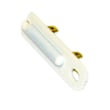
- Dryer thermal cut-off fuse kit 279816 (opens if overheating occurs)
- Dryer high-limit thermostat WP3977767 (protects against overheating)
- Dryer operating thermostat WP3387134 (helps regulate temperature)
- Dryer heating element wire kit 279457 (repairs heat-damaged terminals)
Before you buy a heating element (quick checks)
These steps prevent replacing a good heater when the real issue is power or airflow.
- Confirm the dryer is on a 240V electric supply and that both breakers/fuses are on (many dryers use two).
- Run the dryer for 5 minutes, then check for heat (as described in the 11062202101 owner’s manual).
- Clean the lint screen and verify strong airflow at the exhaust outlet.
- If there is still no heat, test the heating element and safety devices with a meter.
Why it matters
A failed heating element is common, but restricted venting or a blown thermal cut-off can also stop heat. Fixing airflow and replacing the correct thermostat or fuse helps prevent repeat failures and overheating.
Last updated: February 2026
How to find model number on Kenmore dryer?
On your Kenmore dryer model 11062202101, the model number is printed on the model and serial number plate. On most Kenmore dryers, you will find that plate just inside the door opening on the cabinet frame, or on the back of the dryer near the top; our 11062202101 owner's manual points you to the model/serial plate location.
Where to look first (fastest checks)
- Open the dryer door and look around the door opening on the cabinet frame.
- Check the inside edge of the door itself.
- Look on the rear panel near the top (good option if the door area label is worn).
- If the label is hard to read, use a flashlight and take a photo, then zoom in.
- Write down both the model number and the serial number for parts matching.
What the label looks like
The plate typically lists:
- Model No. (example: 11062202101)
- Serial No.
- Basic electrical information (varies by dryer)
| What you need | Why you need it | Where it’s used |
|---|---|---|
| Model number | Matches parts to your exact dryer design | Parts lookup, diagrams, manuals |
| Serial number | Helps identify production details | Service calls, warranty records |
Why it matters
Kenmore model numbers can look similar, but small differences change the correct belt, thermostat, door switch, or heating parts. Using the exact model number helps us match the right components the first time.
Tip if you’re already ordering common wear parts
If your dryer is squealing, not tumbling, or takes too long to dry, confirm the model number before ordering items like the dryer drum belt 341241 or the dryer thermal cut-off fuse kit 279816.
Last updated: February 2026
What does F40 mean on a Kenmore Elite dryer?
On a Kenmore dryer like model 11062202101, an F40 code points to a control communication problem, most often involving the motor or airflow system (wiring connections, overheating protection opening, or a failed control component). Start by checking power, connections, and airflow restrictions using the 11062202101 owner’s manual.
What to check first (fast, high-success steps)
- Reset power: unplug the dryer (or switch breaker off) for 2 minutes, then restore power.
- Confirm the door fully closes and the cycle actually starts (some faults appear only after Start).
- Check the vent path for restriction (crushed flex vent, clogged wall duct, blocked exterior hood).
- Inspect the harness plugs you can access at the console and at the motor area for loose fit or corrosion.
- If the dryer overheated recently, inspect the thermal safety circuit and correct airflow before replacing parts.
Why airflow and overheating matter with F40-type faults
When airflow is restricted, temperatures rise and safety devices can open, which can interrupt normal operation and trigger control faults. The installation instructions for this model emphasize proper exhaust setup and avoiding crushed or kinked venting; they also note the dryer should be level for proper tumbling and sensor-cycle operation. Use the 11062202101 installation guide to confirm venting and location requirements.
Parts that commonly relate to no-run, overheating, or motor communication symptoms
If your troubleshooting points to a specific failure, these model-compatible parts are common suspects:
| Symptom you notice | Most likely area | Example part for this model |
|---|---|---|
| Dryer will not start, motor hums or won’t run | Drive motor circuit | Motor 279827 |
| Runs but shuts down, smells hot, long dry times | Overheat protection or airflow | Dryer thermal cut-off fuse kit 279816 |
| Runs but poor airflow, loud roaring | Blower wheel | Dryer blower wheel WP694089 |
Quick decision guide
- If dry times are long or cabinet feels very hot: fix venting first, then test thermal protection.
- If the drum never turns and you hear motor noise: check motor and belt path.
- If the code returns immediately after reset: focus on wiring connections and control-related circuits.
Why it matters
Clearing the underlying cause (especially vent restriction) prevents repeat overheating, nuisance error codes, and premature failure of thermostats, fuses, and the motor.
Last updated: February 2026








