




Where to find part number on GE dryer?
On your GE electric dryer model DBLR333ET0WW, the model and serial tag (where you will find the model number and serial number used to look up the correct parts) is typically located just inside the dryer door opening, on the door frame or the inside edge of the door.
What to look for on the tag
Use the information on the tag to match parts correctly for DBLR333ET0WW.
- Model number (example format: DBLR333ET0WW)
- Serial number (helps identify production run details)
- Electrical rating (often lists volts and amps)
- Manufacturing information (may include date code)
Common GE dryer tag locations
If you do not see it at first glance, check these spots in order:
- Inside the door opening on the front panel door frame
- On the inside of the door near the edge
- Behind the lower front access panel (some designs)
- On the rear panel near the power cord entry (less common)
Why the model and serial tag matters
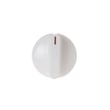
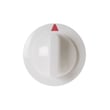
GE can use different versions of the same style dryer over time. Using the exact model number (DBLR333ET0WW) helps ensure you get the right fit for parts like a belt drive component, a timer knob, or a drum support item.
Example: part lookup vs. symptom
| If your issue is | The tag helps us choose the correct | Example part you might see listed |
|---|---|---|
| Squealing or thumping | Drum support and drive parts | Idler pulley WE12X83 |
| Knob is loose or missing | Control knob and clip style | Timer knob (varies by model version) |
| Poor airflow or lint buildup | Lint screen and blower parts | Lint screen (varies by model version) |
Quick tip before ordering
Write the model and serial number down exactly as shown, including all letters and numbers. Then match the part by model to avoid returns.
Last updated: February 2026
How to factory reset a GE dryer?
GE electric dryers like model DBLR333ET0WW typically do not have a true “factory reset” that wipes settings. Most reset situations are handled by power-cycling the dryer to clear a control glitch, then correcting the underlying issue (door switch, airflow restriction, or a failing drive component).
Quick reset (power cycle)
- Turn the dryer OFF.
- Unplug the power cord (or switch the dryer breaker OFF).
- Wait 1 minute.
- Restore power, then start a timed cycle.
If the dryer still will not run after a reset
These checks solve most “needs a reset” complaints on DBLR333ET0WW:
- Confirm the door fully closes and the latch engages.
- Clean the lint screen; replace it if torn or warped (see filter WE18X54).
- Check the house power: an electric dryer needs 240V; a tripped breaker can leave it with partial power.
- Listen for motor hum with no drum movement; a worn belt system often points to the idler pulley WE12X83.
- If the motor will not start or stalls repeatedly, the drive system may need service (see motor WE17X10010).
What “reset” fixes vs. what it does not
| Symptom | Reset helps? | What usually fixes it |
|---|---|---|
| Control acting odd after outage | Yes | Power cycle, then retry cycle |
| Dryer runs but dries slowly | No | Venting and lint buildup cleanup |
| Drum will not turn | No | Idler/belt/drum support inspection |
| No start with door closed | Sometimes | Door switch/latch circuit checks |
Why it matters
A reset only clears a temporary control hiccup. If airflow is restricted or a mechanical part is failing, the dryer can overheat, shut down, or stop tumbling again quickly, so addressing the root cause prevents repeat no-starts and long dry times.
Last updated: February 2026
Where is my thermal fuse located on my GE dryer?
On the GE DBLR333ET0WW electric dryer, the thermal fuse is located inside the cabinet on the exhaust airflow path; it is typically mounted on or next to the blower housing or exhaust duct near where air leaves the drum area. You reach it by opening the cabinet and following the vent path.
Where to look (most common GE layout)
- Start at the lint screen housing and follow the duct toward the blower
- Check the blower housing area first (near the motor and blower wheel)
- Look for a small, flat safety device with two wires on a small bracket
- It is usually not on the drum; it is on the exhaust/airflow components
- If you see heavy lint buildup, clean it before reassembly
Safe access steps
- Unplug the dryer (electric dryers use 240V).
- Pull the dryer forward and disconnect the vent hose.
- Remove the service panel that exposes the blower and exhaust ducting (rear panel on many GE designs; some use front access).
- Locate the blower housing and exhaust duct; the thermal fuse is mounted on that airflow assembly.
Quick airflow checks (do these before replacing any fuse)
Restricted airflow is what causes most thermal fuses to open.
| Check point | What to inspect | What to do |
|---|---|---|
| Lint screen | Clogged mesh, residue | Wash and dry the screen; reinstall fully |
| Blower area | Lint packed around blower | Vacuum lint from housing and duct |
| Vent hose | Kinks, crushing, long run | Straighten or replace; keep run short |
| Outside vent hood | Flap stuck, blockage | Clear lint and confirm strong airflow |
Parts on this model that support airflow
- Dryer blower wheel WE16M15: a cracked or loose wheel reduces airflow and increases heat.
- Filter WE18X54: a damaged or missing screen lets lint collect in the blower and vent.
Why it matters
The thermal fuse is a one-time safety cutoff; when it opens, the dryer often will not run or will run with no heat. Restoring proper venting helps prevent the new fuse from opening again.
Last updated: February 2026





