Owner’s manual
 Error Codes








Is 6.7 cubic feet a big dryer?
Yes. A 6.7 cu. ft. Maytag dryer like model MED7230HC0 is considered large capacity for home use, so it handles bulky items (comforters, blankets) and bigger family loads with fewer cycles.
What “6.7 cu. ft.” means in real laundry terms
Large-capacity dryers are designed to tumble items freely so heated air can move through the load.
- Fits bulky items such as queen comforters (depending on fill and weight)
- Handles large towel loads without overpacking
- Helps reduce drying time compared with cramming a smaller drum
- Works best when you leave some space at the top of the drum for airflow
For cycle and load guidance specific to MED7230HC0, use the owner's manual.
Typical dryer capacity ranges (quick comparison)
| Capacity (cu. ft.) | Common label | Best for |
|---|---|---|
| 3.4 to 4.4 | Compact | Small loads, apartments |
| 5.0 to 6.0 | Standard | Most households |
| 6.5 to 7.4 | Large | Families, bulky items |
| 7.5+ | Extra-large | Very large loads, frequent laundry |
Why it matters
Capacity affects performance and efficiency. When the drum is too full, clothes cannot tumble properly, airflow drops, and drying times increase. Good airflow also helps prevent overheating conditions that can stress temperature-sensing parts such as a dryer thermistor WP8577274 and safety devices like a thermal fuse W10909685.
Tips to get the best results from a large-capacity dryer
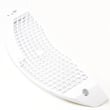
- Clean the lint screen before every load
- Avoid overloading; aim for a “loose basket” feel
- Use the correct cycle (sensor cycles for mixed loads, timed for specialty items)
- Keep venting as straight and short as practical; excessive elbows reduce airflow
- If drying suddenly takes much longer, check venting and the blower area
Last updated: February 2026
Are all washers and dryers 27 inches wide?
No. Many full-size washers and dryers are about 27 inches wide, but not all models are; compact units are often closer to 24 inches, and some large-capacity designs can be closer to 29 to 30 inches. For your Maytag MED7230HC0 dryer, confirm the exact cabinet width and required clearances in the MED7230HC0 owner's manual.
Typical widths you will see
Most laundry appliances fall into a few common size groups:
- Compact: about 24 inches wide (common for apartments and tight closets)
- Full-size standard: about 27 inches wide (most common side-by-side sets)
- Oversize: about 29 to 30 inches wide (some high-capacity or specialty models)
Measure the right way (so it actually fits)
When planning a replacement or a side-by-side set, we recommend measuring more than just the opening:
- Measure the narrowest point of the space (trim, door jambs, baseboards)
- Allow room for door swing and access to the lint screen
- Leave space for venting and electrical connections behind the dryer
- Plan for installation and servicing clearance on the sides and rear
- If installing in a closet, confirm the space allows proper airflow
Quick sizing checklist
Use this as a fast reference when comparing models.
| What you’re checking | What to measure | Why it matters |
|---|---|---|
| Cabinet width | Left to right across the dryer body | Determines basic fit in the opening |
| Depth | Front to back (include controls if they protrude) | Prevents the unit from sticking out |
| Height | Floor to top | Helps with shelves and stacked spaces |
| Clearance | Space around the dryer | Helps door opening, airflow, and service access |
Why it matters
Even a 1 to 2 inch difference can prevent the dryer from sliding into place or can kink the vent, which can reduce drying performance and increase drying time. The manual also calls out that the space must be large enough for the door to fully open and recommends allowing extra room for installation and servicing.
Last updated: February 2026
How to clear error code on tumble dryer?
On a Maytag MED7230HC0 dryer, we clear most error codes by canceling the current cycle and then correcting the condition that caused the code (power supply, door not closed, or restricted airflow). After the issue is fixed, restart a cycle; the code typically clears on its own. See the owner's manual for the exact control steps for your panel.
Quick reset steps (safe first)
- Press Power/Cancel to stop the cycle.
- Turn the dryer Off, wait 1 minute, then turn it back On.
- Close the door firmly and start a Timed Dry (heated) cycle.
- If the code returns immediately, address the cause below before running more loads.
Fix the most common causes behind the code
Many “tumble dryer” error codes are symptoms of one of these issues:
- Airflow restriction: lint screen clogged, vent crushed, or vent blocked.
- Power supply problem: the dryer runs but heat is weak or off (often tied to an L2-type condition).
- Overheating protection tripped: caused by poor venting or internal lint buildup.
- Temperature sensing issue: sensor/thermistor reading out of range.
What the display message usually points to
| What you see | What it usually means | What we do next |
|---|---|---|
| “Check Vent” | Restricted exhaust airflow | Clean lint screen; inspect and clear venting |
| Heat not coming on; L2-type condition | One leg of power missing or supply issue | Check breaker/fuses; verify proper outlet power |
| Dryer stops; no heat after overheating | Safety device opened | Correct venting; test/replace safety parts |
Parts that commonly relate to recurring heat or airflow codes
If the code keeps returning after venting is confirmed clear, these model-compatible parts are often involved:
- Dryer thermistor WP8577274 (temperature sensing)
- Thermal fuse W10909685 (opens if overheating occurs)
- Dryer high-limit thermostat WP8557403 (limits heater temperature)
- Element, heater 5400w WP3387747 (electric heat source)
Why it matters
Clearing the code without fixing the cause can lead to long dry times, repeated shutdowns, or overheating protection trips. Restoring proper airflow and stable power helps the MED7230HC0 dry efficiently and prevents repeat errors.
Last updated: February 2026