Error Codes









How do I tell what model my Kenmore dryer is?
Your Kenmore dryer’s model number is printed on the appliance’s ID label; once you find it, match that exact number (for example, 11079132414) when ordering parts or troubleshooting so you get the correct fit and wiring for your dryer.
Where to find the model number label
On most Kenmore dryers, we see the model/serial label in one of these spots:
- Inside the dryer door opening (on the door frame)
- On the back panel of the dryer cabinet
- Behind the lint screen area (check the housing and nearby surfaces)
- Along the side of the door opening (left or right jamb)
- On the lower front area behind a small access panel (less common)
What to write down (and why)
Record the information exactly as shown on the label.
- Model number (use this to look up diagrams and compatible parts)
- Serial number (helps identify production run details)
- Type (gas vs. electric, if listed)
- Any suffix letters/numbers after the model (they can change part compatibility)
Quick ID checklist
| Label item | Example | What we use it for |
|---|---|---|
| Model number | 11079132414 | Correct parts list and fit |
| Serial number | (varies) | Production details |
| Fuel type | Gas / Electric | Heating and ignition parts |
Why it matters
Kenmore model numbers can look similar, but small differences can change key components like the drive belt, drum support rollers, or electronic control. Using the exact model number helps prevent ordering the wrong part and repeating the repair.
Related help for Kenmore dryers
If your dryer is showing a code after you identify the model family, use our error-code reference to narrow the problem quickly: Kenmore 110 series electronic control model dryer error codes.
Last updated: February 2026
How to open Kenmore dryer control panel?
To open the control panel on your Kenmore dryer model 11079132414, we typically remove the top panel first, then remove the screws that secure the control console so it can hinge forward or lift off. This gives access to the user interface and the electronic control area.
Before you start (safety and prep)
- Unplug the dryer from the wall outlet.
- If it is a gas dryer, shut off the gas supply valve.
- Pull the dryer forward so you can reach the rear and sides.
- Use a container for screws so nothing gets lost.
- Take a quick photo of wire routing before disconnecting anything.
Common way to open the control panel on 11079132414
On many Kenmore 110-series style dryers, the control panel is accessed after the top is removed.
- Remove the screws at the back edge of the top panel.
- Lift the back of the top panel up, slide it back about 1 inch, then lift it off.
- Locate the screws holding the control console or the bracket the control sits on.
- Remove those screws and carefully tilt the console forward.
- If you need the console fully off, disconnect wire harness plugs (pull on connectors, not wires).
What you will see once it is open
| Area you access | What it does | What to watch for |
|---|---|---|
| Console wiring harnesses | Connects buttons/knob to control | Don’t pull on wires; release locking tabs |
| Control mounting bracket | Holds the control in place | Keep screw locations organized |
| Electronic control area | Runs cycles and heat logic | Avoid static; handle by edges |
When opening the panel matters
Opening the control panel is usually the first step when diagnosing a dead display, unresponsive buttons, or when replacing the main control. If the dryer is completely unresponsive, also check the house breaker and door switch operation before replacing parts.
Parts that are commonly involved in control-area repairs
If you’re opening the console because the dryer won’t run or acts erratically, these model-matched parts are often checked during diagnosis:
- Electronic control W11165876 (main control board)
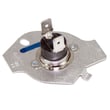
- Thermal fuse W10909685 (opens if the dryer overheats)
- Dryer thermistor WP8577274 (helps regulate temperature)
Last updated: February 2026
How do I know if my Kenmore dryer thermal fuse is blown?
If your Kenmore dryer model 11079132414 won’t start at all, or it runs but stops heating, a blown thermal fuse is a top suspect. The sure way to confirm is a continuity test with a multimeter after unplugging the dryer; an open (no continuity) reading means the fuse is blown.
Common symptoms of a blown thermal fuse
A thermal fuse is a one-time safety device; when it opens, it cuts power to protect the dryer from overheating.
- Dryer will not start (no motor run)
- Dryer runs but produces no heat (on some designs)
- Timer advances but drum does not tumble
- You recently noticed very long dry times or a hot cabinet before the failure
- Burning smell or excessive heat from restricted venting (often the root cause)
How we test it (basic continuity check)
- Unplug the dryer (and shut off gas if you’re working on a gas model).
- Access the fuse (commonly on the blower housing or exhaust duct area).
- Remove at least one wire from the fuse terminal.
- Meter set to continuity or lowest ohms:
- Good fuse: continuity (beep or near 0 ohms)
- Blown fuse: no beep, OL, or very high resistance
Quick results guide
| Meter result | What it means | What to do next |
|---|---|---|
| Beep / ~0 Ω | Fuse is good | Check door switch, start switch, thermal cut-off, igniter/heater circuit |
| No beep / OL | Fuse is blown | Replace the fuse and correct airflow restriction |
Parts that commonly apply to this symptom
For this model, the fuse most customers replace is the thermal fuse W10909685. If overheating caused the failure, it’s also smart to inspect the dryer thermal cut-off kit WP8573713 and the venting system.
Why it matters
Replacing a thermal fuse without fixing the overheating cause (usually lint buildup or a crushed/long vent) often leads to another blown fuse and continued no-heat or no-start problems.
Last updated: February 2026