Installation guide
 Owner’s manual
 Error Codes







What is the warranty on the htx24easkws?
The Hotpoint HTX24EASK0WS electric dryer is covered by a limited one-year warranty from the original purchase date; it covers any dryer part that fails due to a defect in materials or workmanship, and it also includes labor and related service to replace the defective part. See the HTX24EASK0WS owner’s manual for the full warranty terms and exclusions.
What the 1-year limited warranty covers
- Coverage period: 1 year from the original purchase date
- Covered items: any dryer part that fails due to a defect in materials or workmanship
- Included costs: labor and related service to replace the defective part
- Intended use: products purchased for home use within the USA
What’s typically not covered (common examples)
Warranty exclusions vary by situation, but common non-covered items include:
- Improper installation, delivery, or maintenance
- House fuses or resetting circuit breakers
- Damage after delivery or from accidents
- Service trips to teach operation
- Light bulb replacement
Quick warranty snapshot
| Item | Hotpoint HTX24EASK0WS warranty (typical) |
|---|---|
| Parts coverage | 1 year |
| Labor coverage | 1 year |
| Proof needed | Original purchase receipt |
Why it matters
Knowing the warranty window helps you decide whether to schedule service or move straight to troubleshooting and parts replacement. If your dryer is outside the 1-year period, we typically focus on diagnosing symptoms and matching the correct Hotpoint replacement parts by model number.
Last updated: January 2026
How to tell if a dryer thermal fuse is blown?
On the Hotpoint HTX24EASK0WS electric dryer, a blown thermal fuse commonly shows up as a dryer that won’t start, or a dryer that runs but won’t heat. The most reliable way to confirm is a continuity test with a multimeter after disconnecting power (a blown fuse reads “open”).
Quick symptoms you can check first
These signs often point to a blown thermal fuse, but they are not a definitive test:
- Dryer won’t start at all (no motor run)
- Dryer tumbles but produces no heat
- Cycle stops early or seems to shut down unexpectedly
- Burning smell or unusually hot cabinet (stop using it and check venting)
- Lint buildup in the lint screen area or vent ducting (common root cause)
How we test the thermal fuse (the definitive check)
- Unplug the dryer (or switch off the breaker). Pressing Start does not remove power.
- Access the fuse area using the disassembly guidance in the HTX24EASK0WS owner’s manual.
- Remove at least one wire from the fuse terminal so you are not reading through the circuit.
- Set your multimeter to continuity (beep) or ohms.
- Touch a probe to each fuse terminal.
What the meter reading means
| Meter result | What it usually means | What to do next |
|---|---|---|
| Beep or near 0 Ω | Fuse is good (closed) | Keep troubleshooting (thermostat, heater, timer, power) |
| No beep / OL / infinite Ω | Fuse is blown (open) | Correct airflow issue, then replace fuse |
Why it matters (and what to do before replacing anything)
A thermal fuse is a one-time safety device; it opens when the dryer overheats. If you replace it without fixing the overheating cause, it can blow again.
- Clean the lint screen and lint screen housing
- Inspect and clean the vent run to the outside (kinks, crushed duct, lint blockage)
- Confirm the outside vent hood opens freely
- Use 4-inch metal ducting and keep the run as short as practical
For airflow-related drying problems, we recommend reviewing dryer takes a long time to dry.
Related parts that can affect overheating
If airflow is good but you still have heat problems, these components are commonly involved:
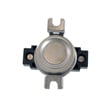
- Dryer high-limit thermostat WE04X26139 (opens if temperatures get too high)
- Operating thermostat (regulates normal cycling temperature)
- Heating element (if the dryer won’t heat)
Last updated: January 2026
Why is my Hotpoint dryer not heating?
If your Hotpoint HTX24EASK0WS electric dryer tumbles but won’t heat, the most common causes are a tripped breaker (many electric dryers need two breakers), restricted venting that overheats the dryer, or a failed heating circuit part such as the heating element or a thermostat. Use the HTX24EASK0WS owner’s manual troubleshooting tips to narrow it down.
Quick checks first (no disassembly)
- Confirm the cycle and temperature are set to a heat setting (not Air Fluff/No Heat).
- Reset both dryer breakers (or replace both fuses if your home uses fuses).
- Clean the lint screen and make sure it is fully seated.
- Check airflow outside; weak airflow often points to a clogged vent.
- Let the dryer cool for 30 minutes and try again; overheating can open safety thermostats.
Parts that commonly stop heat on this model
On the HTX24EASK0WS (electric), these parts are frequent no-heat culprits:
- Heating element: open/burned coil
- High-limit thermostat: opens if the heater housing gets too hot
- Operating thermostat: regulates normal cycling temperature
- Safety thermostat: opens under unsafe temperature conditions
If you’re testing or replacing parts, start with the heater circuit:
- Dryer heating element WE11M10001
- Dryer high-limit thermostat WE04X26139
- Dryer operating thermostat WE04X25201
- Dryer safety thermostat WE04X25194
What to test (basic order)
Disconnect power before accessing internal components.
| Step | What you’re checking | What it tells you |
|---|---|---|
| 1 | House power (2 breakers/fuses) | Dryer can run on 120V but won’t heat without full 240V |
| 2 | Venting and airflow | Poor airflow can cause overheating and repeated no-heat |
| 3 | Heating element continuity | Open element means no heat |
| 4 | Thermostats continuity | An open thermostat can interrupt power to the heater |
Why it matters
A no-heat condition is often tied to airflow. Fixing the venting issue first helps prevent repeat failures of the heating element and thermostats and improves drying performance.
Last updated: January 2026