Error Codes



How to reset a KitchenAid wall oven?
To reset your KitchenAid built-in electric wall oven model KOST100ESS04, do a power reset: cancel the cooking cycle, shut the oven’s breaker OFF for 60 seconds, then turn it back ON and confirm the display returns to normal.
Reset steps (power-cycle reset)
- Press Cancel/Off to stop Bake, Broil, or Self-Clean.
- Turn the oven circuit breaker OFF (or remove the fuse if applicable).
- Wait 60 seconds.
- Turn the breaker ON.
- Reset the clock if prompted, then test Bake for a few minutes.
If the oven is still blank or keeps rebooting
A reset that does not hold usually means the control is not getting stable power, or a safety device opened from heat.
- Make sure the breaker is fully reset (switch OFF, then ON).
- Let the oven cool 30 to 60 minutes if it shut down during high heat.
- If the display stays dead after power is restored, check the thermal protection circuit.
Parts commonly involved in “no power” or reset issues
| What you see | What it points to | Part on this model |
|---|---|---|
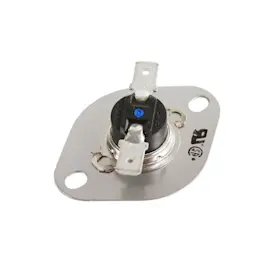
| Display completely dead | Open thermal fuse or fuse assembly | Fuse assy ja W11204568 |
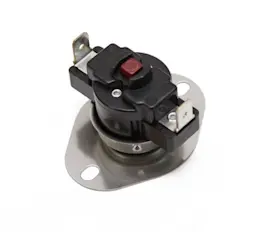
| Oven shuts off when hot | High-limit thermostat opening | Range high-limit thermostat WP4449751 |
| Random resets or unresponsive keys | Control or power supply problem | Control (with power supply) W11179310 |
Why it matters
A power reset clears temporary control lockups and restores normal operation after a glitch. If the oven repeatedly loses power or resets mid-cycle, addressing the underlying power, overheating, or control issue prevents interrupted baking and broiling.
Last updated: February 2026
What is the life expectancy of a KitchenAid wall oven?
A KitchenAid built-in electric wall oven like model KOST100ESS04 typically lasts 10 to 15 years with normal household use. Consistent cleaning, good airflow around the cabinet, and avoiding repeated extreme-heat cycles help you reach the upper end of that range.
Typical lifespan and what affects it
Most wall ovens fail early for a few predictable reasons. These factors have the biggest impact on service life:
- Heavy use (daily high-temperature baking or frequent broiling)
- Repeated self-clean cycles (very high heat stresses wiring and controls)
- Poor ventilation or blocked vents that trap heat in the control area
- Power issues (surges, loose connections, or incorrect supply voltage)
- Door seal or hinge wear that lets heat escape and forces longer run times
What usually wears out first
On electric wall ovens, the most common wear items are heating and safety components, plus electronics.
| Component | What you notice | Common fix type |
|---|---|---|
| Bake element | Slow preheat, uneven baking, no heat in Bake | Replace element |
| Thermal safety device | Oven goes dead or won’t heat after overheating | Test and replace if open |
| Control board / power supply | Random shutdowns, error beeps, dead display | Diagnose power and replace control if needed |
| Door hardware | Door won’t close tightly, heat leaks | Adjust or replace hinge parts |
If you’re troubleshooting heat problems on KOST100ESS04, the model-matched range bake element W11545804 and range high-limit thermostat WP4449751 are two parts we often see involved.
How to extend the life of your KOST100ESS04 wall oven
These steps reduce heat stress and help prevent premature failures:
- Use self-clean sparingly; spot-clean spills when the oven is cool
- Keep vents clear; do not block airflow with foil or oversized liners
- Avoid slamming the door; it strains hinges and can damage the door seal
- If preheat times suddenly increase, test the bake element before it fails completely
- If the oven goes dead, check for a tripped breaker first; then test the thermal fuse circuit
Why it matters
A wall oven’s electronics and safety devices sit in a hot environment. Reducing excess heat buildup and catching a weak bake element early helps protect the control area and can add years to the oven’s usable life.
Last updated: February 2026
What size is a KitchenAid wall oven?
For the KitchenAid KOST100ESS04 built-in electric wall oven, the “size” you shop by is typically the cabinet cutout width class (most commonly 24, 27, or 30 inches). Exact cutout and overall dimensions vary by model, so we recommend matching your opening measurements to the KOST100ESS04 specs before ordering parts.
Typical wall oven size ranges (what most homeowners mean by “size”)
Most single wall ovens fall into these common ranges:
- Width class: 24 in, 27 in, or 30 in
- Overall height: typically about 27 to 29 in
- Overall depth: typically about 22 to 24 in (not including handle)
- Capacity: commonly about 2 to 5 cubic feet
How to measure your opening correctly
Use a tape measure and record all three dimensions; measure in multiple spots because cabinets can be out of square.
- Measure cutout width (left to right inside the cabinet opening)
- Measure cutout height (top to bottom inside the opening)
- Measure cutout depth (front of cabinet to back wall)
- Check for clearance behind the oven for wiring and airflow
- Note whether your oven is single or double wall oven (KOST100ESS04 is a single wall oven model)
Why the exact size matters for parts and fit
Even if two ovens are both “30-inch,” trim, door, and mounting geometry can differ. That affects whether cosmetic and fit-related parts install correctly.
| What you are replacing | Why size matters | Example part on this model |
|---|---|---|
| Oven racks | Rack width and support positions must match | Range oven rack WPW10554526 |
| Vent trim / bottom trim | Must match the opening and trim profile | Wall oven bottom vent trim (stainless) WPW10327377 |
| Door components | Door alignment and sealing depend on exact fit | Wall oven door hinge receiver W11613828 |
Quick tip if you are unsure which “size class” you have
If your cabinet opening measures close to 28 1/2 to 29 7/8 inches wide, you are usually in the 30-inch class. If it is closer to 25 1/2 to 26 7/8 inches, you are usually in the 27-inch class. Use your actual cutout measurements to confirm before you buy.
Last updated: February 2026
Why is my KitchenAid wall oven not turning on?
If your KitchenAid KOST100ESS04 built-in electric wall oven will not turn on at all (no display, no beeps, no heat), the problem is usually loss of power to the oven, a blown internal fuse, or a failed control. For this model, start by checking the power supply and then test the fuse and control components.
Quick checks first (most common)
- Confirm the wall oven breaker is fully reset (turn OFF, then ON). A tripped breaker can look “on” but still be tripped.
- Verify the oven is getting the correct supply voltage at the junction box (electric wall ovens typically use 240 VAC).
- If the display is blank, listen for the cooling fan or relay clicks; total silence often points to a power or fuse issue.
- If the display works but the oven will not heat, the issue is more likely a heating circuit part (element, thermostat) than the main power feed.
Parts on this model that commonly cause a “dead” oven
These parts are listed for KOST100ESS04 and are common failure points when the oven will not power up:
- Fuse assy ja W11204568 (often opens after an overheat or surge)
- Control (with power supply) W11179310 (main control and power supply functions)
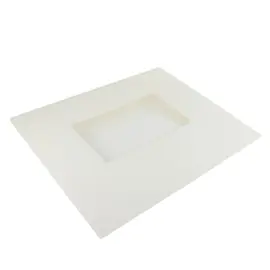
- Control panel assembly (stainless) W11087446 (user interface issues can prevent startup)
What to test (safe, practical troubleshooting)
Before testing, shut off power at the breaker.
- Check for loose or burned wire connections at the junction box and where the harness plugs into the control.
- Test the fuse for continuity; a blown fuse will read open.
- If the fuse is good, check for proper voltage into the control and output to the low-voltage circuits.
- Inspect the harness for heat damage or broken conductors.
Symptom-to-likely-cause guide
| What you see | Most likely cause | What to do next |
|---|---|---|
| No display, no sound | Power supply issue or blown fuse | Verify breaker and voltage; test fuse |
| Display on, buttons unresponsive | Control panel issue | Inspect ribbon/connector; consider control panel |
| Display on, starts then shuts off | Overheat protection event | Check cooling airflow; test high-limit thermostat |
Why it matters
A wall oven that will not turn on is often a simple power interruption, but it can also be a protective shutdown from overheating. Testing in the right order prevents replacing expensive electronic controls when the real issue is a fuse, wiring connection, or over-temperature condition.
Last updated: February 2026