 Installation guide
 Owner’s manual
 Error Codes





What's the best electric wall oven?
For most homes, the “best” electric wall oven is the one that fits your cabinet cutout, electrical setup, and cooking needs reliably. If you’re shopping around while owning a GE JKS3000SN1SS, use its size and installation requirements as your baseline so any replacement is a true fit.
What to compare (the factors that decide “best”)
- Cutout and overall size: 27-inch vs 30-inch, single vs double wall oven
- Electrical connection: many wall ovens are hard-wired to a junction box (no plug)
- Cooking performance: convection vs standard bake, preheat speed, temperature stability
- Controls and features: basic touch controls vs smart features you will actually use
- Serviceability: parts availability (elements, sensors, control boards) and repair access
Use your current oven as the benchmark (JKS3000SN1SS)
Start by confirming your exact model and installation constraints in the JKS3000SN1SS owner's manual and the JKS3000SN1SS installation guide. Those documents help you match:
| What you’re matching | Why it matters | What to verify |
|---|---|---|
| Cabinet cutout | Prevents gaps, trim issues, and rework | Cutout width/height/depth and support requirements |
| Wiring method | Avoids unsafe or non-compliant installs | Hard-wire (direct-wire) junction box requirement |
| Single vs double | Changes capacity and cutout | Door swing, rack positions, usable space |
“Best” picks by shopper type (practical guidance)
| If you care most about... | Look for... |
|---|---|
| Reliability and easy ownership | Proven brand support, simple controls, strong parts availability |
| Even baking | Convection options, stable temperature control, good rack system |
| Value | Fewer “smart” features, strong warranty, common replacement parts |
| Quiet operation | Well-designed cooling fan system and insulation |
Why it matters
Wall ovens are built-in appliances; the “best” model is the one that installs correctly in your existing cabinet and electrical setup. A great-rated oven that does not match your cutout or wiring requirements quickly becomes an expensive remodel.
Last updated: February 2026
How long do GE wall ovens last?
Most GE electric wall ovens, including model JKS3000SN1SS, last about 12 years with normal household use. With consistent cleaning, correct installation clearances, and prompt repair of heating or control issues, it’s common to reach 15 years.
Typical lifespan and what affects it
- Usage frequency: daily high-heat baking and broiling shortens life compared to light use.
- Heat stress: repeated self-clean cycles and poor ventilation accelerate wear on electronics.
- Power quality: surges can damage the control board and UI.
- Door seal condition: heat leaks make the oven work harder and can affect temperature stability.
- Maintenance habits: keeping the cavity and vents clean reduces overheating.
| What you do | Typical result | Why it helps |
|---|---|---|
| Use self-clean sparingly | Longer control life | Reduces extreme heat exposure to wiring and boards |
| Replace failed sensors early | More accurate temps | Prevents overbaking and overheating |
| Keep door sealing tight | Faster preheat, steadier bake | Reduces heat loss and element run time |
Parts that commonly impact “how long it lasts”
If performance drops, replacing a few key parts often restores reliable operation and extends service life:
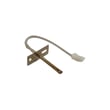
- Wall oven temperature sensor WB21X10165 (helps correct inaccurate temperatures)
- Range bake element WB44X21668 (restores heating when baking is weak or uneven)
- Control board asm WB27X36809 (addresses dead display, no-heat, or erratic operation)
Why it matters
A wall oven that is slow to preheat, bakes unevenly, or can’t hold temperature runs longer and hotter than it should. That extra run time increases wear on the bake element, temperature sensor, and control electronics, which can shorten overall lifespan.
Where to confirm model-specific care and operating tips
For cleaning guidance, rack placement, and operating features that help reduce wear, follow the JKS3000SN1SS owner’s manual.
Last updated: February 2026
How to find wall oven model number?
For the GE JKS3000SN1SS electric wall oven, the model and serial numbers are printed on a label located on the side trim or on the front of the lower oven behind the oven door; confirm the exact location in the JKS3000SN1SS owner's manual.
Where to look first (fastest checks)
- Open the oven door and look along the side trim (the vertical trim area at the front edge).
- Check the front frame area just inside the opening.
- If it is a double-oven style cabinet, check behind the lower oven door area first.
- Use a flashlight; labels are often low-contrast and easy to miss.
If you are installing or the oven is already in the cabinet
The installation information also references a label location on the top of the oven for approved models; that is most useful before the unit is fully secured in the cutout. Use the JKS3000SN1SS installation guide for cabinet and access details.
What the label typically includes
| Item on label | What it’s used for | When you need it |
|---|---|---|
| Model number (example: JKS3000SN1SS) | Matching parts and diagrams | Ordering parts like a control board or sensor |
| Serial number | Date/production identification | Service calls and warranty paperwork |
| Electrical ratings | Verifying power requirements | Installation and troubleshooting |
Why it matters
We use the exact model number to match the correct GE wall oven parts (for example, a temperature sensor, control board, or door components). Even small model-number differences can change wiring, trim, and electronic controls.
Last updated: February 2026
How to reset a GE wall oven?
To reset your GE JKS3000SN1SS electric wall oven, turn the oven’s circuit breaker OFF (or remove the fuse) for about 1 minute, then restore power. This power-cycle resets the electronic control and clears many temporary control glitches.
Reset steps (safe, standard method)
- Turn the oven OFF at the control panel.
- Switch the dedicated oven circuit breaker to OFF (or remove the fuse).
- Wait 60 seconds.
- Switch the breaker back to ON (or reinstall the fuse).
- Confirm the display powers up and try Bake.
- Reset the clock if needed (some models prompt after power loss).
If the reset does not fix the problem
A reset helps with “frozen” controls, but it will not correct a failed part or wiring issue.
- If the display is still blank, verify the breaker is fully RESET/ON and power is in service.
- If the oven heats incorrectly or shows temperature-related symptoms, test/inspect the wall oven temperature sensor WB21X10165.
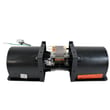
- If the oven runs hot and the cooling fan behavior seems abnormal, check the wall oven cooling fan assembly WB26X31060 and related wiring.
- If the oven will not start after a self-clean or shows lock-related symptoms, inspect the door lock mechanism.
Quick symptom guide
| What you see | What the reset usually helps | What to check next |
|---|---|---|
| Control panel unresponsive | Yes | Power supply, wiring, control board connections |
| Error returns immediately | Sometimes | Sensor, fan, control board depending on code |
| No heat but display works | Rarely | Bake element, sensor, wiring |
Why it matters
Power-cycling clears the control’s memory and reboots the user interface, which is often enough after a brief power surge or a stuck keypad. For persistent issues, the next step is checking the specific circuit and the most likely heating or sensing components.
For model-specific operating details and control behavior, use the JKS3000SN1SS owner’s manual.
Last updated: February 2026





