 Installation guide
 Owner’s manual
 Error Codes



How to reset a Frigidaire electric range?
To reset your Frigidaire LGEF3045KFE electric range, turn the range off and disconnect power at the circuit breaker (or unplug it) for about 10 minutes, then restore power and reset the clock and any cooking functions per the LGEF3045KFE owner's manual.
- Turn all surface elements and the oven off.
- Switch the range circuit breaker OFF (or unplug the power cord).
- Wait 10 minutes to let the control fully power down.
- Restore power.
- Set the clock and reselect your oven mode (Bake, Broil, Convection).
The manual warns not to operate the range during a power failure. If power returns while a function was selected, the range can resume operation; resetting clears the control state and helps prevent unexpected heating.
- Confirm the display is normal (no flashing time).
- Test Bake at 350°F and verify the oven heats.
- Test a surface element and confirm it cycles normally.
- If an error code appears, use the Frigidaire self-cleaning range error codes guide to match the code to the next step.
| What happens after reset | What it usually indicates | What to do next |
|---|---|---|
| Works normally | Temporary control glitch | No further action |
| Clock resets but oven will not heat | Heating circuit issue (element, sensor, control) | Troubleshoot heating components |
| Error code returns quickly | Persistent fault detected | Follow error-code steps |
A proper power reset is the fastest way to clear a stuck keypad or control logic issue on an electric range. It also ensures the oven does not restart a cooking cycle unexpectedly after power is restored.
Last updated: February 2026
Where can I find my Frigidaire oven part number?
On your Frigidaire LGEF3045KFE electric range, the part number is printed on the part itself; we use your model number from the ID label to look up the correct replacement part. The model and serial label is typically visible when you open the oven door, along the oven frame or side trim.
Check these common spots first (power off is not required for this step):
- Along the oven frame (front edge) that’s visible with the door open
- On the left-side oven frame/trim behind the door
- Around the lower drawer opening frame (if your range has a storage drawer)
- Occasionally behind the control panel area (less common)
Once you find the label, match parts using the full model number LGEF3045KFE and, when available, the serial number.
- Write down the model number exactly as shown
- Record the serial number too (it can affect part revisions)
- Use the parts diagram list for your model to select the exact match
- Confirm the part name and description before ordering
| Item | What it identifies | Where you’ll see it |
|---|---|---|
| Model number | The exact range version | ID label on the range |
| Serial number | Production run details | Same ID label |
| Part number | The replacement component | Printed on the part or on its packaging |
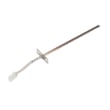
If you’re replacing an oven temperature sensor, the part used on this model is the Frigidaire range oven temperature sensor 316490000.
Using the correct model number prevents ordering a look-alike part that does not fit your wiring, mounting points, or control system. That is especially important for electrical parts like a bake element, control board, or temperature sensor.
For diagrams and model-specific identification notes, use the LGEF3045KFE owner’s manual.
Last updated: February 2026
What does F30 mean on a Frigidaire stove?
On the Frigidaire LGEF3045KFE electric range, the F30 error code points to a problem in the oven temperature sensor circuit. In most cases, the sensor probe is unplugged, damaged, or the wiring between the sensor and the control has an open connection.
- Press CANCEL to stop the beeping and clear the code.
- Turn power off at the breaker (or unplug if accessible), wait 5 minutes, then restore power.
- Try BAKE again; if F30 returns, focus on the sensor circuit.
- Let the oven cool before touching any internal parts.
- Review the error and control steps in the LGEF3045KFE owner's manual.
- Loose or disconnected temperature sensor plug
- Damaged sensor harness (pinched, burned, or broken wire)
- Failed oven temperature sensor (out of range resistance)
- Control not reading the sensor signal correctly (less common)
| Symptom with F30 | Most likely area | Example part for LGEF3045KFE |
|---|---|---|
| F30 appears quickly after starting bake | Sensor circuit open/loose | Range oven temperature sensor 316490000 |
| Oven heats erratically before code | Sensor drifting | Range oven temperature sensor 316490000 |
| Code after moving range or service | Connector/wiring disturbed | Sensor connector and harness routing (see manual) |
The oven control uses the temperature sensor feedback to regulate bake and broil temperatures. When the control loses that signal, it triggers F30 to prevent overheating, underheating, and unreliable cooking results.
If your display shows other fault codes or you want a code list for Frigidaire ranges, use Frigidaire self-cleaning range error codes.
Last updated: February 2026
Can I look up Frigidaire parts by model number?
Yes. Looking up parts by model number is the most accurate way to get compatible replacement parts for your Frigidaire electric range model LGEF3045KFE, because it filters results to the exact configuration (cooktop, oven, controls) your range was built with. Use the model tag information and confirm details in the LGEF3045KFE owner's manual.
On this Frigidaire range, the manual points you to the serial plate location; it is typically found by opening the storage drawer (some models) or removing the lower front panel (some models).
- Check the serial plate area for model number and serial number
- Write the model number exactly as shown: LGEF3045KFE
- Use the full model number when searching (do not shorten it)
- If your range has a storage drawer, check inside that opening first
- If there is no drawer, check behind the lower front panel
Searching by model number narrows you to parts designed to fit your range’s wiring, mounting points, and temperature control system.
| What you search with | What you get | Best for |
|---|---|---|
| Model number (LGEF3045KFE) | Model-specific parts list | Correct fit and compatibility |
| Part ID (example: 316490000) | One exact part page | Reordering the same part |
| Part name only | Many similar results | Early troubleshooting only |
If you already know what failed, model lookup helps you land on the correct replacement the first time.
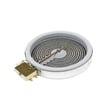
- Oven not heating or baking unevenly: Frigidaire range bake element 316505500
- Oven temperature seems inaccurate: Frigidaire range oven temperature sensor 316490000
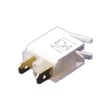
- Surface element won’t regulate heat: Frigidaire range small surface element control switch 316436000
Frigidaire ranges often have multiple versions that look similar but use different elements, sensors, or control boards. Using LGEF3045KFE prevents ordering a part that is close, but not compatible.
Last updated: February 2026
What are the parts of an electric oven?
An electric oven in a Frigidaire LGEF3045KFE range is built around the heating system (bake and broil), temperature sensing and control, airflow (on convection models), and the door and rack system that holds heat in and supports cookware. See the LGEF3045KFE owner's manual for your exact feature set.
- Bake element: primary heat source for baking and roasting (often hidden under the oven floor on many ranges).
- Broil element: top heat for browning and broiling.
- Oven temperature sensor: tells the control board the actual oven temperature (helps prevent over or underheating).
- Oven control board and keypad: sets modes, manages temperature, and runs the timer.
- Convection fan system (some models): circulates hot air for more even baking.
- Oven racks: support pans and position food for bake or broil.
- Oven door and door seal (gasket): keeps heat in; the seal is critical for stable temperatures.
- Oven light and light socket: illuminates the cavity.
- Self-clean door latch/lock (self-clean models): locks the door during self-clean.
- Oven vent: routes heat and moisture out of the oven.
| Symptom | Likely part area | Example part for this model |
|---|---|---|
| Oven temperature seems off | Temperature sensing | Range oven temperature sensor 316490000 |
| Oven will not bake | Heating | Frigidaire range bake element 316505500 |
| Oven will not broil | Heating | Range broil element 316430900 |
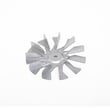
| Convection not circulating | Airflow | Range convection fan motor 316256100 |
| Heat leaks, long preheat | Door sealing | Frigidaire range oven door seal 316405000 |
| Light out | Lighting | Range light socket 316116400 or appliance light bulb, 40-watt 316538904 |
Knowing the major oven components helps you troubleshoot faster. For example, uneven baking often points to airflow or temperature sensing, while no heat usually points to a failed element or a control issue.
- Turn off power at the breaker before servicing any internal oven parts.
- Do not scrub or move the door gasket; it is essential for a good seal.
- Remove racks before self-clean to prevent discoloration and reduced glide performance.
Last updated: February 2026
Why is my Frigidaire oven display not working?
If the display on your Frigidaire LGEF3045KFE electric range is blank or unresponsive, the most common causes are a power supply problem (no or incorrect power to the range) or a failed control component such as the control board or touch/control panel. Start by confirming the range has proper power.
- Verify the range is fully plugged in and the cord is seated firmly.
- Reset the circuit: this range typically uses a 240-volt double breaker; turn it fully OFF, then ON.
- Check for a house power outage (other 240V appliances may also be affected).
- Confirm the clock is set; on this model, the time of day must be set before the oven will operate.
- If the display shows "SF", the range is in a Sabbath failure state after a power interruption; turn off Sabbath mode per the LGEF3045KFE owner's manual.
| Symptom | Most common cause | What to do next |
|---|---|---|
| Display completely blank | No power to range, tripped breaker, loose cord | Reset breaker; verify outlet power; inspect terminal block connections |
| Display works but keys do nothing | Control panel issue, stuck key, control lock/Sabbath mode | Cancel/clear settings; exit Sabbath; inspect keypad response |
| Display flickers or resets | Loose connection, failing control board, unstable power | Check wiring connections; consider control board replacement |
If power is correct and the display still fails, these parts are common culprits on electric ranges:
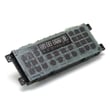
- Electronic control board (clock/control) such as range oven control board 5304495520
- Touch/control panel (if your model uses a separate panel)
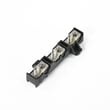
- Power connection components (cord, outlet, and the range terminal block)
A non-working display often means the oven controls are not receiving stable power or the electronic control cannot run. Fixing the power supply or control components restores safe operation for bake, broil, convection, and self-clean features.
Last updated: February 2026




