 Owner’s manual
 Error Codes




How do I reset my Kenmore Elite electric oven?
For the Kenmore electric range model 36291112002, the reliable “reset” is a power reset: turn the range’s power OFF at the circuit breaker for at least 10 seconds, then restore power and re-set the clock and any cooking function using the steps in the 36291112002 owner's manual.
Quick reset steps (power reset)
- Turn all oven and surface controls to OFF.
- Switch the range circuit breaker OFF (or remove the fuse).
- Wait at least 10 seconds.
- Restore power.
- Set the clock: press CLOCK twice, use SET TIME ▲/▼, then press CLOCK to start.
- Re-enter any bake or broil settings you were using.
What “reset” fixes (and what it does not)
| Symptom | Reset often helps | More likely cause |
|---|---|---|
| Display goes blank or lights come on when not in use | Yes | Power surge or control glitch |
| Oven will not work after an outage | Yes | Clock not set, controls not reset |
| Oven light does not work | No | Loose/failed bulb or socket |
| Burner will not heat | Sometimes | Bad surface element, receptacle, or switch |
If the issue is the oven light (common after a “reset” attempt)
If your goal is to restore the oven light, a reset usually will not help. Use these checks instead:
- Disconnect power before servicing.
- Let the bulb and cover cool completely.
- Replace with a 40-watt household appliance bulb.
- If the bulb is good but still no light, inspect the socket.
Helpful parts for this model include the 40a15bulb 40A15 and the range light socket WB08T10026.
Why it matters
A breaker reset clears many power-surge display problems and gets the control back to a known state. It also prevents repeated error conditions caused by unstable power, and it is the first step before replacing parts like a control, terminal block, or surface element switch.
Last updated: February 2026
How do I tell what model Kenmore stove I have?
Your Kenmore stove’s model number is printed on the appliance ID label; on Kenmore ranges it’s commonly located behind the range door or behind the storage drawer. Once you have it (for example, 36291112002), you can match the correct parts and manual for your exact range using the 36291112002 owner's manual.
Where to look on a Kenmore electric range
Check these common ID-label locations first:
- Behind the oven door, on the frame area around the opening
- Behind the storage drawer (pull the drawer out and look on the frame)
- On the back panel of the range (less convenient, but common)
- Under the cooktop if your model has a lift-up top (some coil-top designs)
What the model number label looks like
On the label, the model number is usually clearly marked and paired with a serial number.
| Label field | What it tells you | Why you need it |
|---|---|---|
| Model number | The exact design/version of the range | Ensures parts diagrams and replacements match |
| Serial number | Production run information | Helps confirm compatible revisions when ordering |
Tips to avoid ordering the wrong parts
Using the exact model number prevents common fit and wiring mismatches (especially with surface elements, control switches, and oven parts).
- Write the model number exactly as shown (include all digits)
- Use the full model number when searching parts (not just “Kenmore range”)
- If the label is hard to read, take a clear photo before cleaning it
- Match parts by function and model, such as a range bake element WB30X46987 or range surface element control switch WB24T10027
Why it matters
Kenmore ranges can look similar across multiple production runs, but internal components like the terminal block, surface element control switch, and bake or broil element can differ. The model number is what locks in the correct parts list and service information.
Last updated: February 2026
Why does my Kenmore stove keep beeping and displaying a F1 symbol?
On Kenmore electric range model 36291112002, an F1 code with repeated beeping is most often caused by a problem in the oven control system, such as a stuck keypad or a failing electronic control. Start by resetting power; if F1 returns, the control components need attention.
Quick reset (first step)
- Turn the range OFF.
- Flip the range circuit breaker OFF for at least 10 seconds, then turn it back ON.
- If the display is blank or acting erratically after a surge, this reset often restores normal operation.
- If the beeping and F1 come back quickly, move to the checks below.
For control locations and basic operation, use the 36291112002 owner's manual.
What usually triggers F1 on an electric range
- Stuck or shorted keypad (a key is “pressed” even when you are not touching it)
- Electronic oven control (clock/control) fault
- Moisture or cleaner intrusion into the control area (sprays can cause shorts)
- Heat-related stress after long high-temperature use
Cleaning warning that matters
Avoid spraying oven cleaner near the control panel; overspray can short switches and controls and lead to sparking or control faults.
What to check before replacing parts
- Cancel any active timer (a timer can beep, but it will not show F1). Confirm the timer is off.
- If the beeping stops when you press CANCEL/OFF but returns later, suspect the keypad/control.
- If the control panel is damp or was recently cleaned, let it dry completely and retry the reset.
- If the oven door was removed recently and the range was bumped, verify nothing is pinching wiring behind the control area.
Common outcomes and next steps
| What you observe | Most likely cause | What we recommend |
|---|---|---|
| F1 returns immediately after reset | Keypad/control short | Plan for control repair or replacement |
| F1 appears after cooking, then clears | Heat or intermittent control issue | Monitor; if it repeats, service the control |
| Only beeping, no F1 | Timer or user setting | Review timer/clock steps in the manual |
Why it matters
An F1 condition can disable baking or broiling and can keep the range beeping continuously. Addressing it early helps prevent nuisance alarms and reduces the chance of further electrical damage to the control system.
Last updated: February 2026
Why is my Kenmore electric oven not getting hot?
If your Kenmore electric range model 36291112002 oven is not getting hot, the most common causes are a failed bake element, a temperature sensor issue, or a power supply problem. We recommend confirming the controls are set correctly, then checking heating and power components using the steps in the 36291112002 owner’s manual.
Quick checks first (fastest wins)
- Verify you are using BAKE (not BROIL) and that a temperature is actually selected.
- Make sure the oven vent is not blocked (this model vents under the right rear surface unit).
- Reset a possible control glitch: turn off the range at the breaker for 10 seconds, then restore power.
- Check your home electrical: a tripped breaker or blown fuse can leave the oven underpowered.
- If broil works but bake does not, focus on the bake element circuit.
Most likely causes and what to do
| Symptom | Most likely cause | What we do next |
|---|---|---|
| Oven will not heat at all | Power supply issue | Check breaker/fuses; confirm outlet is live and properly grounded |
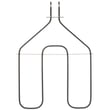
| Broil heats but bake does not | Failed bake element | Inspect for blisters, cracks, or burn spots; test continuity; replace if open |
| Oven heats but never reaches set temp | Sensor dirty/moved or thermostat calibration | Clean sensor carefully; then follow thermostat adjustment steps in the manual |
| Temperature seems off by a lot | Thermostat needs adjustment | Adjust the oven thermostat at the temperature knob (manual procedure) |
Temperature accuracy tips (specific to this model)
Our manual guidance for this Kenmore range is to avoid grocery-store style oven thermometers because they can be off by 20 to 40 degrees. If baking results are consistently too hot or too cool, use the thermostat adjustment procedure described in the 36291112002 owner’s manual.
Cleaning and sensor care (prevents heating problems)
A dirty or coated sensor can make the oven heat improperly.
- Do not let oven-cleaner residue build up on the temperature sensor (located at the top of the oven).
- Wipe the sensor clean after cleaning the oven.
- Do not bend or reposition the sensor; its position affects baking performance.
Why it matters
An oven that will not heat or heats inconsistently can lead to undercooked food and unreliable bake times. Restoring correct heating protects cooking performance and helps prevent repeat failures from overheating wiring or controls.
Last updated: February 2026




