 Installation guide
 Owner’s manual
 Error Codes









What was the size of the Kenmore 79099013100 oven?
For the Kenmore Elite electric range model 79099013100, the exact oven capacity and the appliance’s exterior dimensions are listed in the product literature for this model family. Use the owner's manual and the installation guide to confirm the cubic-foot oven size and the cutout/clearance measurements for your specific installation.
What “size” usually means for this range
When customers ask for oven size, it typically refers to one of these:
- Oven capacity (cubic feet)
- Overall range dimensions (width, height, depth)
- Required clearances (space to walls, cabinets, and countertop)
- Door-open depth (how far it projects when open)
- Rack and usable cavity space (practical cooking space)
How to get the correct measurements for 79099013100
We recommend pulling the measurements from the model-specific documents because listings for other 790-series ranges (including double-oven units) can look similar but measure differently.
- Check the installation guide for:
- Overall width/height/depth
- Minimum cabinet clearances
- Electrical connection requirements
- Check the owner’s manual for:
- Oven features and configuration (including convection)
- Rack positions and usage notes
Quick reference: which document to use
| What you need | Best source |
|---|---|
| Exterior width/height/depth | Installation guide |
| Cabinet clearances | Installation guide |
| Oven capacity (cu ft) | Owner’s manual |
| Feature set (convection, warmer drawer) | Owner’s manual |
Why it matters
Using the correct dimensions helps you avoid fit issues (range won’t slide in, door hits an island, clearance problems) and ensures the electrical hookup and anti-tip setup match the requirements for your Kenmore Elite 79099013100.
Last updated: February 2026
How do I reset my Kenmore 79099013100 Elite electric oven?
To reset your Kenmore Elite electric range model 79099013100, turn the oven controls off, then restore power and reset the clock and oven function. If the control is locked, turn off the lockout first; this restores normal keypad operation.
Quick reset options that work on model 79099013100
- Power reset (most common): Turn the range off, shut off the circuit breaker for about 1 minute, then turn it back on.
- After a power outage: Once power is back, reset the clock and oven function (the range can resume operation if it was not turned off before power returned).
- Clear an error beep/code: Press CLEAR/OFF to stop beeping and clear the display; then re-enter your settings.
If the oven won’t respond, check Oven Lockout
This model has an Oven Lockout feature that can make the oven seem “stuck” even though power is on.
- Press and hold the Oven Lockout pad for 3 seconds.
- Wait for the door to fully unlock and for the lock icon to clear.
We list the exact lockout behavior and what it disables in the owner's manual.
What you should see after a successful reset
| Situation | What you do | What changes |
|---|---|---|
| Control acting glitchy | Breaker reset | Display reboots; clock needs setting |
| “DOOR LOCKED” showing | Hold lockout pad 3 seconds | Door unlocks; oven becomes operational |
| Beeping with F-code | Press CLEAR/OFF | Beeping stops; you can reprogram |
Why it matters
A reset clears temporary electronic control faults and restores normal operation after a power interruption. Unlocking the control prevents unnecessary part replacement when the issue is simply a locked keypad or door.
Last updated: February 2026
Where can I find my Kenmore 79099013100 Elite oven model number?
On Kenmore Elite electric range model 79099013100, the model and serial number are printed on the serial plate located on the right-hand surface of the oven front frame at the storage or warmer drawer area (or the lower panel area). The diagram in the owner's manual shows the exact spot.
Where to look on the range
Check these locations in order (they are the most common for this model family):
- Open the warmer drawer (or storage drawer) and look at the right side of the oven front frame.
- Look behind the warmer drawer compartment panel (the serial plate is often visible once the drawer is open).
- If your range has a lower panel area instead of a drawer, check the right side of that front frame area.
What information to copy from the serial plate
When you find the label, write down everything before you start ordering parts or scheduling service:
- Model number (for example: 79099013100)
- Serial number
- Lot number or letter (if shown)
- Voltage and kilowatt rating (helpful for electrical and installation questions)
Quick ID checklist
Use this to confirm you are reading the correct label.
| Item on label | Why it matters |
|---|---|
| Model number | Ensures parts match your exact Kenmore Elite range |
| Serial number | Helps identify production details and correct variations |
| Voltage / kW rating | Confirms power requirements for safe installation |
Why it matters
Kenmore ranges often have multiple versions that look similar. Using the exact model number from the serial plate helps us match the correct parts list (like a bake element, broil element, or oven probe) and avoid returns.
Last updated: February 2026
Why is my Kenmore 79099013100 Elite oven not working?
If your Kenmore Elite 79099013100 oven is not working, the most common causes are a power issue, the clock not being set (the oven will not operate until time-of-day is set), or a failed heating component such as the bake or broil element. Use the troubleshooting steps in the owner's manual to confirm the control settings and basic power checks.
Quick checks first (no tools)
- Confirm the range has power (surface elements and display behavior are good clues).
- Set the time of day on the clock; this model requires the clock to be set before the oven will run.
- Make sure you selected the correct oven function (Bake, Broil, Convection) and temperature.
- If there was a recent outage, turn the range off, restore power, then reset the clock and try again.
- If the oven works sometimes, stop using it until you find the cause (intermittent heat is often electrical).
What to test next (common failed parts)
If the oven powers on but will not heat, these parts are frequent culprits:
- Bake element: look for blisters, cracks, or a visible break; test for continuity.
- Broil element: same visual and continuity checks.
- Oven temperature sensor: if the oven heats erratically or shows wrong temps, test the sensor circuit.
- Wiring connections: loose or burned terminals can stop heating.
Helpful model-matched parts to consider:
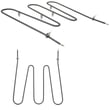
- Frigidaire range bake element 316202200
- Frigidaire range broil element 316203301
- Oven probe 316233903
- Terminal block 5304409888
Symptoms and likely causes
| What you notice | Most likely cause | What to do |
|---|---|---|
| No heat, but display works | Failed bake element (most common) | Inspect and continuity test bake element |
| Broil does not heat | Failed broil element | Inspect and continuity test broil element |
| Oven will not start at all | Clock not set or control not set | Set time-of-day, reselect Bake/Broil |
| After outage, oven acts “dead” | Power interruption state | Reset clock and oven function |
Why it matters
An oven that will not heat is usually a failed element or an electrical connection problem. Catching a burned connection early helps prevent further damage to wiring and terminals, and it restores safe, consistent baking and broiling.
Last updated: February 2026






