 Owner’s manual
 Error Codes




How do I know what model my garage door opener is?
Your garage door opener’s model number is printed on the unit’s ID label. On many Craftsman openers, you’ll find it under the front cover or under a light lens cover; once you have the model number, match it to the parts list for accurate replacement parts and troubleshooting.
Where to look on the opener (most common spots)
- Under the front cover (often on jackshaft style units)
- Under the light cover/lens (common on one-light units)
- Under the light cover opposite the controls and antenna (common on two-light units)
- On the motor head housing near the hanging bracket
- On the side or back panel near the wiring terminals
What to write down from the label
For the best match, record these items exactly as shown:
- Model number (for this page, it’s 13918473D)
- Serial number (helps confirm production run)
- Manufacturing date code (if listed)
- Motor type (AC or DC, if shown)
Quick ID checklist (before you order parts)
| Item | What you’re checking | Why it matters |
|---|---|---|
| Model number | Exact characters (letters and numbers) | Ensures correct parts fit |
| Drive type | Chain, belt, or screw | Determines gear and rail parts |
| Light configuration | One-light vs two-light | Helps locate label and match covers |
| Wall control style | Basic button vs multi-function panel | Affects compatibility |
Why it matters
Craftsman garage door opener parts and programming steps can vary by model series. Using the exact model number prevents ordering the wrong safety sensors, logic board, wall control, or remote setup.
Next step once you find the model
Use the documentation and troubleshooting resources for your exact unit:
- Check the owner's manual for label location details, programming steps, and safety information.
- If you’re seeing diagnostic flashes or error patterns, use Craftsman error codes to narrow down the failure (sensors, travel limits, force settings, or motor control).
Last updated: February 2026
Where can I buy Craftsman garage door opener parts?
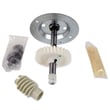
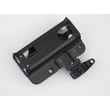
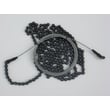
You can buy replacement parts for your Craftsman garage door opener model 13918473D from the model’s parts list on Sears PartsDirect. Use the model number to match the correct components (remote controls, safety sensors, drive parts, and hardware) for a reliable repair.
How we recommend finding the right part
- Confirm the opener model number on the motor unit label: 13918473D
- Use the exploded views and parts list to identify the exact part name you need
- Compare your original part’s markings (if any) to the listing details
- Check whether your opener is chain-drive or belt-drive before ordering drive parts
- Review wiring connections and mounting style for items like wall controls and safety sensors
Common parts people replace on Craftsman openers
| Symptom | Likely part area to check | What to do next |
|---|---|---|
| Door will not close | Safety sensors | Inspect alignment, clean lenses, verify solid sensor LEDs |
| Motor runs but door does not move | Drive system | Check sprocket, gear wear, and chain/belt tension |
| Remote will not operate opener | Remote control / receiver | Replace remote battery, then reprogram to the opener |
| Wall button works but remotes do not | Radio controls | Relearn remotes and check for interference |
Why it matters
Garage door opener parts are model-specific; ordering by 13918473D helps ensure the replacement matches your Craftsman opener’s wiring, mounting points, and control logic so the door runs smoothly and safely.
Helpful references for troubleshooting before you order
- Use the 13918473D Owner's manual to confirm adjustment procedures and compatible accessories.
- If you’re seeing diagnostic flashes or error patterns, check Craftsman error codes to narrow down the failed component.
Last updated: February 2026
What are the common problems with Craftsman garage door openers?
Common problems on a Craftsman garage door opener like model 13918473D are safety sensor faults (door will not close), remote or wall control issues, travel or force settings that are out of adjustment, and worn drive components (chain/belt, gears) that cause noise or slipping. Use the owner's manual to match symptoms to the correct adjustment or test.
Most common symptoms and what they usually mean
- Door starts down then reverses: safety sensors misaligned, blocked, or wired loosely.
- Opener hums but door does not move: jammed door, stripped gear, or a disengaged trolley.
- Remote works sometimes: weak remote battery, interference, or receiver/antenna issue.
- Wall button works but remotes do not: remote programming or receiver problem.
- Grinding or clicking noise: worn drive gear, loose sprocket, or dry chain/belt.
- Lights blink repeatedly: the opener is reporting a fault condition (often sensors).
Quick checks we recommend first (safe, no parts guessing)
- Unplug the opener for 30 seconds, then plug it back in.
- Check the door by hand: pull the emergency release and lift the door. It should move smoothly and stay about halfway open.
- Inspect safety sensors: both lenses clean, brackets tight, and sensor LEDs steady.
- Look for binding hardware: bent track, tight rollers, or a stuck hinge can mimic opener failure.
- Verify travel and force settings per the owner's manual before assuming a motor or logic board issue.
Blink codes and diagnostics
Many Craftsman openers use light flashes to point to the problem area (sensors, travel limits, force, RPM sensing, wiring). Use our Craftsman error codes reference to interpret the pattern and narrow the fix.
| Symptom | Most likely area | Typical fix type |
|---|---|---|
| Won’t close, reverses | Safety sensors | Align/clean/repair wiring |
| Stops mid-travel | Door binding or force setting | Door service or force adjustment |
| Loud grinding | Drive gear/sprocket | Mechanical repair |
| No response at all | Power, wiring, control board | Electrical checks |
Why it matters
Garage door openers are designed to reverse for safety. Sensor problems and force/travel misadjustments are the top reasons a door will not close, and correcting them prevents unnecessary wear on the motor, gears, and rail.
Last updated: February 2026
Can you get a universal remote for an old garage door opener?
Yes. For an older Craftsman garage door opener like model 13918473D, you can typically use a universal garage door opener remote if it supports the same radio frequency and “learn” method as your opener. If compatibility is limited, adding an external receiver kit is the standard workaround.
What to check first (quick compatibility checklist)
- Confirm your opener’s learn button style and color (this often indicates the radio system generation).
- Verify the remote supports your opener’s frequency (many older units use 390 MHz or 315 MHz, but you should confirm for your exact unit).
- Make sure the remote supports rolling code if your opener uses it (common on many newer replacements).
- Check whether your opener uses a DIP switch remote (very old style) or a learn button remote.
- If your opener has no learn button and no DIP switches you can access, plan on an external receiver.
Best options for an older opener
| Option | When it works best | What you’ll do |
|---|---|---|
| Universal remote | Opener has a compatible learn button system | Program the remote to the opener |
| External receiver + new remotes | Opener is too old or incompatible | Wire receiver to opener terminals, then program remotes |
| Keypad (if supported) | You want no-remote entry | Program keypad PIN to the opener/receiver |
Programming tips that prevent most failures
- Start by clearing the remote’s memory (if the remote instructions recommend it).
- Press and release the opener’s learn button, then press the remote button within 30 seconds.
- Replace the remote battery and stand 3 to 6 feet from the motor unit while pairing.
- If the door moves but reverses or won’t close, troubleshoot the safety sensors and force settings.
Why it matters
A compatible remote keeps your Craftsman 13918473D secure and reliable. When a universal remote cannot “talk” to an older radio system, an external receiver modernizes the opener without replacing the motor unit.
For model-specific programming steps and learn button details, use the 13918473D owner's manual. For blinking-light diagnostics that point to sensor or travel issues, use Craftsman error codes.
Last updated: February 2026
Is it cheaper to repair or replace a garage door opener?
For a Craftsman garage door opener like model 13918473D, it’s cheaper to repair when the problem is limited to common wear items or adjustments (safety sensors, remote programming, force/travel settings). Replacement is the better value when the opener is older (typically 10 to 15 years), has repeated failures, or the repair cost is close to half the price of a new unit.
Quick decision guide
- Repair when the door is mechanically fine and the opener issue is isolated (sensors, wall control, remote, settings).
- Replace when the motor/gear train is failing, the unit is noisy and unreliable, or multiple components are acting up.
- Repair when you can restore safe operation with cleaning, alignment, or adjustments.
- Replace when you want newer features (quieter drive, updated security, better lighting options).
Typical cost comparison (rule-of-thumb)
| Scenario | What usually makes sense | Why |
|---|---|---|
| Minor issue (sensor alignment, remote setup, force/travel adjustment) | Repair | Low parts/labor, fast fix |
| One failed component (wall control, safety sensor, capacitor) | Repair | Targeted repair restores reliability |
| Repeated breakdowns or major drive/motor problems | Replace | Cost stacks up and reliability stays poor |
| Opener is 10 to 15+ years old | Replace | Better long-term value and fewer repeat repairs |
What we recommend checking first (before spending money)
- Door balance and binding: Disconnect the opener and lift the door by hand. If it’s heavy or sticks, fix the door hardware first.
- Safety sensor alignment: Confirm both sensors are aimed correctly and the lenses are clean.
- Force and travel settings: Incorrect settings can cause reversals, partial travel, or strain.
- Wall control and wiring: Loose connections can mimic a bad logic board.
- Error indicators: Use the diagnostic flashes/codes to narrow the failure.
Why it matters
A garage door opener is a safety device as much as a convenience feature. Repairing the right problem keeps the safety sensors and reversal system working correctly; replacing at the right time prevents repeated failures that can damage the door, rail, or drive system.
For model-specific operating and adjustment steps, follow the 13918473D owner's manual. For troubleshooting by diagnostic flashes, use Craftsman error codes.
Last updated: February 2026





