 Owner’s manual
 Error Codes









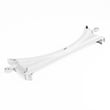
How do I know if my Kenmore dryer thermal fuse is blown?
On Kenmore Elite dryer model 79691029900, a blown thermal fuse commonly shows up as a dryer that will not start or a dryer that runs but does not heat. The most reliable way to confirm it is to unplug the dryer and test the fuse for continuity with a multimeter, then correct any vent restriction that caused overheating.
Quick symptoms to look for
- Dryer will not start (no motor run) even though power is present
- Dryer runs but clothes stay damp because there is no heat
- Cycle ends early or drying performance suddenly gets much worse
- Vent indicator is blinking, which points to restricted ductwork and overheating risk
How we confirm a blown thermal fuse (safe, basic test)
- Disconnect power (unplug the cord or switch off the breaker).
- Access the thermal fuse location shown in the 79691029900 owner’s manual.
- Remove at least one wire from the fuse terminal.
- Check continuity with a multimeter:
- Good fuse: near 0 ohms or meter beeps
- Blown fuse: open circuit (no beep, infinite resistance)
Safety notes
- If you have a gas model, shut off the gas supply before opening panels.
- Do not bypass the thermal fuse; it is a critical safety device.
Fix the cause first: venting and airflow checks
The manual calls out that vent ductwork should be checked for lint buildup and cleaned at least once per year, and to check for obstructions if drying performance drops.
- Clean the lint screen before every load
- Inspect and clean the exhaust duct run (crushed hose, long run, too many turns)
- Confirm the outside damper opens freely and is not blocked
- Make sure the dryer is level and the vent is connected securely
| What you see | What it usually means | What to do next |
|---|---|---|
| No heat, drum tumbles | Heating circuit issue (often airflow related) | Check venting, then test safety thermostats and fuse |
| Dryer will not turn on | Safety device open or power issue | Verify power, then test door switch and thermal fuse |
| Vent indicator blinking | Duct restriction | Clean ductwork immediately |
Why it matters
A thermal fuse typically opens because the dryer overheated. Restoring proper airflow helps prevent repeat failures and improves drying time and energy use.
Last updated: January 2026
What is the lifespan of a Kenmore dryer?
A Kenmore dryer typically lasts 10 to 13 years. With consistent care (especially lint and vent cleaning), many units run longer. For your Kenmore Elite dryer model 79691029900, following the maintenance steps in the 79691029900 owner's manual helps maximize service life.
What affects dryer lifespan most
- Vent ductwork condition: restricted airflow makes the dryer run hotter and longer
- Lint filter habits: cleaning every load reduces heat stress and improves drying
- Load size: overloading strains the drum, belt, rollers, and motor
- Heat source and cycling: frequent high-heat cycles increase wear on thermostats and burner/element parts
- Installation and leveling: an unlevel dryer can increase vibration and component wear
Maintenance checklist we recommend
Use these habits to extend the life of a Kenmore Elite dryer like 79691029900:
- Clean the lint filter before or after every load
- Check and clean vent ductwork at least once per year
- Wipe the door opening and seal area to prevent lint buildup
- Keep the area around and under the dryer clean to reduce dust and lint accumulation
- Recheck leveling if the dryer starts vibrating or walking
Common wear parts and what symptoms look like
| Symptom | Likely wear area | Example part for this model |
|---|---|---|
| Squealing, thumping, rumbling | Drum support and drive system | Dryer drum support roller 4581EL2002L |
| Drum not turning, motor runs | Belt or idler system | Dryer drum belt 4400EL2001F |
| Long dry times, overheating | Airflow restriction or temperature control | Vent cleaning first; then inspect thermostats |
Why it matters
A dryer that is kept clean and vented properly dries faster, runs cooler, and puts less stress on key components like the motor, drum rollers, belt, and thermostats. That directly translates into fewer breakdowns and a longer overall lifespan.
Last updated: January 2026
Where is the model number on Kenmore Elite dryer?
On the Kenmore Elite dryer model 79691029900, the model number is printed on the identification plate located inside the dryer door opening. Open the door and look along the cabinet frame area where the door closes; the label lists both the model and serial number (for gas and electric versions).
Where to look first (fastest check)
- Open the dryer door fully.
- Look for a white or silver identification plate.
- Check the cabinet frame just inside the door opening.
- Wipe dust off the label so the numbers are readable.
- Write down both the model and serial number before ordering parts.
What the label typically includes
| Label item | What it’s used for | Why you need it |
|---|---|---|
| Model number | Identifies the exact dryer design | Ensures parts match your Kenmore Elite dryer |
| Serial number | Identifies production run details | Helps confirm correct revisions and service info |
| Rating info | Electrical or gas requirements reference | Helps with safe setup and troubleshooting |
Why it matters for parts and troubleshooting
Kenmore Elite dryers often share similar styling across multiple model families, but internal components (like the control board, moisture sensor, or thermostats) can differ. Using the exact model number from the door label helps us match the correct diagrams and replacement parts for your dryer.
Helpful tip for this model family
Your Use & Care Guide notes that you should record the model and serial number and keep them available whenever you contact Sears about the product. For additional identification and setup details, use the 79691029900 owner's manual.
Last updated: January 2026
How to hard reset a Kenmore dryer?
To hard reset your Kenmore Elite dryer model 79691029900, unplug the dryer (or switch off the breaker) for about 1 to 5 minutes, then restore power and press Power. This clears many temporary control glitches and lets you restart a cycle normally.
Hard reset steps (safe and effective)
- Press Power to turn the dryer off.
- Unplug the power cord (or turn the dryer breaker off).
- Wait 1 to 5 minutes.
- Restore power.
- Press Power, select a cycle with the cycle selector knob, then press Start/Pause.
For control and cycle basics specific to this dryer, use the 79691029900 owner's manual.
If the reset did not fix it
A reset helps with a “stuck” control, but it will not fix a real airflow, heat, or safety shutdown problem. Check these common causes next:
- Control lock is on: press and hold Control Lock for 5 seconds to unlock.
- Dryer was paused too long: if stopped more than about 4 minutes, the dryer can shut off and lose settings.
- Restricted venting: lint buildup or a blockage can reduce drying performance and trigger problems.
- Door not closing fully: a failing door switch can prevent starting.
- No heat or overheating symptoms: thermostat or burner ignition issues can mimic “needs reset.”
Quick checks you can do in 10 minutes
- Clean the lint screen and confirm the lint screen housing is seated correctly.
- Run a timed cycle and confirm airflow at the outside vent hood.
- Inspect the vent duct for kinks, crushing, or heavy lint.
- Confirm the door closes firmly; listen for a click.
- If the drum will not tumble, stop using the dryer and inspect the belt path.
Common “reset-related” symptoms and likely causes
| Symptom | What it usually points to | What to check first |
|---|---|---|
| Powers on, will not start | Door circuit or control lock | Door closure, Control Lock, dryer door switch EBF61496102 |
| Runs but no heat (gas) | Ignition or gas supply air purge | Normal cycle start sequence, lg dryer burner igniter 5318EL3001A |
| Long dry times | Airflow restriction | Vent cleaning (at least yearly), outside vent hood |
Why it matters
Hard resetting clears temporary electronic issues, but dryers also shut down or behave oddly when airflow is restricted or a safety device is reacting to heat conditions. Keeping venting clean and controls unlocked prevents repeat problems.
Last updated: January 2026










