Owner’s manual
 Error Codes


How to lower the feet on a fridge?
To lower the front leveling feet on your Samsung RFG29PHDRS refrigerator, access the front leveling controls behind the toe grille area and turn the control lever clockwise to lower the refrigerator. Leveling helps the doors seal correctly and reduces condensation and energy use.
Steps to lower the front feet (leveling legs)
- Open the freezer drawer and remove the lower basket.
- Remove the two screws holding the front leg cover (toe grille), then lift and pull the cover off.
- Insert a flat-blade screwdriver into the notch on the control lever.
- Turn clockwise to lower the refrigerator; turn counterclockwise to raise it.
- Recheck level side-to-side and front-to-back, then reinstall the cover and basket.
Quick checklist before you start
- Unplug the refrigerator or switch off power at the breaker.
- Empty heavy items from door bins to reduce tipping risk.
- Use a flat, hard surface under the refrigerator; avoid soft flooring.
- Pull the refrigerator straight out if you need access; do not wiggle side to side.
- Make sure both front control levers end up touching the floor.
What “level” should look like
Use a bubble level on a shelf inside the fresh food section.
| What you see | What to do | Result |
|---|---|---|
| Left side low | Turn left control lever clockwise | Lowers left front |
| Right side low | Turn right control lever clockwise | Lowers right front |
| Front low/high | Adjust both sides evenly | Improves door closing |
Why it matters
When the refrigerator is not level, the doors can sit unevenly, which can cause moisture condensation and higher energy bills. Proper leveling also helps prevent the unit from rocking and protects flooring.
Reference
For the exact access points and illustrations for your model, follow the leveling procedure in the RFG29PHDRS owner's manual.
Last updated: January 2026
Do you have to soak a Samsung water filter before you put it in the fridge?
No. For the Samsung RFG29PHDRS refrigerator, you do not soak the water filter before installing it; you install it dry, then flush water through the dispenser until the water runs clear to purge air and carbon fines.
What to do instead of soaking
Use the steps in the RFG29PHDRS owner's manual and focus on flushing after installation.
- Install the new filter and make sure it is fully seated and locked.
- Turn the household water supply back on (if you shut it off).
- Dispense water continuously until it runs clear (plan on about 6 to 7 minutes of flushing).
- Expect brief sputtering or cloudy water at first; that is normal during purging.
- Check the filter area for leaks after flushing.
Quick reference: soak vs flush
| Action | Needed? | What it accomplishes |
|---|---|---|
| Soak the filter in a bowl of water | No | Does not replace the required line purge |
| Flush water through the dispenser | Yes | Removes air and residual carbon; restores steady flow |
| Reset the filter indicator | Yes | Clears the filter reminder after replacement |
Resetting the filter light (common follow-up)
After you install the new filter, reset the filter indicator using the Alarm/hold 3 sec for Filter Reset button (hold about 3 seconds). If the dispenser flow is slow, the filter is commonly the first item to replace.
Why it matters
Skipping the flush can leave air in the water line and loose carbon in the new cartridge; that causes sputtering, cloudy water, and inconsistent dispenser flow. Flushing also helps you confirm there are no leaks at the filter housing.
Last updated: January 2026
What is the most common problem with Samsung refrigerators?
For Samsung refrigerators like model RFG29PHDRS, the most common customer-reported issues are ice maker problems (no ice, clumping, freezing up) and cooling/airflow problems that can lead to warm temperatures, frost buildup, or water leaks. We use the troubleshooting steps in the RFG29PHDRS user manual to pinpoint the cause safely.
Most common symptoms we see
- Ice maker stops producing ice or makes small/hollow cubes
- Ice clumps together or the ice bucket jams
- Refrigerator section warms up while the freezer seems OK
- Frost or ice buildup that restricts airflow
- Water leaking inside the fresh food section or onto the floor
Quick checks that solve many complaints
- Do not block air holes/vents with bags or containers; blocked airflow can cause overcooling and related issues.
- If you unplugged the refrigerator, wait at least 5 minutes before plugging it back in.
- If water dispenses slowly, replace the water filter; a clogged filter commonly restricts flow.
- After a filter change, reset the filter indicator (the manual describes using the Alarm/hold 3 sec for Filter Reset button).
- If you smell burning or see smoke, unplug the unit and contact service.
Parts that commonly relate to these problems (by symptom)
| Symptom | Likely area to inspect | Example part for RFG29PHDRS |
|---|---|---|
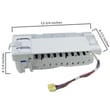
| No ice, leaking, freezing up | Ice maker and ice handling | Refrigerator ice maker assembly DA97-07365A |
| Slow water, poor ice fill | Water filter and supply | Samsung refrigerator water filter 9101 |
| Puddles or internal leaks | Drain path and tubing | Refrigerator cabinet drain tube assembly DA97-04049H |
Why it matters
Ice maker and airflow issues can cascade into bigger problems: restricted airflow can cause temperature swings, frost buildup, and extra run time. Staying on top of vent clearance and filter changes helps protect food quality and reduces nuisance leaks.
When to use error code help
If the display shows an error code, use a Samsung-specific reference to narrow the failure to a sensor, fan, defrost, or ice maker circuit; see Samsung rfg29 french door refrigerator error codes.
Last updated: January 2026
How to get the bottom shelf out of a Samsung refrigerator?
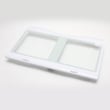
On Samsung model RFG29PHDRS, “bottom shelf” usually means the lowest tempered-glass shelf in the fresh food (refrigerator) compartment above the crisper drawers, not the freezer drawer area. We remove the drawers below first, then tilt the shelf up, lift it straight up, and pull it out.
Steps to remove the bottom shelf in the fresh food section
- Open both fresh food doors fully.
- Remove all food from the shelf.
- Pull the vegetable/fruit drawers out to full extension.
- Tilt up the front of each drawer and pull straight out to remove the drawers.
- Tilt up the front of the tempered-glass shelf.
- Lift the shelf up vertically to disengage the hooks.
- Pull the shelf straight out.
Quick do and do not list
- Do use two hands; tempered glass shelves are heavy.
- Do keep the shelf level as you lift so the rear hooks release evenly.
- Do set the shelf on a towel or soft surface to prevent chipping.
- Do not twist the shelf; twisting can crack glass or damage shelf supports.
- Do not force it past the drawer frames; remove the drawers first.
If the shelf feels stuck
| What you notice | Most likely cause | What we do |
|---|---|---|
| Front won’t lift | Drawers or drawer frame still blocking | Remove drawers fully, then lift shelf front |
| Lifts but won’t slide out | Rear hooks still engaged | Lift higher while keeping it level, then pull |
| Binds on one side | Shelf not centered in slots | Push shelf in, re-lift evenly from both sides |
Why it matters
Removing the drawers first prevents cracked glass, broken shelf supports, and damaged drawer rails; it also makes cleaning easier and helps everything reinstall square so the doors close smoothly.
For the model-specific illustrations and cautions, use the RFG29PHDRS owner's manual.
Last updated: January 2026