Error Codes

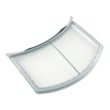
How to fix E64 error on Electrolux dryer?
On the Electrolux EWMED70JSS2 dryer, an E64 error points to a heating circuit problem. We fix it by resetting power, checking the heater wiring connections, and testing key heat components; a failed heater or safety thermostat typically needs replacement.
- Unplug the dryer (or switch the breaker off) for 2 to 5 minutes, then restore power and retry.
- Confirm the dryer is getting full power (electric dryers need the correct 240V supply; a half-tripped breaker can cause heat faults).
- Inspect the power cord and terminal block area for heat damage or loose connections.
- Clean lint buildup from the lint screen and airflow path; restricted airflow can overheat the heater housing and trip safety devices.
E64 is most often tied to an open heater circuit, a tripped thermal limiter, or a wiring issue at the heater/thermostat.
- Heating element open or grounded: consider replacing the frigidaire dryer heating element 134792700.
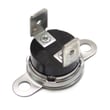
- Thermal safety device open (overheat event): consider the dryer inlet thermal limiter 137032600 and/or the kelvinator dryer high-limit thermostat 3204267.
- Loose, burned, or broken wire at the heater housing or thermostat terminals.
- Control not sensing temperature correctly: a failed thermistor can contribute; see kenmore dryer thermistor 134711300.
| Symptom | Most common check | Typical fix |
|---|---|---|
| Runs but no heat | Heater circuit continuity | Replace heating element or limiter/thermostat |
| Heats briefly then stops | Airflow restriction, overheating | Clean venting; replace limiter/thermostat if open |
| Error returns immediately | Wiring/terminal damage | Repair wiring; replace damaged components |
A dryer that cannot regulate heat can stop drying, overheat, or repeatedly trip safety limiters. Fixing the root cause (often airflow plus a failed limiter/thermostat or heating element) restores normal drying and helps prevent repeat failures.
Last updated: January 2026
How to reset electrolux dryer error code?
To reset an error code on an Electrolux EWMED70JSS2 dryer, we power the dryer off, wait about 3 seconds, then power it back on and wait about 3 seconds. If the code returns right away, treat it as an active fault that needs troubleshooting, not just a reset.
- Press Power/Cancel to turn the dryer off
- Wait 3 seconds
- Turn the dryer on
- Wait 3 seconds
- Start a cycle and watch for the code to reappear
Many Electrolux dryer codes return because the dryer is overheating, not heating, or sensing airflow problems. Before replacing parts, we check the basics:
- Clean the lint screen and confirm it is seated correctly (a damaged screen can restrict airflow)
- Check the vent duct for kinks, crushing, or heavy lint buildup
- Confirm strong airflow at the outside vent hood
- Let the dryer cool down for 10 to 15 minutes if it shut down mid-cycle
- If the code relates to temperature or overheating, inspect the heating and safety circuit parts
If troubleshooting points to a heat or overheat condition, these model-compatible parts are common suspects:
| Symptom | Most likely area | Example part for EWMED70JSS2 |
|---|---|---|
| Dryer stops, overheats, or shows high-heat related code | Safety limit circuit | Dryer high-limit thermostat 3204267 |
| Dryer overheats or shuts down on heat | Thermal safety device | Dryer inlet thermal limiter 137032600 |
| No heat or weak heat (electric models) | Heater circuit | Dryer heating element 134792700 |
| Poor airflow, rumbling, or weak drying | Blower system | Dryer blower wheel and housing assembly 134690800 |
Resetting clears a temporary control condition, but a repeating error code usually means the dryer is protecting itself from unsafe temperatures or poor airflow. Fixing the root cause helps prevent long dry times, repeat shutdowns, and heat-related part failures.
- Use Electrolux iq-touch dryer error codes to match the exact code to the right checks and parts.
- For drying performance and airflow tips, follow dryer takes a long time to dry.
Last updated: January 2026
What is 70 on a dryer?
On an Electrolux EWMED70JSS2 dryer, “70” usually refers to a setting value, most often a temperature level (about 70°F) or a time value (70 minutes) depending on the cycle and what the display is showing. It is not typically an Electrolux error code by itself.
Check what the dryer is doing when “70” appears:
- If you are selecting a cycle and turning options on/off, “70” is commonly a temperature or dryness/target value.
- If the dryer is running and counting down, “70” is commonly minutes remaining.
- If “70” appears with letters (for example, an “E” code), treat it as an error code and troubleshoot from the code.
Electrolux dryers typically show error codes as letters plus numbers (not just a number). Use this guide to match what you see on the display:
- Reset power: unplug for 2 minutes (or switch the breaker off/on), then retry.
- Confirm the cycle: some cycles display temperature while others display time.
- Make sure the door is fully closed and the latch engages.
- Clean the lint screen and confirm airflow is strong.
If clothes are taking too long to dry, or the dryer seems too hot, focus on airflow and heat control parts:
- Clean the lint screen and wash it with mild soap if it has fabric softener buildup.
- Check the vent path for restrictions (crushed hose, lint clog, blocked exterior hood).
- Inspect the blower area for lint buildup.
- If the dryer overheats or shuts down, heat-limit parts may be involved, such as the dryer inlet thermal limiter 137032600 or dryer high-limit thermostat 3204267.
| What you see | Most likely meaning | What to do next |
|---|---|---|
| “70” while selecting options | Temperature or target setting | Change temp/dryness option and watch the display |
| “70” during a running cycle | Minutes remaining | Let it run; verify it counts down |
| Letters + numbers with “70” | Error code | Use the Electrolux error code guide and reset power |
Misreading a normal display value as an error can lead to unnecessary parts replacement. Confirming whether “70” is time, temperature, or a true error code helps you troubleshoot the right system (controls, airflow, or heating).
Last updated: January 2026